SpeedFace M4 User Manual
Page | 54 Copyright©2021ZKTECO CO., LTD. All rights reserved.
7 Personalize Settings
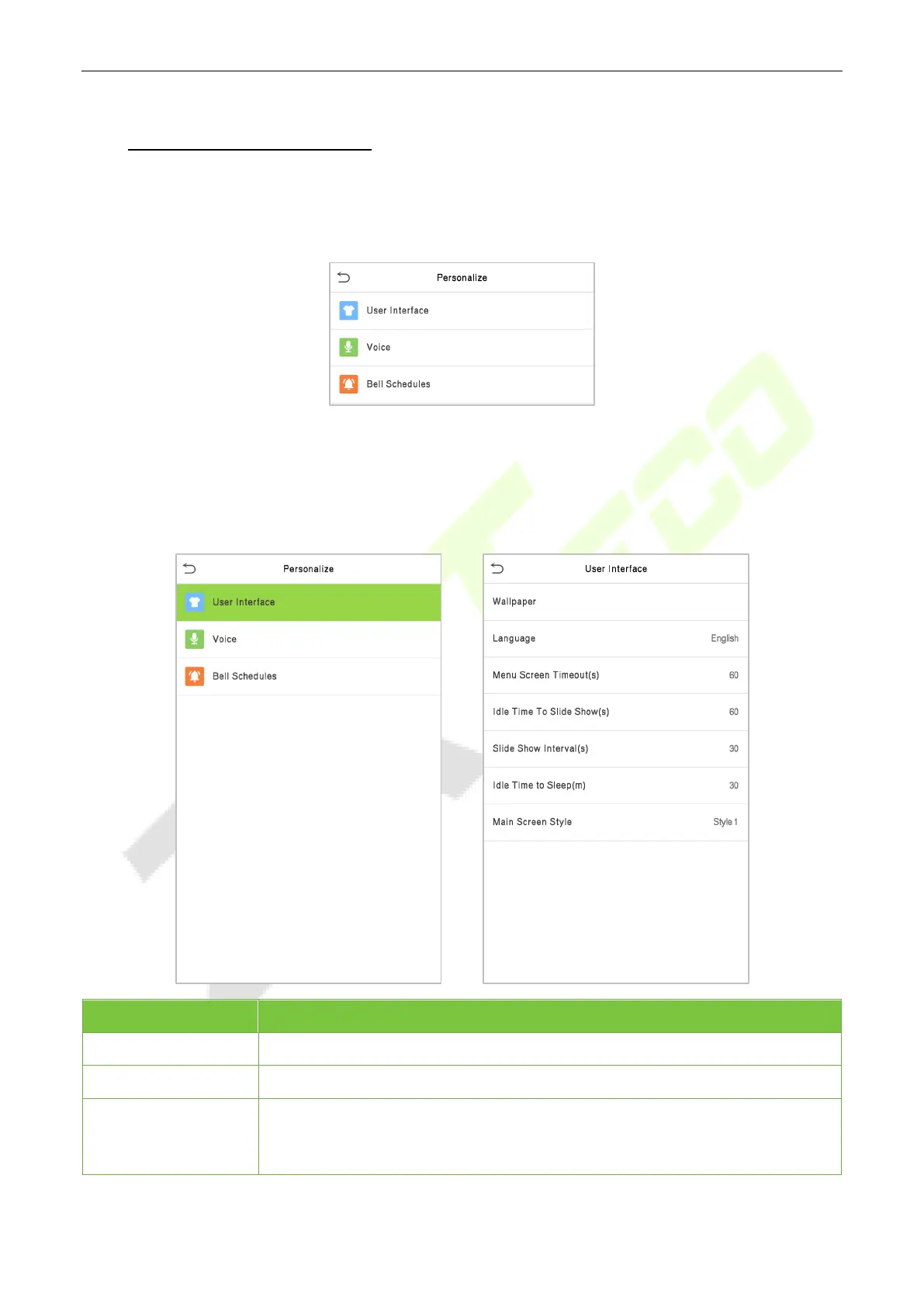
You may customize the interface settings, audio, and bell.
Click Personalize on the main menu interface.
7.1 Interface Settings
You can customize the display style of the main interface.
Click User Interface on the Personalize interface.
Menu Description
Wallpaper
To select the main screen wallpaper according to your personal preference.
Language
To select the language of the device.
Menu Screen
Timeout (s)
When there is no operation, and the time exceeds the set value, the device will
automatically go back to the initial interface. You can disable the function or set
the value between 60 and 99999 seconds.


 To Next Page