SpeedFace M4 User Manual
Page | 70 Copyright©2021ZKTECO CO., LTD. All rights reserved.
11 Autotest
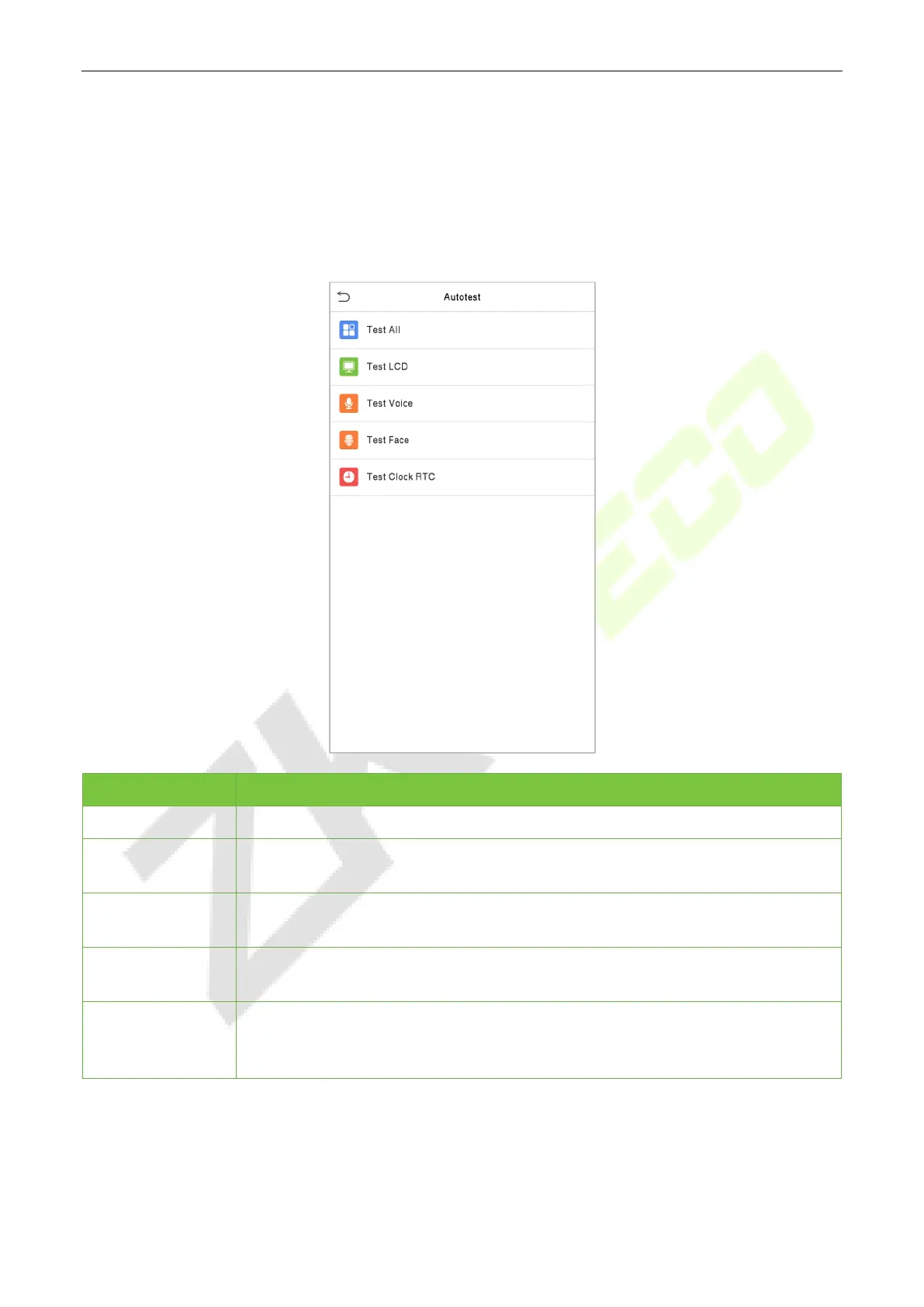
To automatically test whether all modules in the device function properly, which include the LCD, Audio,
Camera and real-time clock (RTC).
Click Autotest on the main menu interface.
Menu Description
Test All
To automatically test whether the LCD, audio, camera and RTC are normal.
Test LCD
To automatically test the display effect of LCD screen by displaying full-color, pure
white, and pure black to check whether the screen displays the colors normally.
Test Voice
To
automatically test whether the audio files stored in the device are complete
and the voice quality is good.
Test Face
To test if the camera functions properly by checking the pictures taken to see if
they are clear enough.
Test Clock RTC
To test the RTC. The device tests whether the clock works normally and accurately
with a stopwatch. Touch the screen to start counting and press it again to stop
counting.



 To Next Page