SpeedFace M4 User Manual
Page | 62 Copyright©2021ZKTECO CO., LTD. All rights reserved.
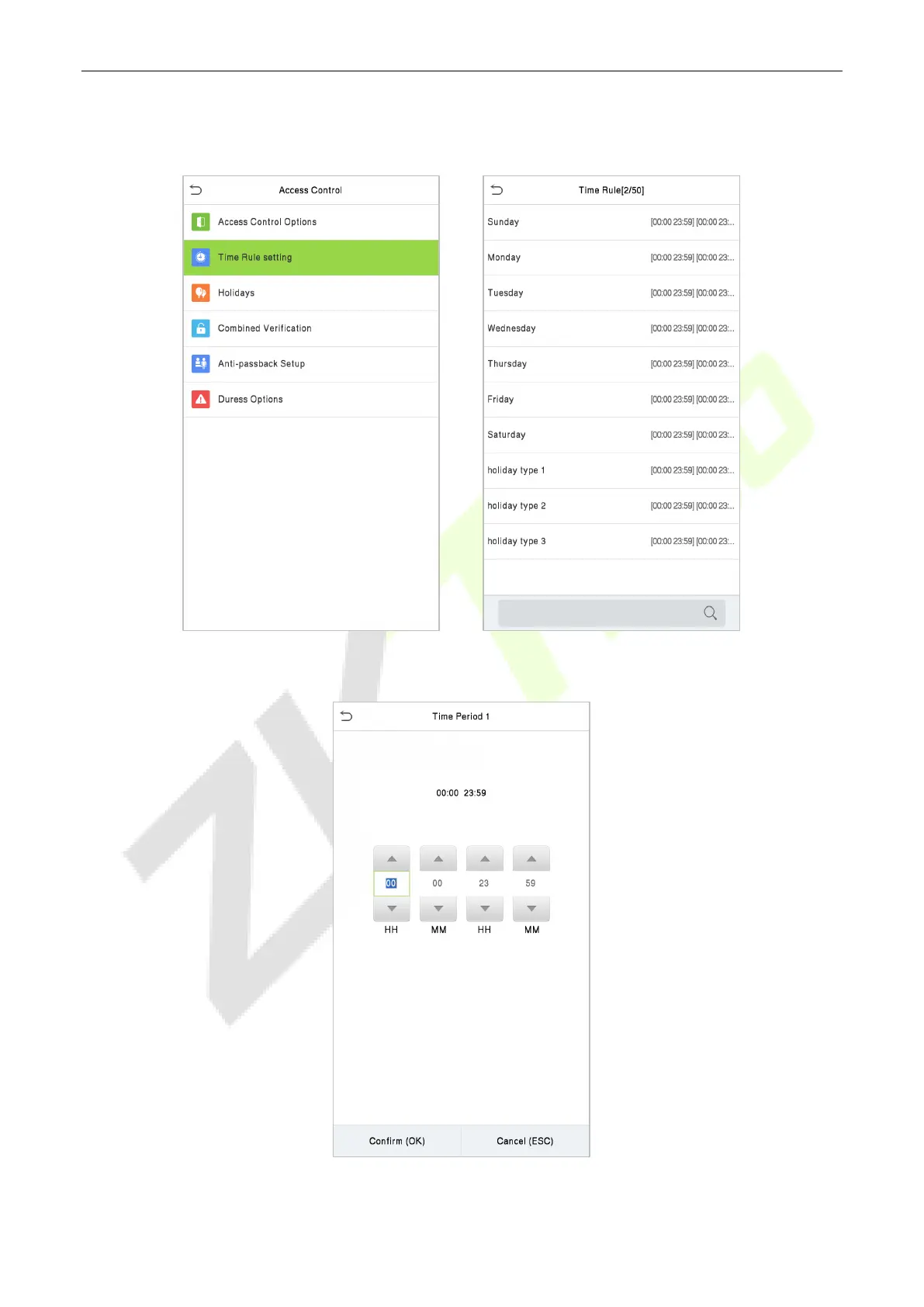
Click the grey box to search the required Time Zone and specify the required Time Zone number
(maximum up to 50 zones).
On the selected Time Zone number interface, click on the required day (that is Monday, Tuesday, etc.) to
set the time.
Specify the start and the end time, and then click OK.



 To Next Page