10 11
Effect Types and Parameters
[ MODULATION ]
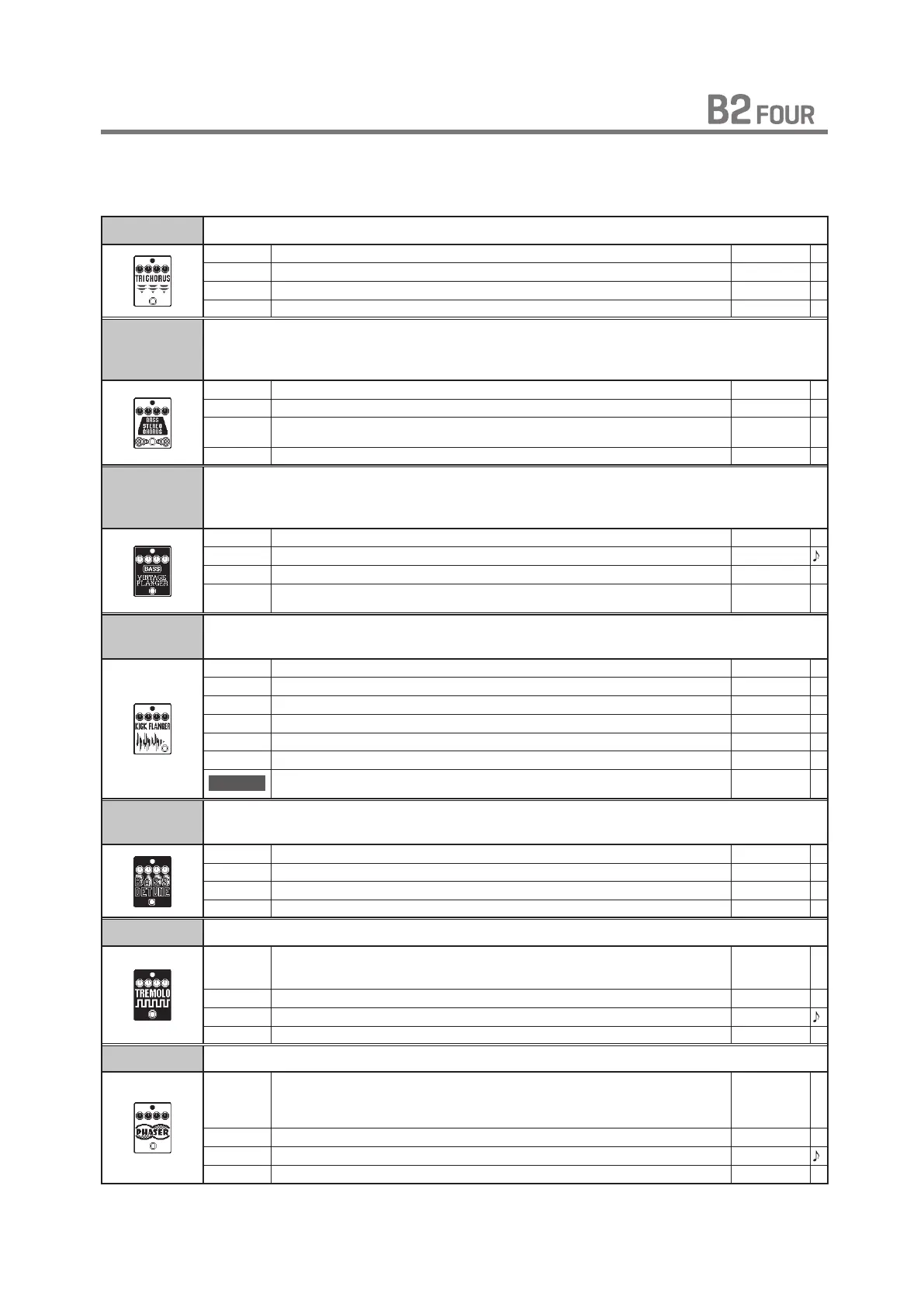
TRI CHORUS This is a model of tc electronic's CORONA Tri-Chorus.
DEPTH Sets the depth of the modulation. 0 – 100
SPEED Sets the speed of the modulation. 0 – 100
TONE Adjusts the tone. 0 – 100
MIX Adjusts the amount of effected sound that is mixed with the original sound. 0 – 100
BASS
STEREO
CHORUS
This stereo chorus for bass has a clear sound quality.
DEPTH Sets the depth of the modulation. 0 – 100
RATE Sets the speed of the modulation. 1 – 50
LOCUT Sets the cut-off frequency in the low range of the effect sound.
OFF,
60 Hz – 800 Hz
MIX Adjusts the amount of effected sound that is mixed with the original sound. 0 – 100
BASS
VINTAGE
FLANGER
This analog flanger sound is similar to an MXR M-117R. A parameter has been added
to cut low frequencies from the effect sound.
DEPTH Sets the depth of the modulation. 0 – 100
RATE Sets the speed of the modulation. 0 – 50
RESO Sets effect resonance. -10 – 10
LOCUT Sets the cut-off frequency in the low range of the effect sound.
OFF,
60 Hz – 800 Hz
KICK
FLANGER
This flanger is controlled using the foot switch.
PRE DLY Sets pre-delay time of effect sound. 0 – 100
DEPTH Sets the depth of the modulation. 0 – 100
RATE Sets the speed of the modulation. 0 – 100
RESO Sets effect resonance. 0 – 100
MIX Adjusts the amount of effected sound that is mixed with the original sound. 0 – 100
RESET-F Adjusts the LFO reset frequency. 0 – 100
ON/OFF
Sets the foot switch function.
LATCH,
UNLATCH
BASS
DETUNE
By mixing a small amount of the pitch-shifted effect sound with the original sound, a
natural bass chorus effect is achieved.
CENT Adjusts the detuning in cents, which are fine increments of 1/100-semitone. -50 – 50
PRE DLY Sets the pre-delay time of the effect sound. 0 – 50
TONE Adjusts the tone. 0 – 10
MIX Adjusts the amount of effected sound that is mixed with the original sound. 0 – 100
TREMOLO This effect varies the volume at a regular rate.
WAVE Sets the modulation waveform.
TRIANGLE,
TUBE,
SQUARE
DEPTH Sets the depth of the modulation. 0 – 100
RATE Sets the speed of the modulation. 0 – 100
VOL Adjusts the volume. 0 – 100
PHASER This effect adds a phasing variation to the sound.
COLOR Sets the tone of the effect type.
4 STG,
8 STG,
INV 4,
INV 8
DEPTH Sets the depth of the modulation. 0 – 100
RATE Sets the speed of the modulation. 1 – 50
RESO Sets effect resonance. 0 – 100



 To Next Page