To Next Page
K
Kelsey WhiteSep 8, 2025
What to do if Zoom Computer Hardware 3000 is in Edit (Manual) mode?
- IIsaiah WiseSep 8, 2025
If your Zoom Computer Hardware 3000 is in Edit (Manual) mode, press the FUNCTION switch to return to Play mode.

What to do if Zoom Computer Hardware 3000 is in Edit (Manual) mode?
If your Zoom Computer Hardware 3000 is in Edit (Manual) mode, press the FUNCTION switch to return to Play mode.
Is my Zoom player 3000 shielded cable ok?
Try changing your shielded cable to ensure it is not the cause of the issue with your Zoom Computer Hardware.
How to switch to RTM mode on RP01 for Zoom player 3000 Computer Hardware?
Press the Mode Selector of RP01 to switch to RTM mode on your Zoom Computer Hardware.
What to do if MAIN DRIVE effect module cannot be activated on Zoom Computer Hardware?
In Edit mode, select a different effect type for PRE DRIVE on your Zoom Computer Hardware. If TALKING BOX is selected, the MAIN DRIVE effect module cannot be activated even if the PRE DRIVE module is off.
How to adjust the MIC Level parameter of PRE DRIVE effect module on Zoom Computer Hardware?
In Edit mode, try increasing the MIC Level parameter on your Zoom Computer Hardware to ensure it is set to a suitable value.
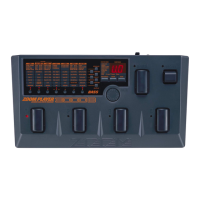
Overview of the top panel controls, buttons, and displays for the effect processor.
Identification of the input/output jacks and connectors on the rear panel.
Performing with the unit, selecting patches, and tuning.
Editing patch parameters and global settings.
Explanation of information shown on the display in Play mode.
Procedure for navigating between Edit and Play modes.
Procedure to assign one of seven modes to the FUNCTION switch.
 General
| Brand | Zoom |
|---|---|
| Model | player 3000 |
| Category | Computer Hardware |
| Language | English |