– set the days on which the DND Night mode is to be applied Repeat
repeatedly.
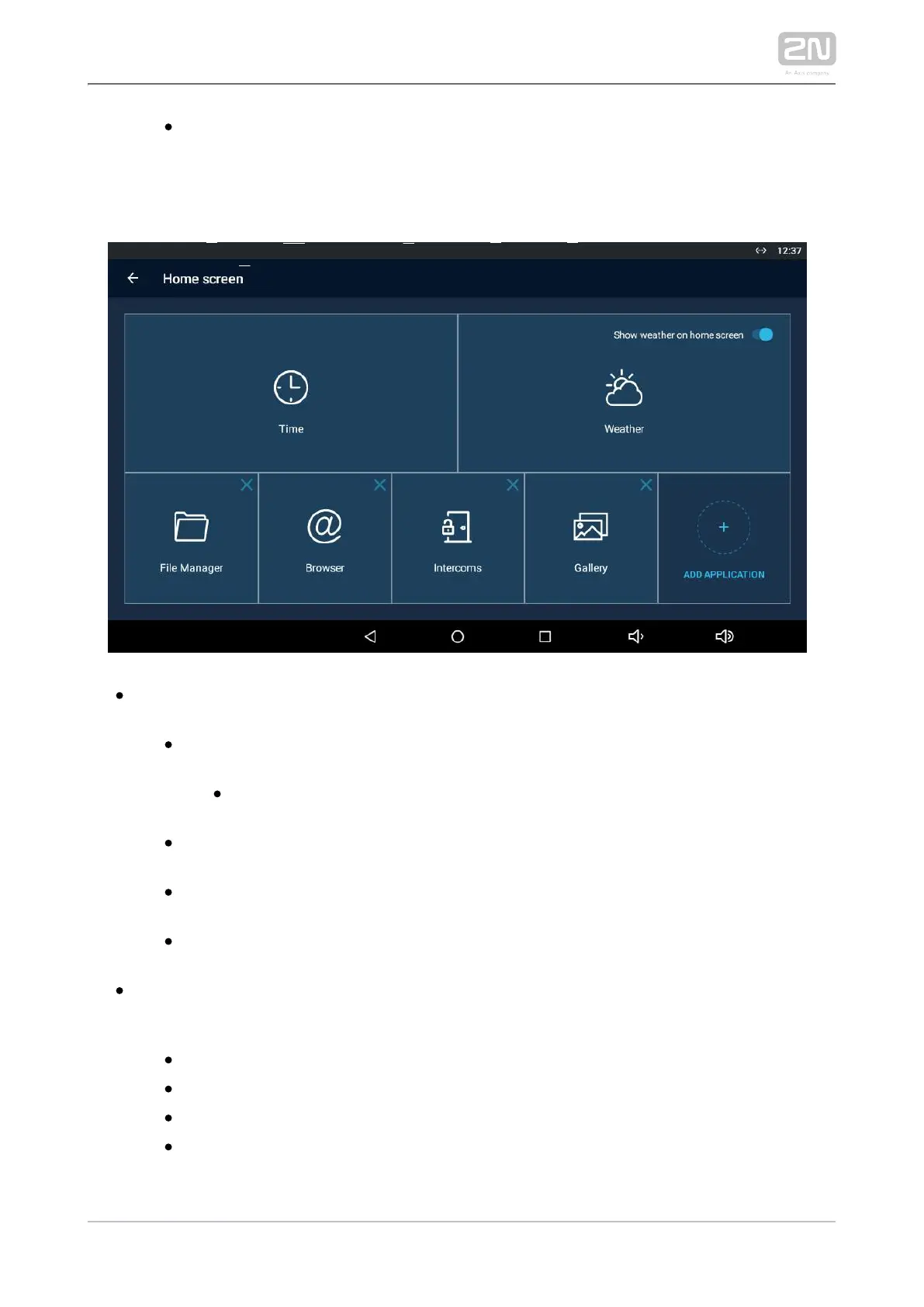
Home Screen
– click to move the user to the section for setting the time, time format and Time
time zone.
– activate the use of date and time from the Automatic date & time
network.
– set the date and time manually if Automatic date Set date and time
and time is disabled.
– set the time zone for the installation site to include the Select time zone
time shift and summer/winter time transition.
– display the 24-hour format. If disabled, the 12-hour Use 24-hour format
format is displayed including the a.m./p.m. information.
– select one of the three available date formats.Choose date format
click to move the user to the section for setting the current weather – Weather
forecast. Use the introductory weather tile to deactivate the function. Deactivate
the weather tile if necessary.
– set the geographical position of the installation site manually.Position
– set 60 or 120 minutes for weather info refreshment.Refresh frequency
– set metric (°C) or imperial (°F) units.Units
– display the weather info source.Source



 To Next Page