5.3.6 System Administration
The System Administration tab helps you upgrade firmware, back up/upload
configuration and change the password.
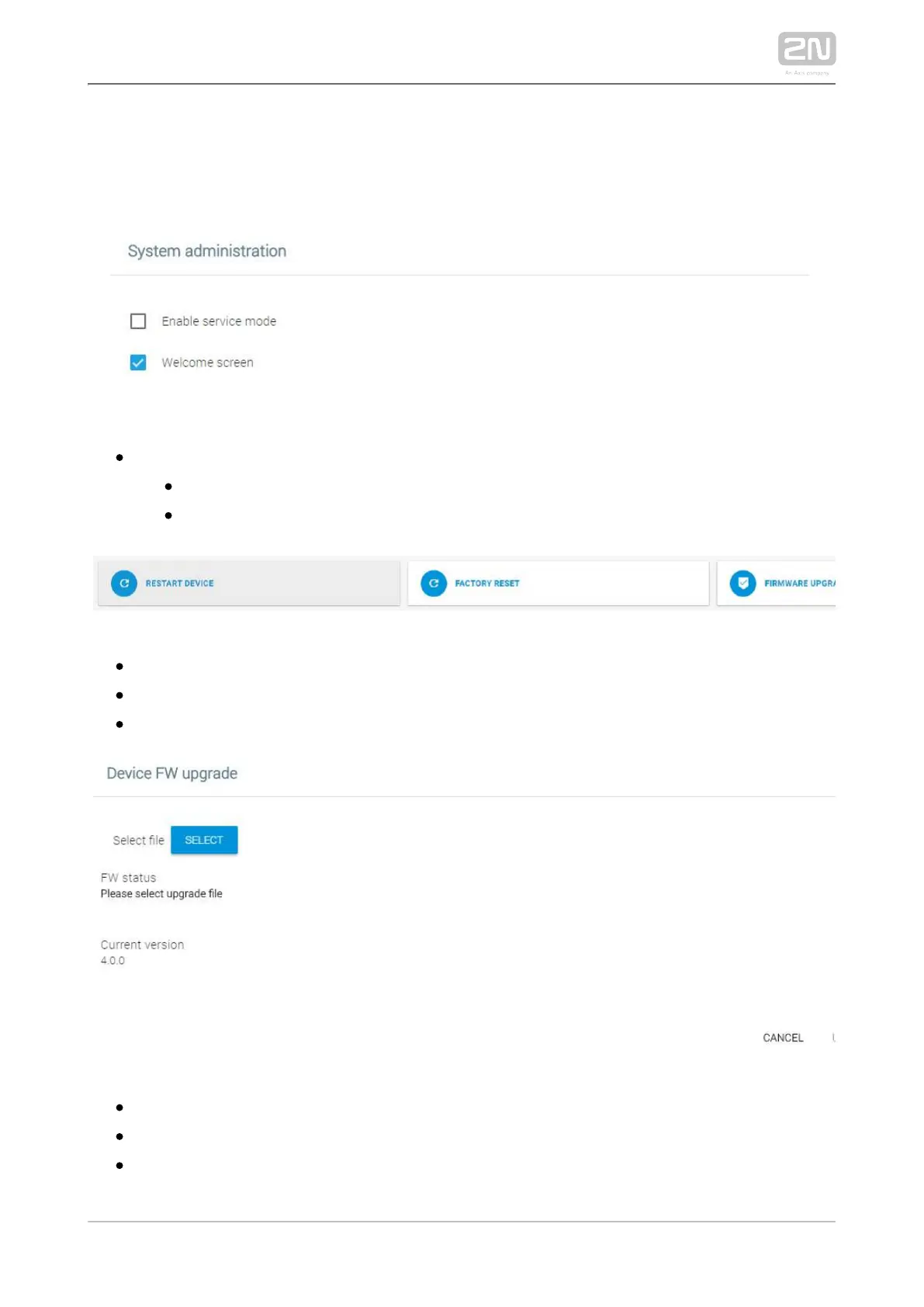
System administration
– enable access to the device via a web interface.Enable service mode
– display the welcome screen on every startup.Welcome screen
– confirm and perform the device restart.Restart device
– confirm and perform the factory reset.Factory reset
– upload a new firmware version and restart + upgrade:Firmware upgrade
– select the .img firmware file.Select file – Select
– display the firmware upload status.FW status
– display the current firmware version.Current version



 To Next Page