Configuration manual for 2N IP intercoms
•
•
•
•
•
•
E-Mail on Call
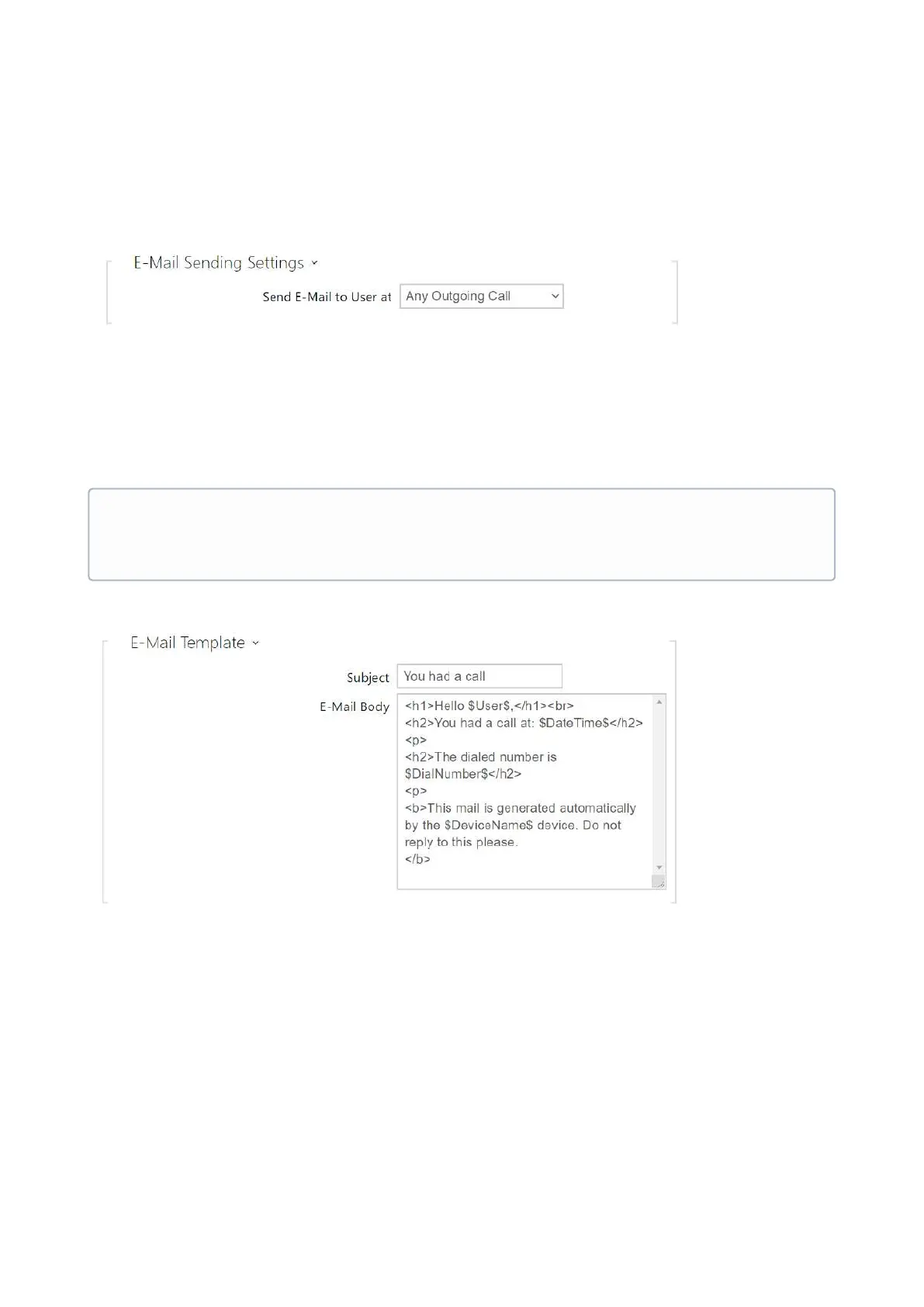
Set e-mail sending during outgoing calls on this tab.
Send E-Mail to User at–set e-mail sending in the event of an accomplished / missed
outoging call.The e-mail is sent when the connection is terminated. The following options
are available:
Do Not Send E-mail –no e-mail messages will be sent upon outgoing calls.
Any Outgoing Call–an e-mail will be sent upon every outgoing call.
Missed Outgoing Call–an e-mail will be sent upon every missed outgoing call.
Subject– set the e-mail subject to be sent.
E-Mail Body – edit the text to be sent. Use the HTML formatting characters. Special
symbols can be used to replace date and time, intercom identification and the number to
be called. Special symbols can be used to replace date and time and intercom
identification. These symbols will be replaced with the actual values before sending. The
list of placeholders included in the template is shown in a table at the end of the section.
•
Note
An e-mail can always be sent via Automation.



 To Next Page