Configuration manual for 2N IP intercoms
•
•
•
•
•
•
•
•
•
•
•
•
via theUser Datagram Protocol(UDP), which is the most frequently used unsecured
signalling method
via theTransmission Control Protocol (TCP), which is less frequent, yet recommended
unsecured signalling method
via theTransaction Layer Security (TLS)protocol, where SIP messages are secured
against third party monitoring and modification (except models2N
®
IP Base,Uni)
Here is what you can find in this section:
5.3.1 General Settings
5.3.2 Dialing
5.3.3 SIP 1 / SIP 2
5.3.4 Local Calls
5.3.5 Crestron
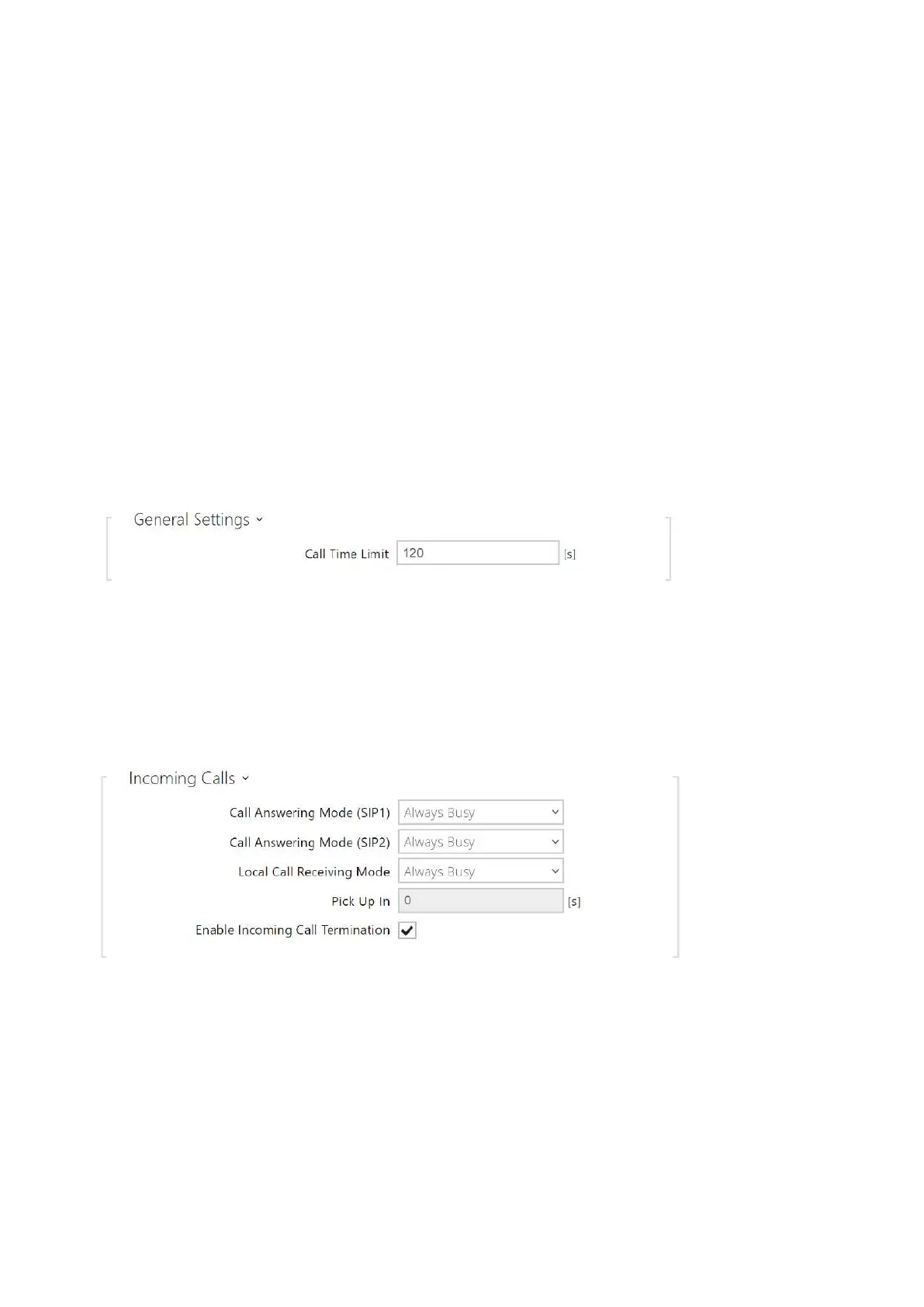
5.3.1 General Settings
Call Time Limit – set the call time limit after which the call is automatically terminated.
The intercom signals termination with a 10s beep before the call end. Enter any DTMF
character into the call (# on your IP phone, e.g.) to extend the call time.If the call duration
is set to 0 and SRTP is not used, the call is not time limited.
Call Answering Mode(SIP1, SIP2)– set the incoming call receiving mode.The following
three options are available:
Always busy– the intercom rejects incoming calls,
Manual– the intercom alerts incoming calls and the user answers them using a
numeric keypad button, and



 To Next Page