Configuration manual for 2N IP intercoms
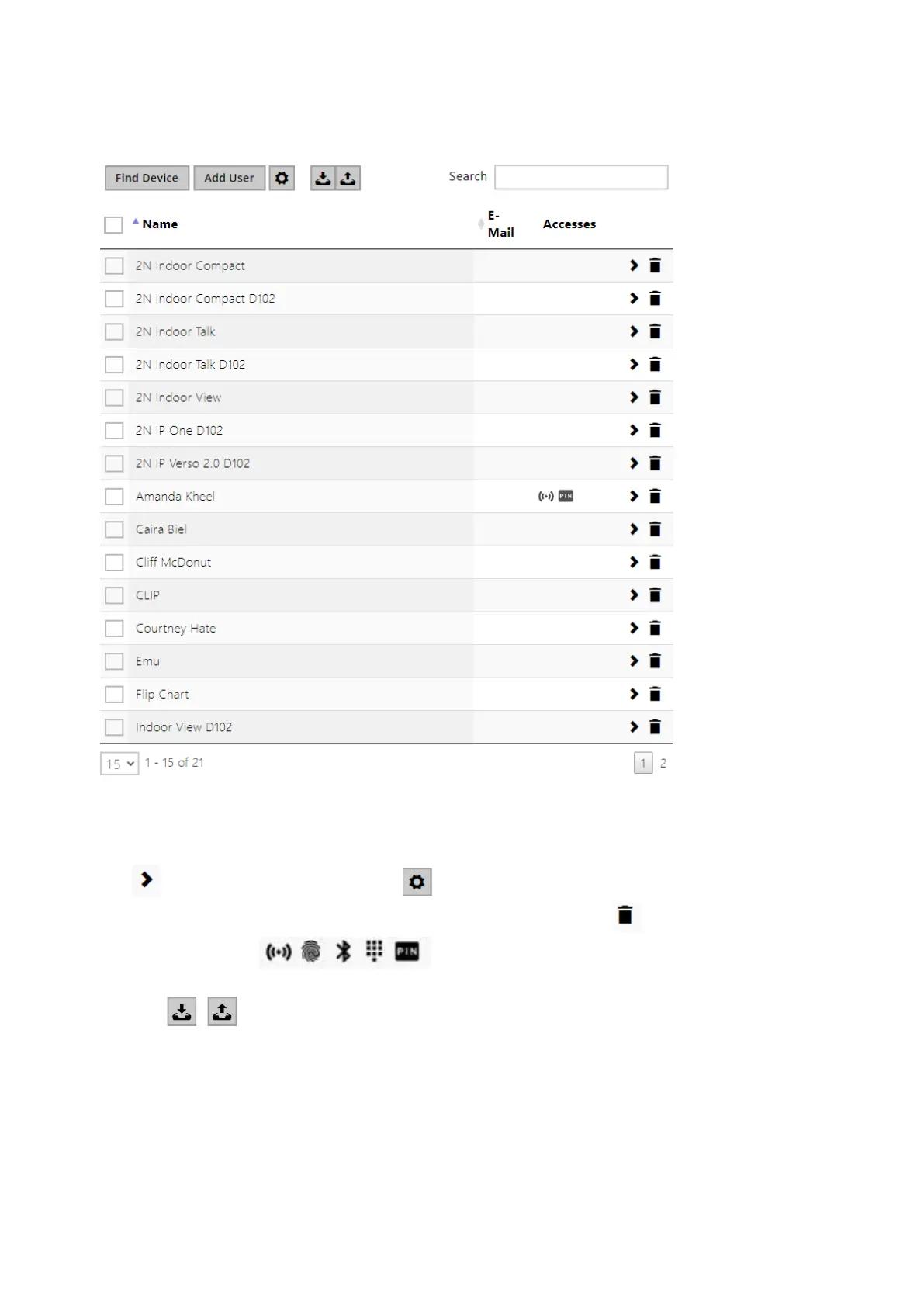
The Search in directory function works as a fulltext search in user names, phone numbers and e-
mail addresses. It searches for all matches in the list. Press the button above the table to add a
User. Or, search a device in the LAN and then add the device as a new contact to the Directory.
Click to show the user details. Click to set the table column display; the default table
setting displays the user name, e-mail and assigned accesses.Press to remove a user and
delete its details. The icons in the access column describe the active user
authentications.The user's position in the list is sorted alphabetically.
Using the / icon, it is possible to export/import from/into the device a CSV file including
a user list. If the directory is empty, a file is exported with the header only (in English) to be used
as a user importing template. If an empty file with the header only is imported and Replace
directory is selected, the whole directory is deleted. Up to 10,000 users can be imported
depending on the device type.



 To Next Page