DIGITAL VIDEO RECORDER MANUAL
DIGITAL VIDEO RECODER MANUAL
33
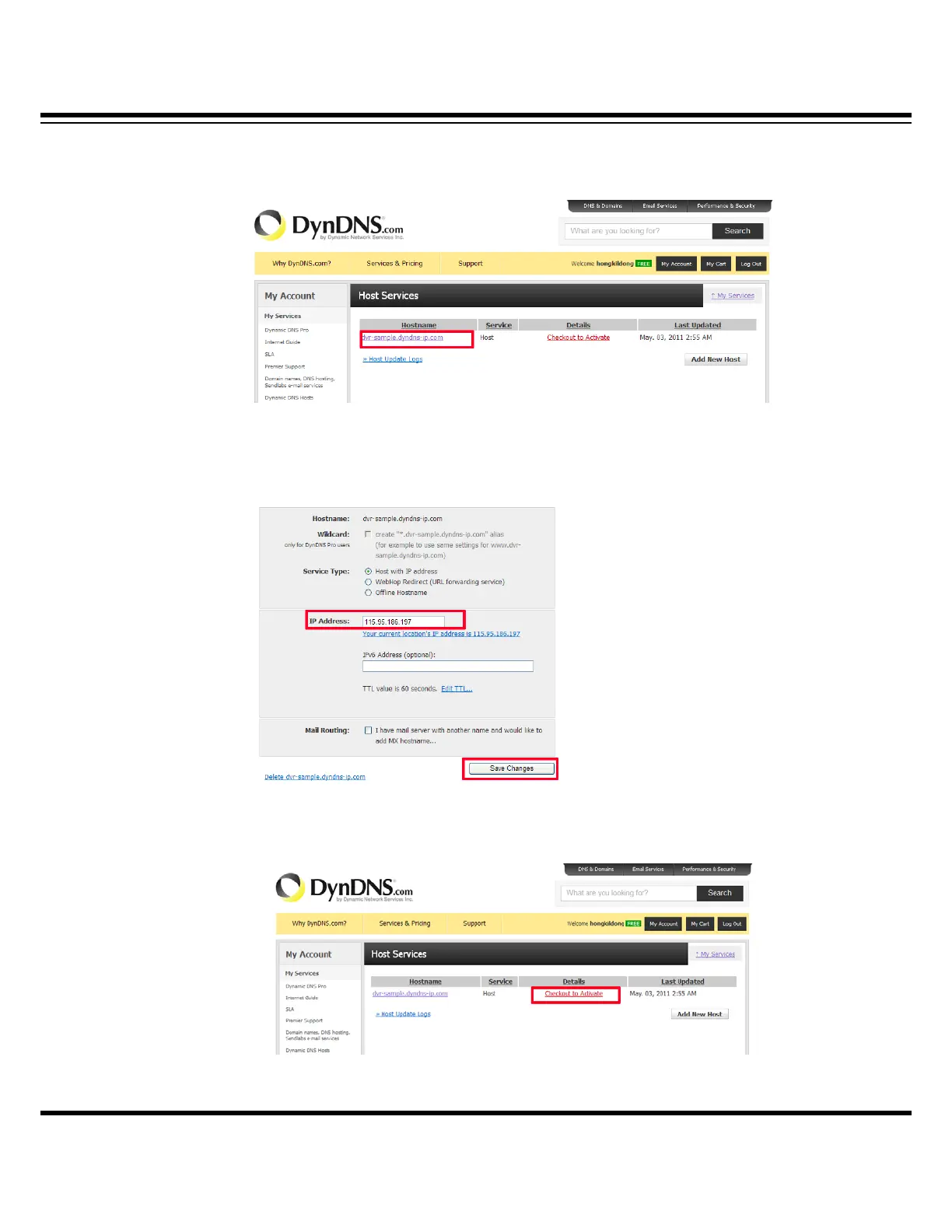
[9] Click the firstly registered domain(dvr-sample.dyndns-ip.com)
[10] Input the public IP of installed router for IP Address. You can find the public IP
of the router when you check the router setup. When you complete the input, click
“Save Changes”.
[11] To activate the registered domain, click “Checkout to Activate.”



 To Next Page