DIGITAL VIDEO RECORDER MANUAL
DIGITAL VIDEO RECODER MANUAL
34
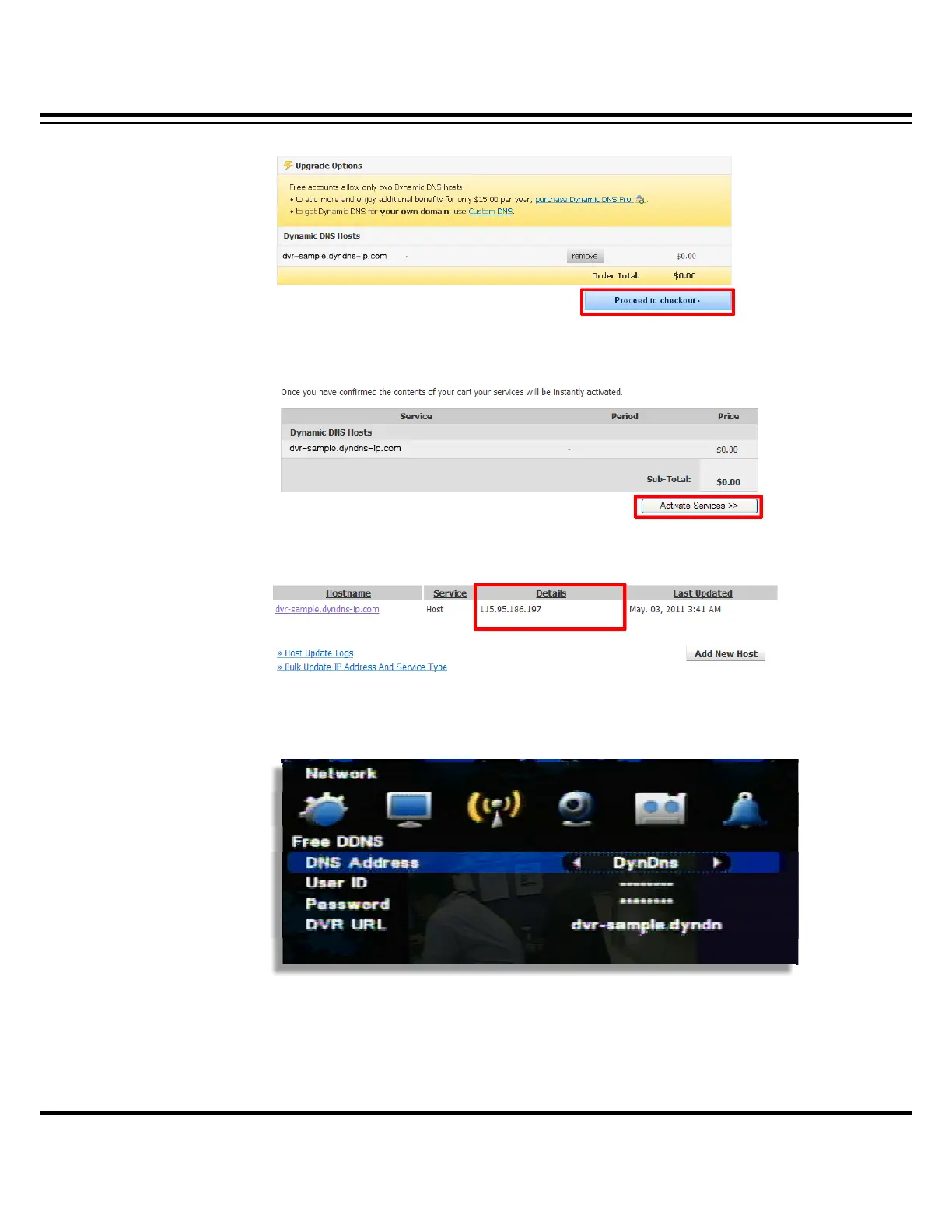
[12] Then, click “Proceed to checkout” button below.
[13] And click “Activate Services” below.
[14] Then, selected domain IP is activated.
[15] Input registered information in DVR setup.
• DDNS address : Select the private DNS service name (Select DyDns )
• User name/ Password/ DVR Address : After creating an account in the relevant
website, input the ID/ Password/ URL information allocated to DVR setup.



 To Next Page