24
8.
FUNCTIONS
8.1.
Key Operation
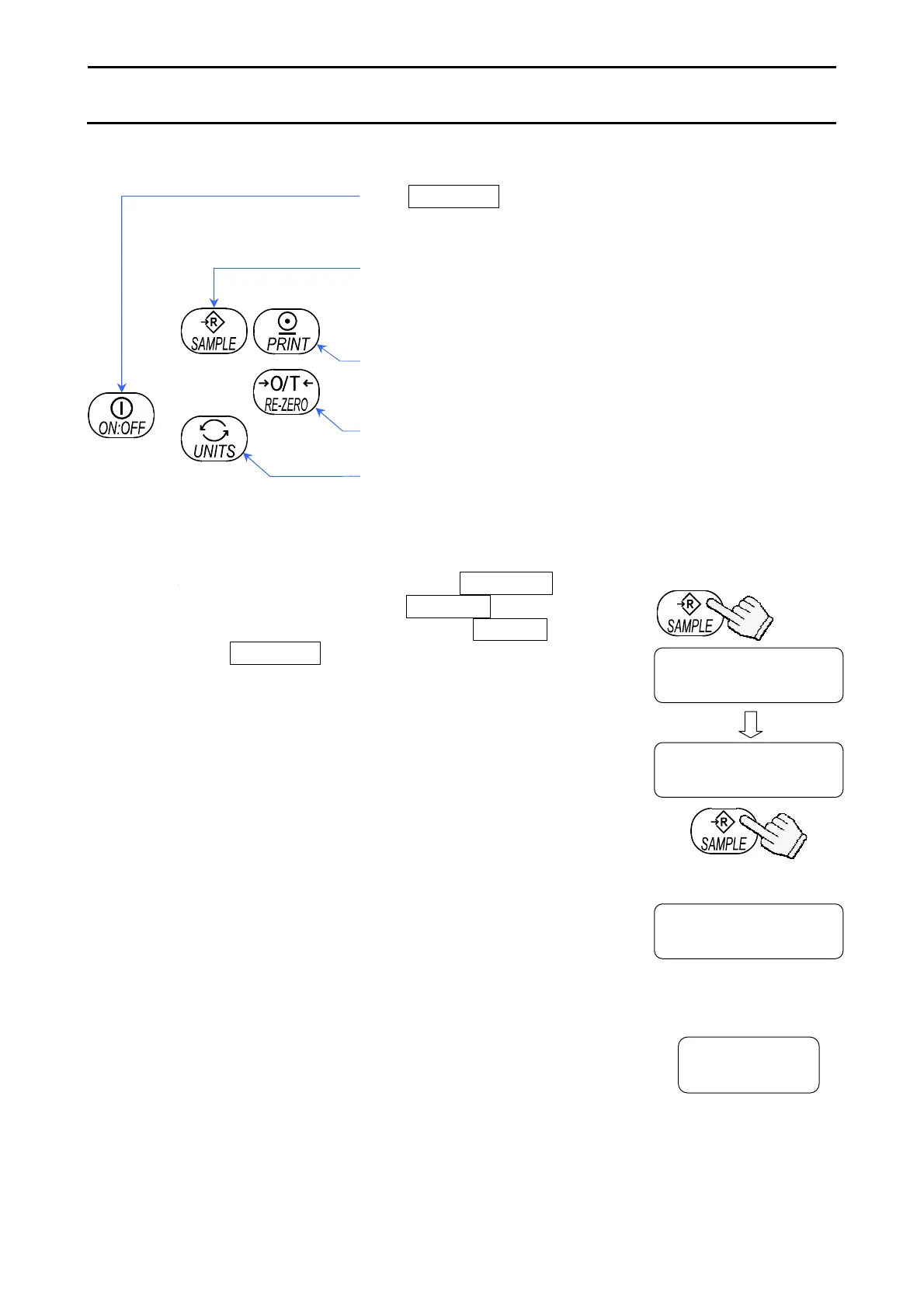
The ON:OFF key to cancel the operation and turn the
balance off.
Item key to select a class and an item.
In the weighing mode, press and hold the key to enter the
function setting mode.
The enter key to proceed to the selected class,
store the setting per class and go to the next class.
The parameter key to select a parameter.
The cancel key to cancel the operation, and proceed to
the next class or return to the weighing mode.
8.2.
Entering the Function Setting Mode
In the weighing mode, press and hold the SAMPLE key.
After displaying the software version p-x.xx , the balance
enters the function setting mode and displays func .
Each time the SAMPLE key is pressed, the class appears
one after another.
Once a class is selected, the items are
available for selection. (Refer to “8.5. Function List”.)
func
Unit
Press and hold
Each pressing switches
the classes
Set using the
relevant keys
•
•
•
p-
x.xx



 To Next Page