36
10.
ID NUMBER AND GLP
The ID number is used to identify the balance when Good Laboratory Practice (GLP) is
used.
The ID number is stored in memory even if the power to the balance is turned OFF.
The following GLP data is transmitted to a printer or a personal computer using the
optional RS-232C serial interface.
The result of calibration (“Calibration report”)
The result of calibration test (“Calibration test report”)
The “Title block” and “End block” for GLP data
The GLP output format includes the balance manufacturer name, model number, serial
number, ID number and space for a signature.
By using the AD-8127/AD-8121B, printing out dates and times is possible (GLP output
format info = 1).
10.1.
Setting the ID Number
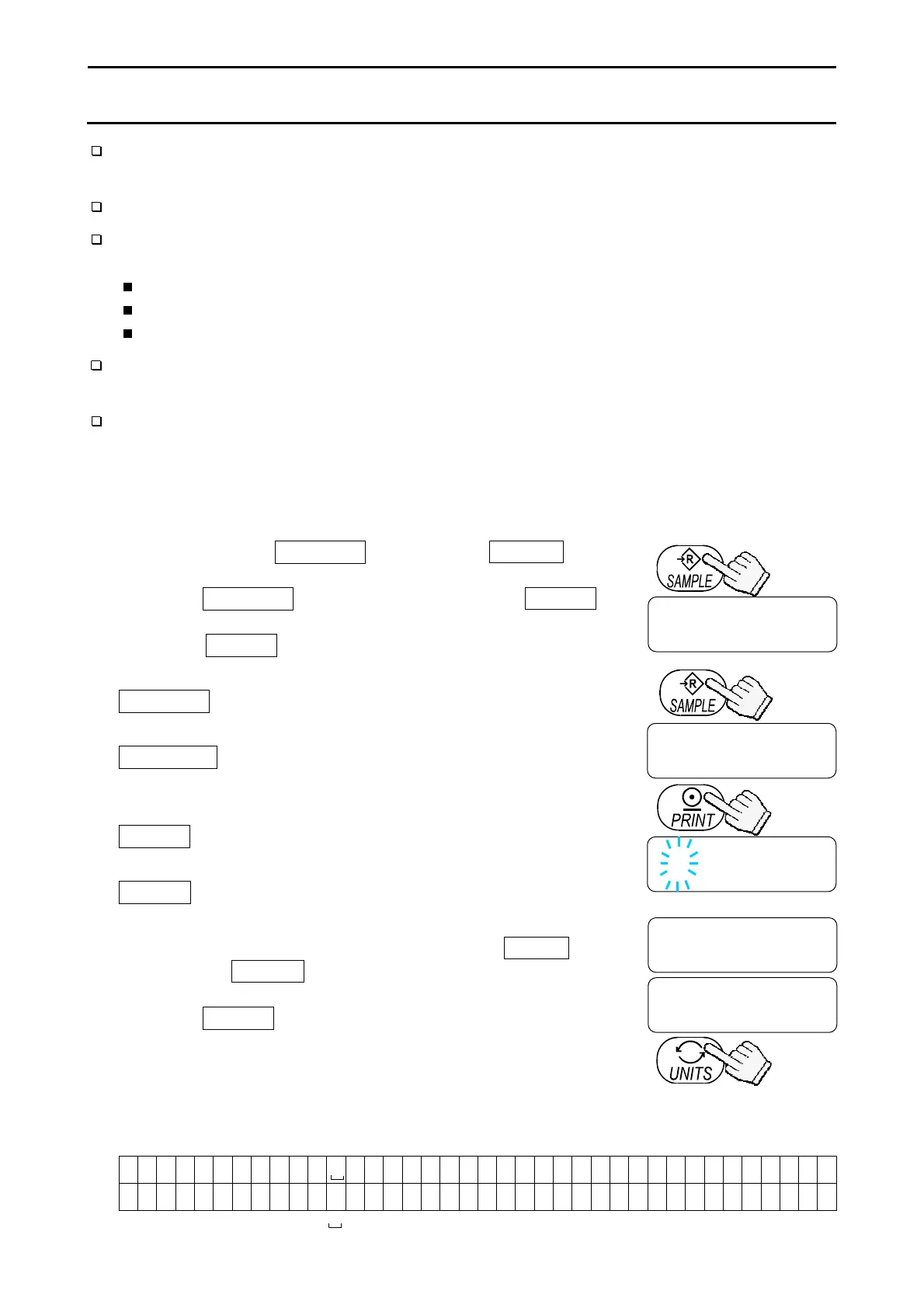
1. Press and hold the SAMPLE key to display func .
2. Press the SAMPLE key several times to display id .
3. Press the PRINT key. Enter the ID number using the
following keys.
SAMPLE key
..........
To select the digit to be changed
(flashing).
RE-ZERO key
........
To set the character of the digit
selected. Refer to the table below for
the “Display Character Set”.
PRINT key
...............
To store the value and proceed to
the next step.
UNITS key
...............
To cancel the value and proceed to
the next step.
4. When the above operation has been completed, func
appears after end .
5. Press the UNITS key to turn the balance off.
Display Character Set
0 1 2 3 4 5 6 7 8 9 -
A B C D E F G H I J K L M N O P Q R S T U V W X Y Z
0 1 2 3 4 5 6 7 8 9 - _ a b C d e f g H i j k l m n o p q r s t U v w x y z
“ ” : Space
Press several
times
func
id
000000
end id
func
Set using the relevant keys
Press and hold
The balance turns off.



 To Next Page