32
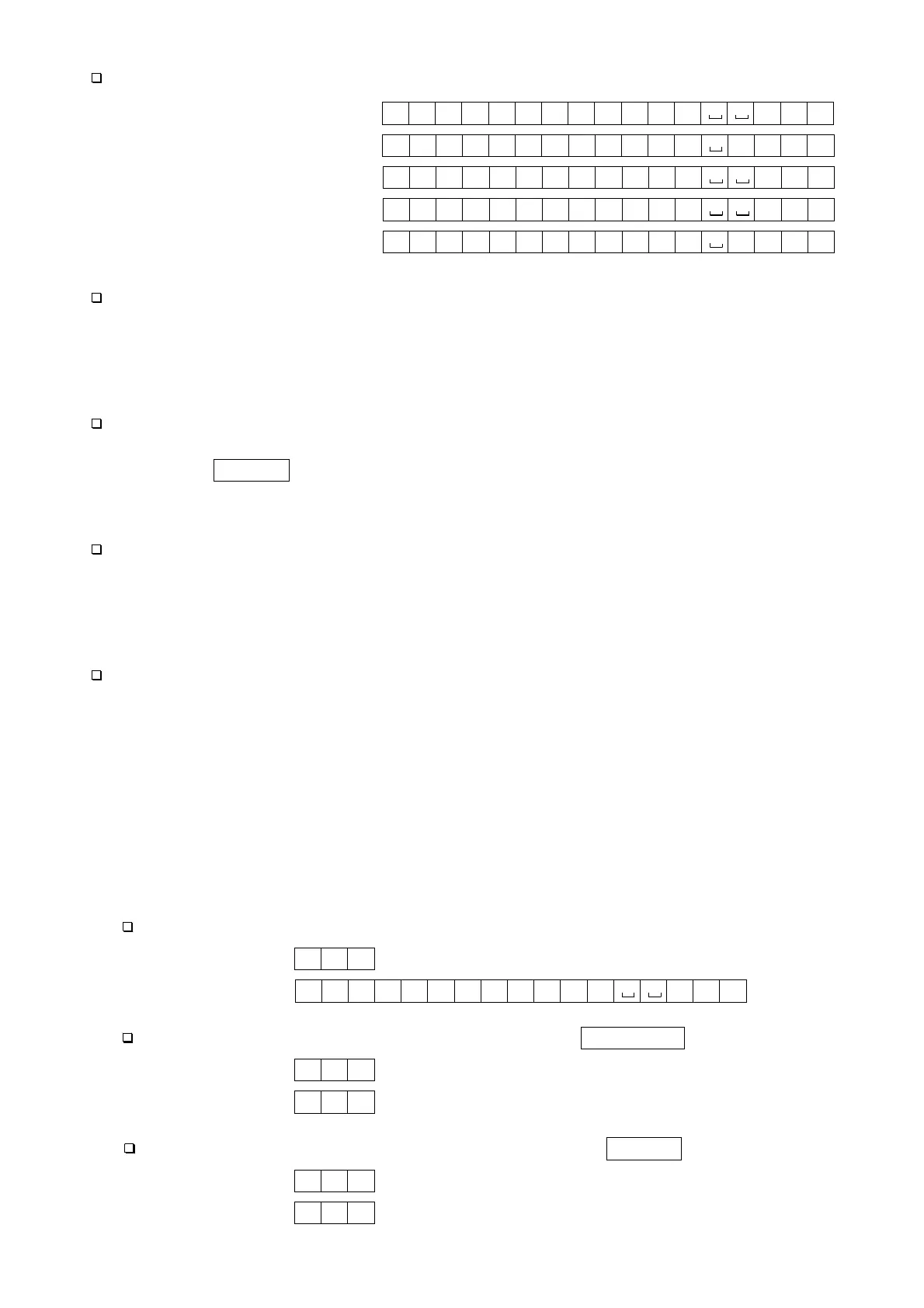
Example of output data:
Weighing data “gram” S T , + 0 0 1 2 . 3 4 5 g C
R
L
F
Counting data Q T , + 0 0 0 1 2 3 4 5 P C C
R
L
F
Percentage data S T , + 0 0 0 1 2 . 3 4 % C
R
L
F
Out of range “gram” (+) O L , + 9 9 9 9 . 9 9 9 g C
R
L
F
Out of range “pcs” (-) O L , - 9 9 9 9 9 9 9 9 P C C
R
L
F
Data Output Mode
Stream mode
Set the function to “prt 0”.
The balance outputs the current display data. The data update rate is approximately 10
times per second. This rate is the same as the display update.
The balance does not output data while it is in the setting mode.
Key mode
Set the function to “prt 1, 2 or 3”.
When the PRINT key is pressed while the weight value is stable (the STABLE
indicator is on), the balance outputs the data. When the data is output, the display will
flash once.
Auto-print mode A
Set the function to “prt 2”.
The balance outputs the weight value when the display is stable (the STABLE indicator
is on) and the data is greater than +4d.
The next output can be obtained after the display returns below +4d.
Auto-print mode B
Set the function to “prt 3”.
The balance outputs the weight value when the display is stable (the STABLE indicator is
on) and the data is greater than +4d or less than -4d.
The next output can be obtained after the display returns between -4d and +4d.
Command Mode
In the command mode, the balance is controlled by commands that come from a
personal computer.
Command List
Command to request the current weighing data.
Command Q C
R
L
F
Reply S T , + 0 0 1 2 . 3 4 5 g C
R
L
F
Command to zero or tare the balance (same as the RE-ZERO key).
Command Z C
R
L
F
Reply Z C
R
L
F
Command to change the weighing units (same as the UNITS key).
Command U C
R
L
F
Reply U C
R
L
F



 To Next Page