Product Guide - A5000 R5.4 – Aastra X series
BPS0121AENAA01 Page 6/74
5.1.2 Benefits for the users
This section describes the benefits for users/administrators.
5.1.2.1 Service integration
The Aastra X Series increases its service integration.
The following components are embedded in the Linux (UCV2) motherboard of the Aastra XS, XL, and
XD:
• A component for remote management via ISDN
• An Ethernet port for IP connection
• One USB ports for data backup
• A Voice mail system, with single answering machine, films and announcements
• An IVS (license needed)
• An integrated e-Voicemail service (licence needed)
• An integrated buffer
• A Web administration via secured HTTPS connection: Aastra Management Portal (AMP)
• A SIP access point
• 5 languages
5.1.2.2 Homogeneous design
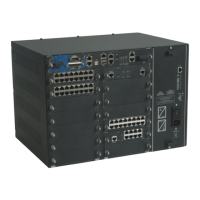
The iPbx of the range have the same width (19'' standard) and mechanics. Colours and materials are
the same too.
5.1.2.3 Sizing and connection flexibility
Aastra XS, XL and XD are highly flexible in terms of size, thanks to the current range of expansion
cards (8-extension or16extension modularity) have been added.
Moreover, the connectors for the expansion cards are in RJ45 format. RJ45-type connectors allow
integration into the common switch panels.
The design rules are reduced to the minimum to simplify the deployment and management of the
gateways:
• Physical Subscriber cards can be fitted in any slot.
• Network cards can be fitted in any slot in the main cabinet.
• Co-processor cards have six possible slots.
Most of the cards are hot-plug cards.
5.1.2.4 Remote management
These platforms can be fully managed from a remote location; this means that a remote administrator
can:
• Know the status of the platforms,
• Download a new software application (firmware, announcements and on-hold messages
• Configure all Aastra X Series’ services, etc.
• Back-up and Restore configuration



 To Next Page