Product Guide - A5000 R5.4 – Aastra X series
BPS0121AENAA01 Page 67/74
5.6 Administration tools
The offer is made of 2 solutions.
• Aastra Management Portal: Integrated iPbx administration web portal
• AM7450: Advanced range of management products (Linux Red Hat) for a multi-site or several
standalone iPbx
The administration tools provided with the Aastra range enable you to remotely manage your Aastra X
series, including secure downloading’s operations, this in order to avoid on-site support and then to
simplify maintenance.
5.6.1 Aastra Management Portal
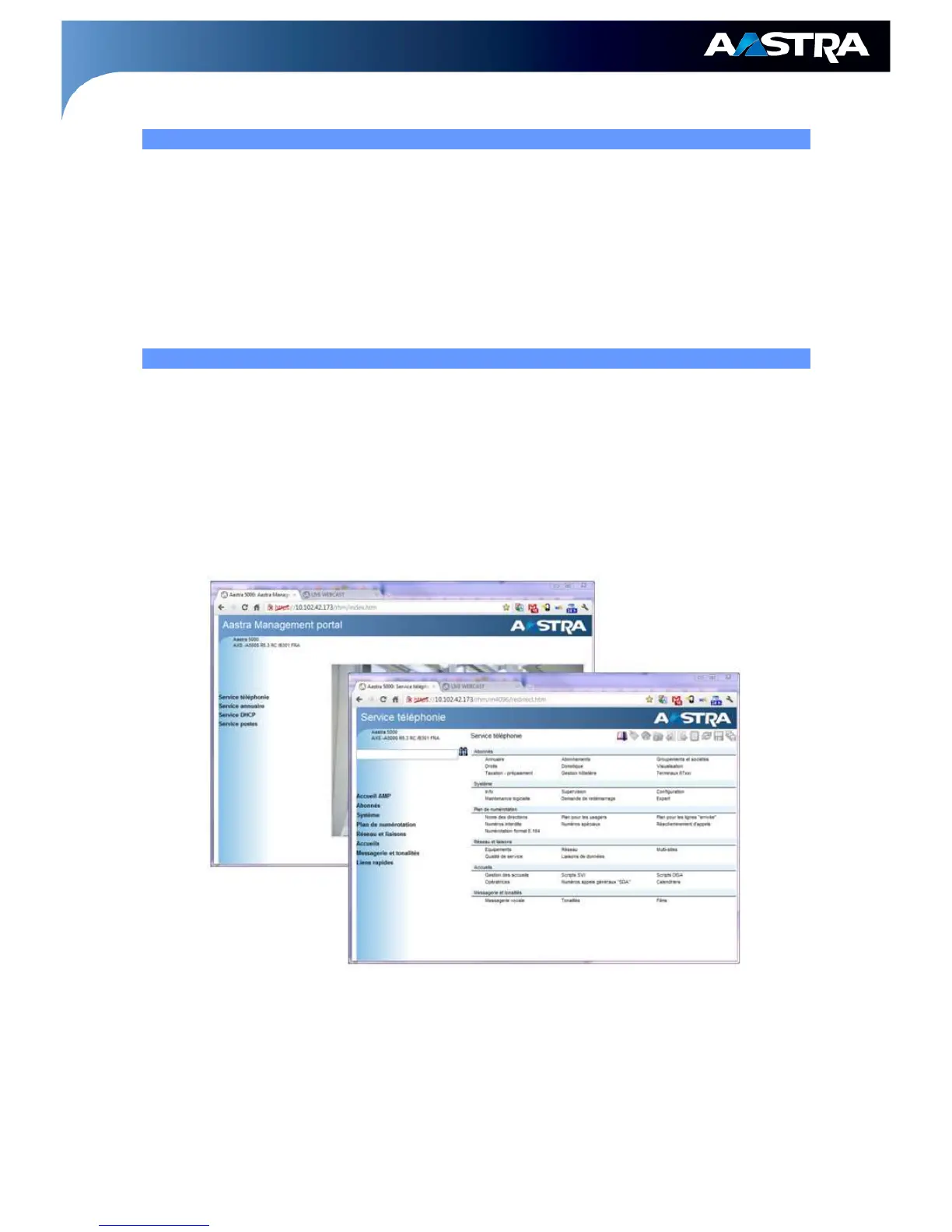
The Aastra Management Portal is a web portal which is integrated in the Aastra X Series. The portal
can be accessed via a browser calling the secured HTTPS URL of the web server, this server is
embedded in each motherboard of the Aastra X series.
The administrator can manage remotely each Aastra X Series either on a standalone mode or on a
multi-site network. This management is possible either via a LAN or a WAN, from a PC, without any
specific application or access’ equipment.
It is more user-friendly: multi-windows advanced browsing functions, possibility to repeat an action,
etc.
Compatibility:
• Aastra XS12, XS6, XS, XL, XD platforms and Aastra 5000 Server
For more detailed information on the AMP functions, please refer to Chapter AMP of the Product
Guide.



 To Next Page