30
AUTOMATIC CONTROL UNIT, OMD800
During delay the name of the delay and residual time is shown in default page. When the device is used
in Local –mode, the letter L is in the default page in right lower corner. If the device is used in Remote –
mode, the letter R is shown in the default page in right lower corner.
Figure 7.6 The default pages show the name and residual value of the Delay Times and the status of
the Modbus Local/Remote parameter
LN1:
230.1 V
49.9 Hz
LN2: 1
0.0 V
0.0 Hz
R
LN1 LN2
LN1:
230.1 V
49.9 Hz
LN2: G
230.2 V
50.1 Hz
TBs
00:05
L
LN1 LN2
LN1: 1
0.0 V
0.0 Hz
LN2: 1 G
0.0 V
0.0 Hz
Ts
00:04
L
LN1 LN2
Main Menu
System Configuration
Device Configuration
Diagnostics
1/3
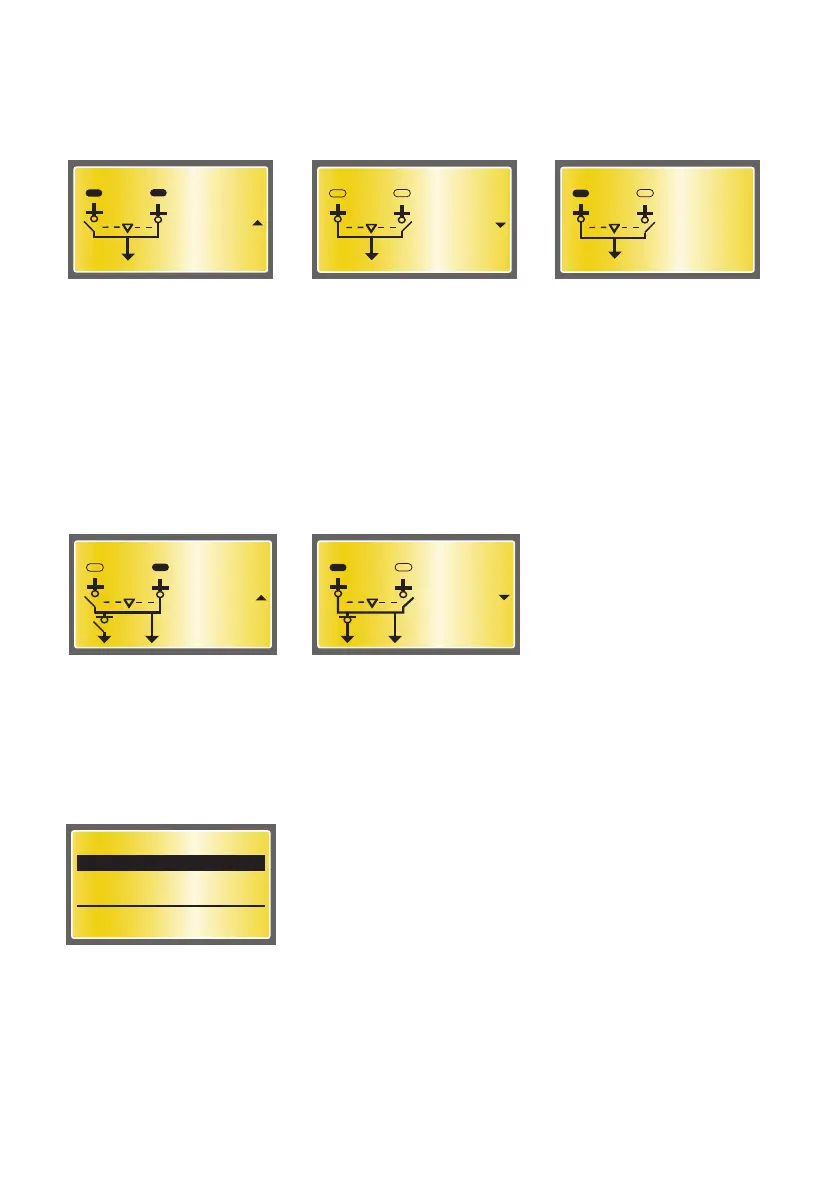
Figure 7.8 The Main Menu page allows the entering in all the configuration subpages
Figure 7.7 The Default pages show the status of secondary load; open or closed
When Secondary Load parameter is set to Opening Only or Opening and Closing the status of the
device used for controlling the secondary load is shown on the default page. Please notice that the
status (open/closed) of the secondary load-controlling device on the display is related to the status of
the corresponding digital input. E.g. when the corresponding digital input (DI 11 as default) is
activated, the display shows that secondary loads are connected. If the corresponding digital input is
de-activated, the display shows that the secondary loads are disconnected.
LN1: 1
0.0 V
0.0 Hz
LN2: G
230.0 V
50.0 Hz
L
LN1 LN2
A07246
7.2.2.2 Main Menu page
From Default page is entered to Main Menu page by pushing the ENTER key. Main Menu page is the main
page that allows entering in all the configuration subpages:
LN1:
230.0 V
50.0 Hz
LN2: 1 G
0.0 V
0.0 Hz
L
LN1 LN2


 To Next Page