21060 26M N AA | X SER IE S
G5
| 61
Figure 8-5: PCCU32 Views
Click Yes at the warning notice and wait for the PCCU32 Entry mode screen to refresh.
Wait for the Entry mode screen to reappear.
Configure basic station parameters:
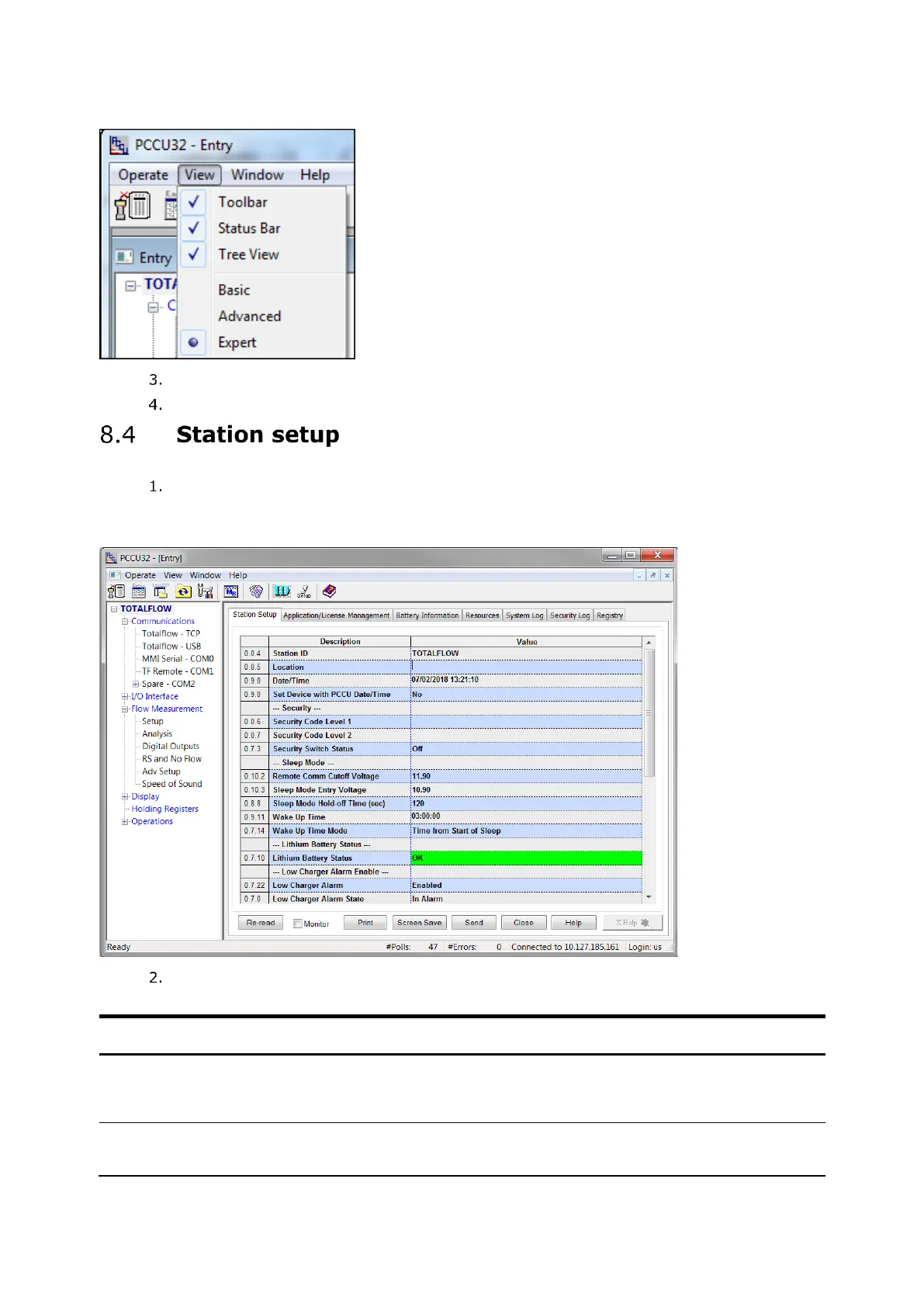
At the PCCU32 Entry screen, click the station ID (TOTALFLOW) at the top of the
navigation tree. The Station Setup tab displays.
Figure 8-6: Station Setup
Set up the basic station configuration parameters identified in the following table.
Table 8-2: Required station setup
The station identifier code is unique. If running a multiple tube station,
the station ID is the same for all tubes on the device. If left blank on a
single tube device, the station ID will be the same as the device ID.
The location identifier describes the location, such as the county name
or a road number. It is not mandatory.








 To Next Page