Configuring the Wallbox eMH2 – Setting up data communication |
37
Connection via the WLAN interface
ABL offers the WiFi dongle E3BWLAN as an optional accessory (see page10) for each Controller Wallbox eMH2:
The installation is described in the section "Connecting the E3BWLAN" on page22. After installation, a connection
can be established between the SBC and a WiFi router and thus to an OCPP backend.
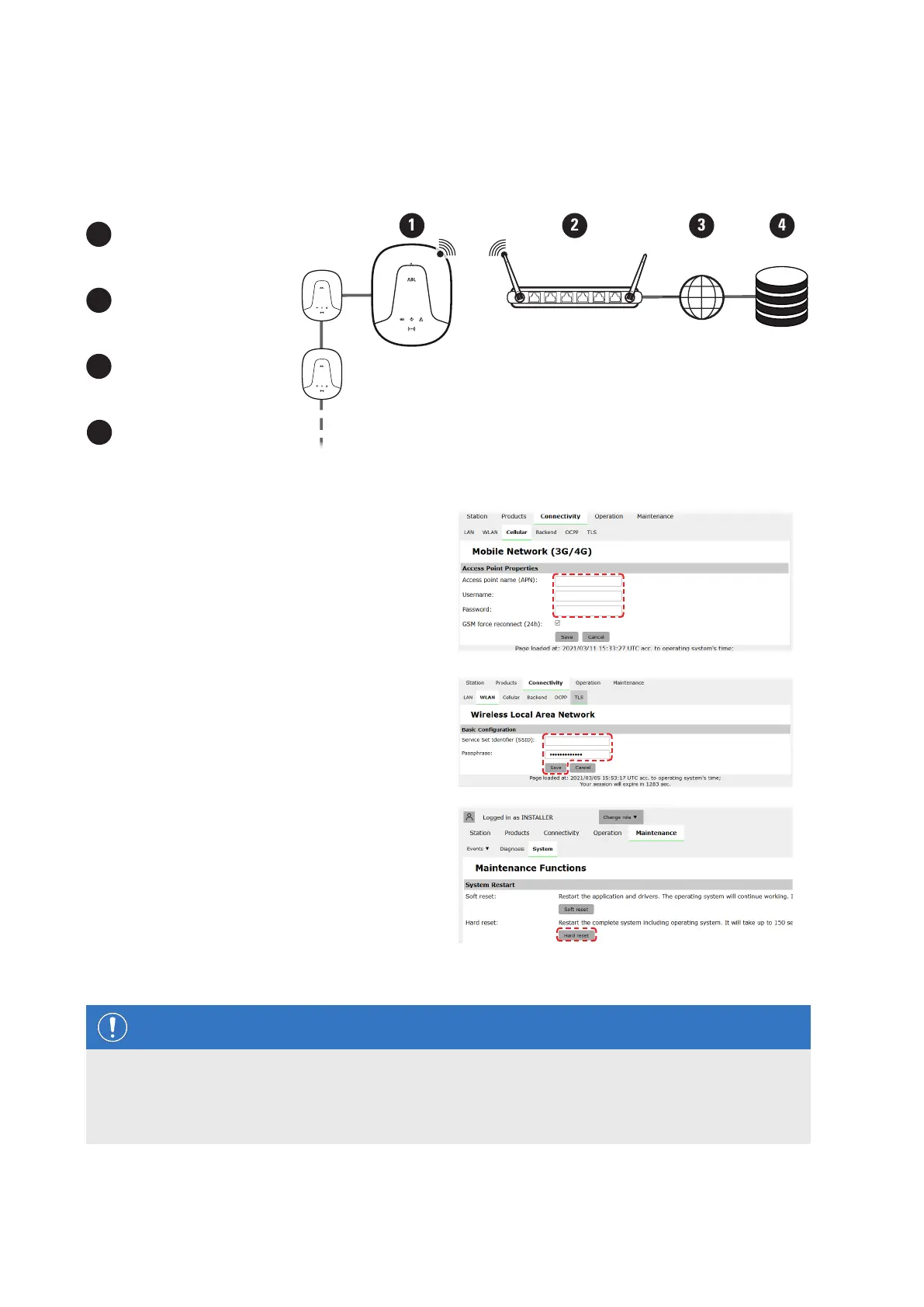
1
Controller with Extender
charging station(s)
2
WiFi router
3
Internet
4
Backend (e.g. reev)
Proceed as follows to set up communication via WiFi:
1 Click the Connectivity > Cellular tab and delete
all data for the mobile access point (APN), if pres-
ent.
2 Switch to the Connectivity > WLAN tab and
enter the information for Service Set Identifier
(SSID) and the Passphrase for the network.
y Confirm by clicking the Save button.
3 Switch to the Maintenance > System tab and
click the Hard reset button in the System Restart
section.
y Your Controller/Extender system will now
restart with the selected settings.
A WLAN connection can now be established between the Controller charging station and the backend via WebSocket
or WebSocketSecure.
NOTE
Communication with the backend
The router's firewall must be set up in such a way that communication is possible between the charging
station and the OCPP backend.
You can obtain all the access data from your backend operator.


 To Next Page
 Loading...