takIng Into operatIon and chargIng procedure
13
• If you want to store your cable on the wallbox you can wrap it around the eMH3: This
way it is always close at hand.
• Although the cable and connector are designed to withstand high mechanical stress-
es, you should not drive your vehicle over the cable and/or the connector.
• Also ensure that the cables are not kinked at the charging socket and that there is
no excessive strain on the cable and/or the housing.
DANGER!
If the cables, the charging connectors and/or the housing have suffered
mechanical damage or show visible deformities, you must under no cir-
cumstances continue to operate the wallbox. Please contact your local
distributor from whom you have purchased the wallbox.
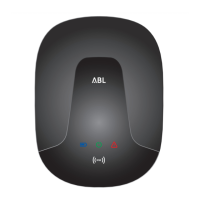
Description of the RFID module
The factory setting for the eMH3 RFID module is 'deactivated', but the module can be
activated during initial installation or at a later time by a qualified specialist. For more
information, see the installation manual for the eMH3.
After activation, the RFID module principally serves to identify the user and therefore
to restrict or allow access to the charging procedure for a defined user group. Authen-
tication is conducted via RFID compliant transponders and/or RFID access cards in
MIFARE Ultralight® format. The different types of cards are as follows:
• TEACH-In tag card
This card serves to program ID tag cards using the teach-in process. In addition, the
wallbox can be deactivated and then reactivated for operation using this card. One
Teach-In card is supplied with the eMH3.
• ID tag card
This card serves to identify the user and authorize the charging procedure. Five ID
tag cards are included.
PLEASE NOTE:
The RFID module is factory pre-set to the Teach-In and ID tag cards included.
Therefore, please keep the Teach-In tag card in a safe place. If the Teach-In card
is lost, please contact your local distributor.
Additional ID tag cards can be ordered by the user at any time and regis-
tered using the module.
Programming the ID tag cards, authorizing the charging proce-
dure and deactivating/reactivating the charging function is car-
ried out via the RFID module located in the upper part of the
housing cover. During programming, registration and opera-
tion, status and feedback information from the RFID module is
displayed by one green and one blue LED.


 To Next Page