takIng Into operatIon and chargIng procedure
14
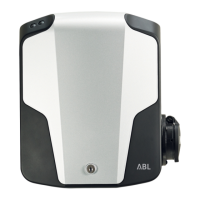
In the TWIN models 3W2214 and 3W2217, the RFID module controls basic load man-
agement, even when access control has not been activated. Should both charging
sockets be in use for charging at the same time, load management distributes the
maximum available current equally to both charging points. When only one charging
socket is in use, the maximum available current is allocated to this charge point.
In addition, the RFID module allows you to deactivate or reactivate the charging func-
tion in case you want to take the wallbox temporarily out of operation.
Deactivating and reactivating of the charging function via RFID
The charging function of the eMH3 can be deactivated and reactivated independently
of the access control function: The factory preset for the charging function is always
'activated'. Proceed as follows to deactivate the charging function:
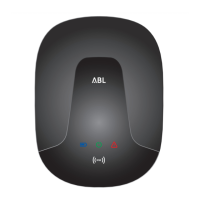
1. Check the status of the eMH3 via the LEDs on the
lower part of the housing cover. When the wallbox
is ready for operation, the blue LED
will flash
every 5 seconds.
Blue flashes every 5 seconds
2. Check the status of the RFID module via the LEDs
located on the upper part of the housing cover:
When the wallbox is ready for operation, the green
LED flashes (
factory setting:
access control dis-
abled) or the blue LED
(access control enabled)
flash every 5 seconds.
Green LED flashes every 5 sec., blue LED
is OFF
(access control disabled)
Green LED is OFF, blue LED flashes every
5 sec., (access control enabled)
3. Place the Teach-In tag card in front of the RFID
module: The blue LED is ON.
4. When the green LED flashes twice, remove the
Teach-in card.
Green LED flashes twice, blue LED is OFF
5. The RFID module will now restart and the charg-
ing function is now deactivated. During continuing
operation, both the green and the blue LED will
now remain ON.
Green and blue are ON continuously
(charging function deactivated)
For model variants with charging socket, any time a charging connector is plugged into
the vehicle socket, it is locked, but no charging takes place.
Proceed as follows to reactivate the charging function of the eMH3:
1. Check the status of the RFID module via the LEDs
located on the upper part of the housing cover:
When the charging function is blocked, both the
green and blue LED will be ON continuously.
Green and blue are ON continuously
(charging function deactivated)


 To Next Page