131
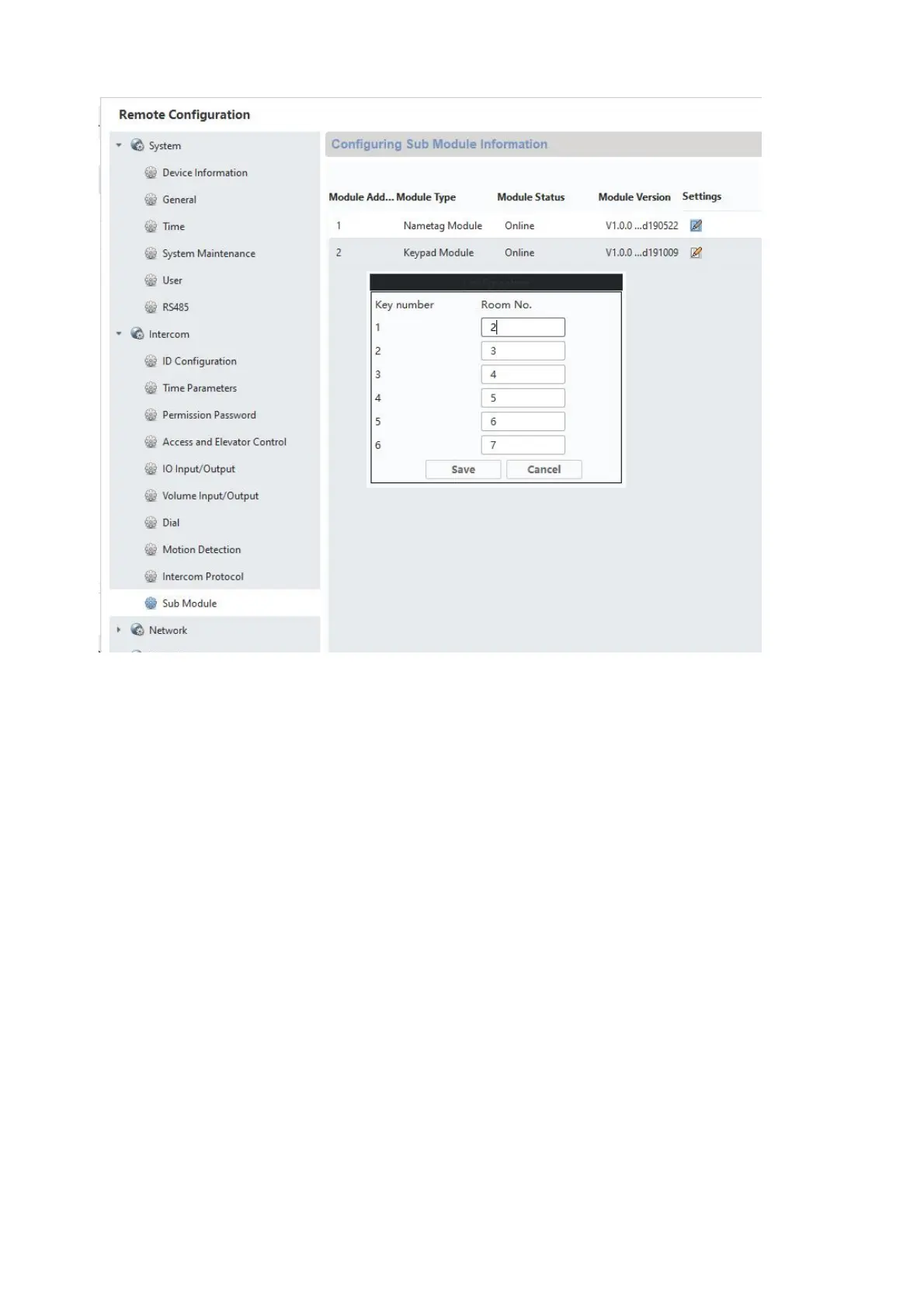
Configuring the apartment number/residence number in the monitor:
In order to assign the call buttons in the residence to the correct monitors, the apartment
numbers for the monitors must match the call button numbers.
The apartment numbers for the respective monitor are displayed in the monitor's main overview.
You can either change the numbers directly in Configuration on the monitor
(configuration/apartment no.) or access the respective monitor using ABUS CMS software and,
in the menu “Intercom”/Room Number”, change the apartment/residence numbers under
“room.No.:”.



 To Next Page