147
Port: 554 (standard port)
Stream path: Streaming / Channels / 101 (Main Stream)
Streaming / Channels / 102 (Sub Stream)
3. When adding a new channel to the NVR, this custom protocol will be selected for the video
door module.
Username ("admin") and password are usually the same as the door station monitor. If the
password was changed via the CMS software, this changed password must be used.
9.15 “Emergency door opener” button on door video module
A button/switch can be attached directly to the door video module via alarm input 3 (AIN 3 = relay
1) and alarm input 4 (AIN 4 = relay 2), which actuates when the door relay is engaged.
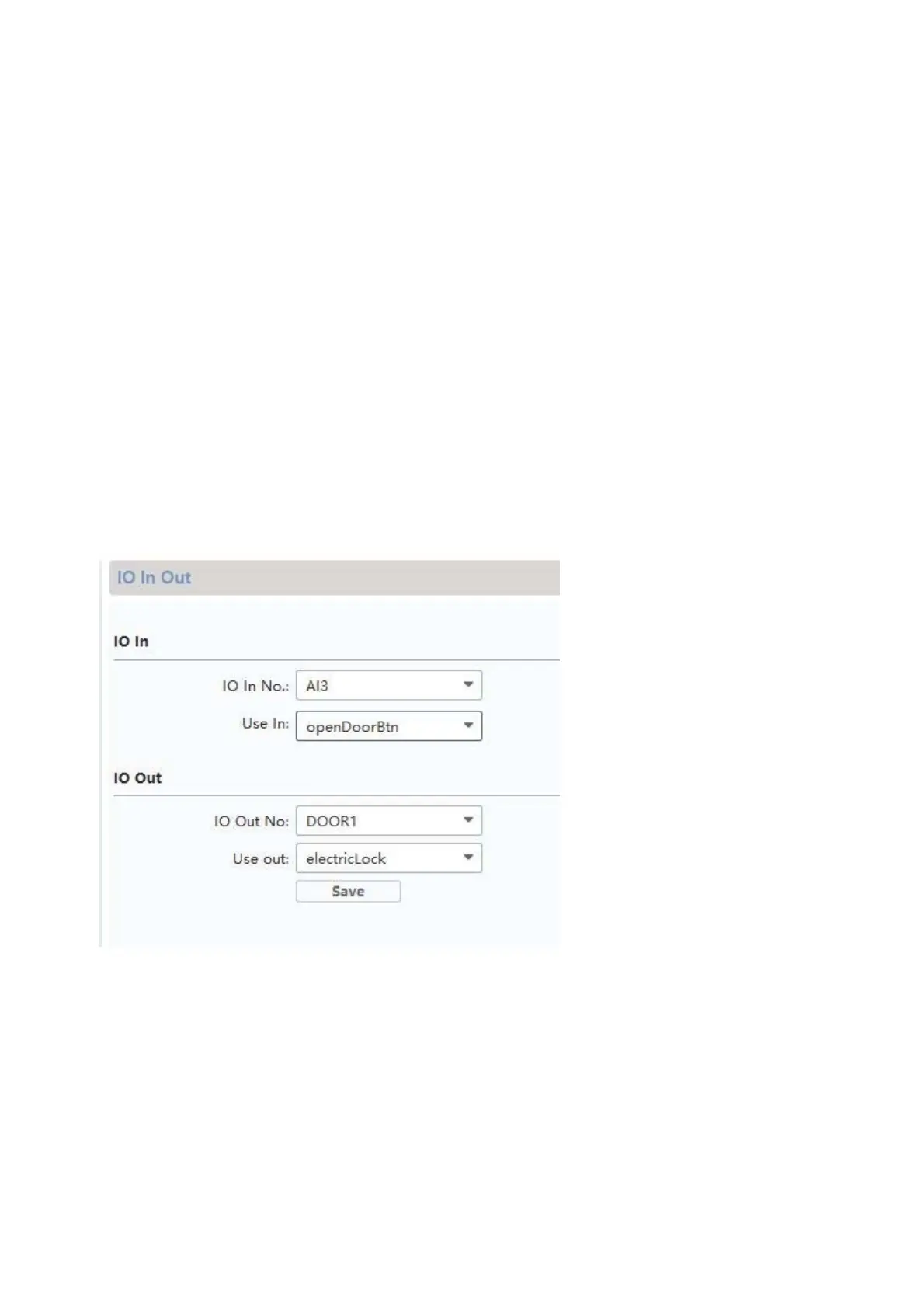
To enable alarm input 3 (AI3 and AI4), open the remote configuration for the respective door
video module with the ABUS CMS software and set AI3 to “openDoorBtn”
The AIN3 for the door video module now opens the relay 1 door
The AIN4 for the door video module now opens the relay 2 door
For security reasons, this function is disabled when the system is delivered.



 To Next Page