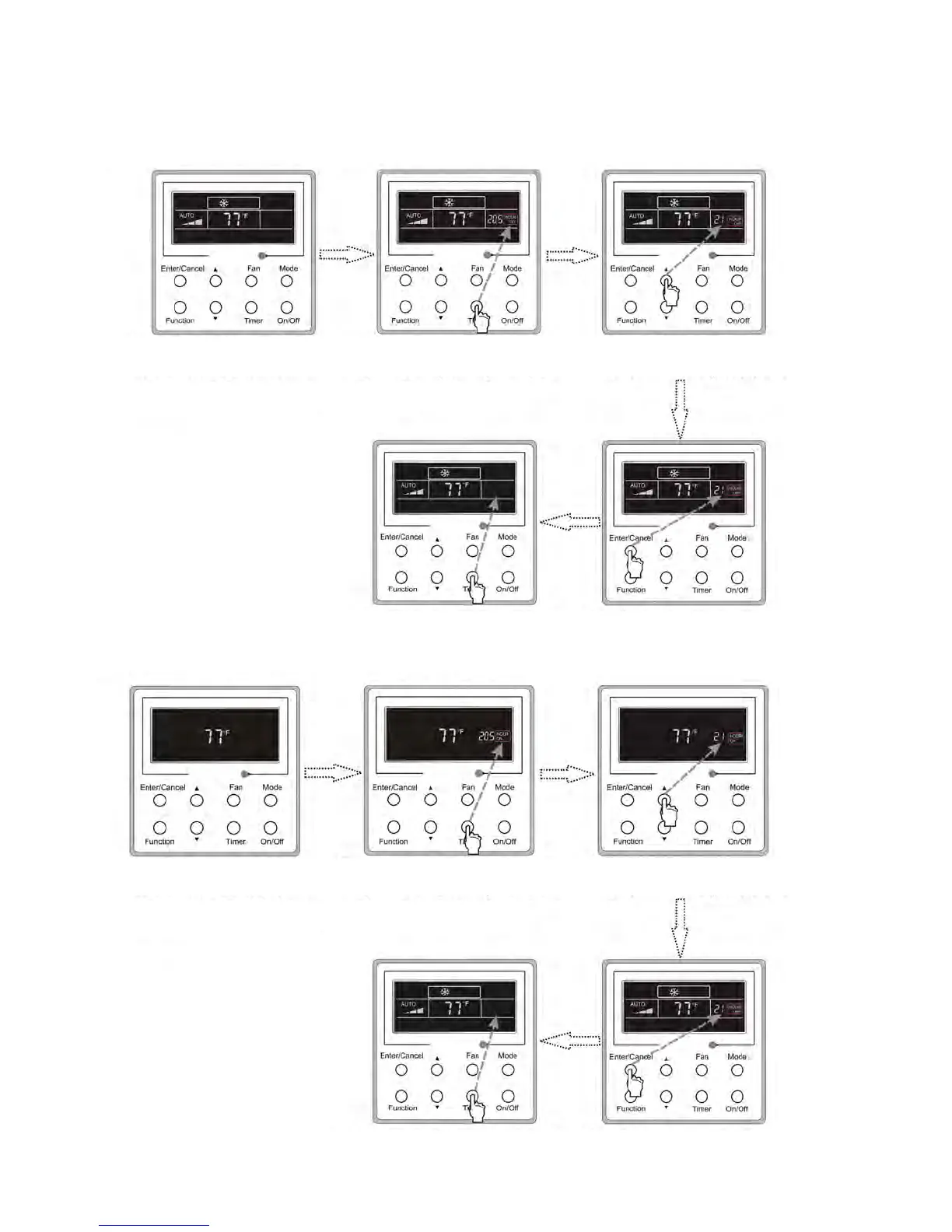
Press Timer to cancel
this setting
Press Enter/Cancel to
confirm this setting
Timer off setting:
If Timer button is pressed, while on, LCD will display xx. Press or button to adjust timer on and press Timer to confirm.
Cancel timer:
After timer is set, press timer button to display LCD and confirm,
Turn on the unit,without
Timer activated
Press Timer repeatedly
to get to the setting
status
Press / to adjust
the time
Press Timer to cancel
this setting
Press Enter/Cancel to
confirm this setting
Fig.3.5.1 Timer OFF Setting
Figure 3.5.2 Timer ON setting while unit is OFF
Turn on the unit, without
Timer activated
Press Timer repeatedly
to get to the setting
status
Press / to adjust
the time




 To Next Page