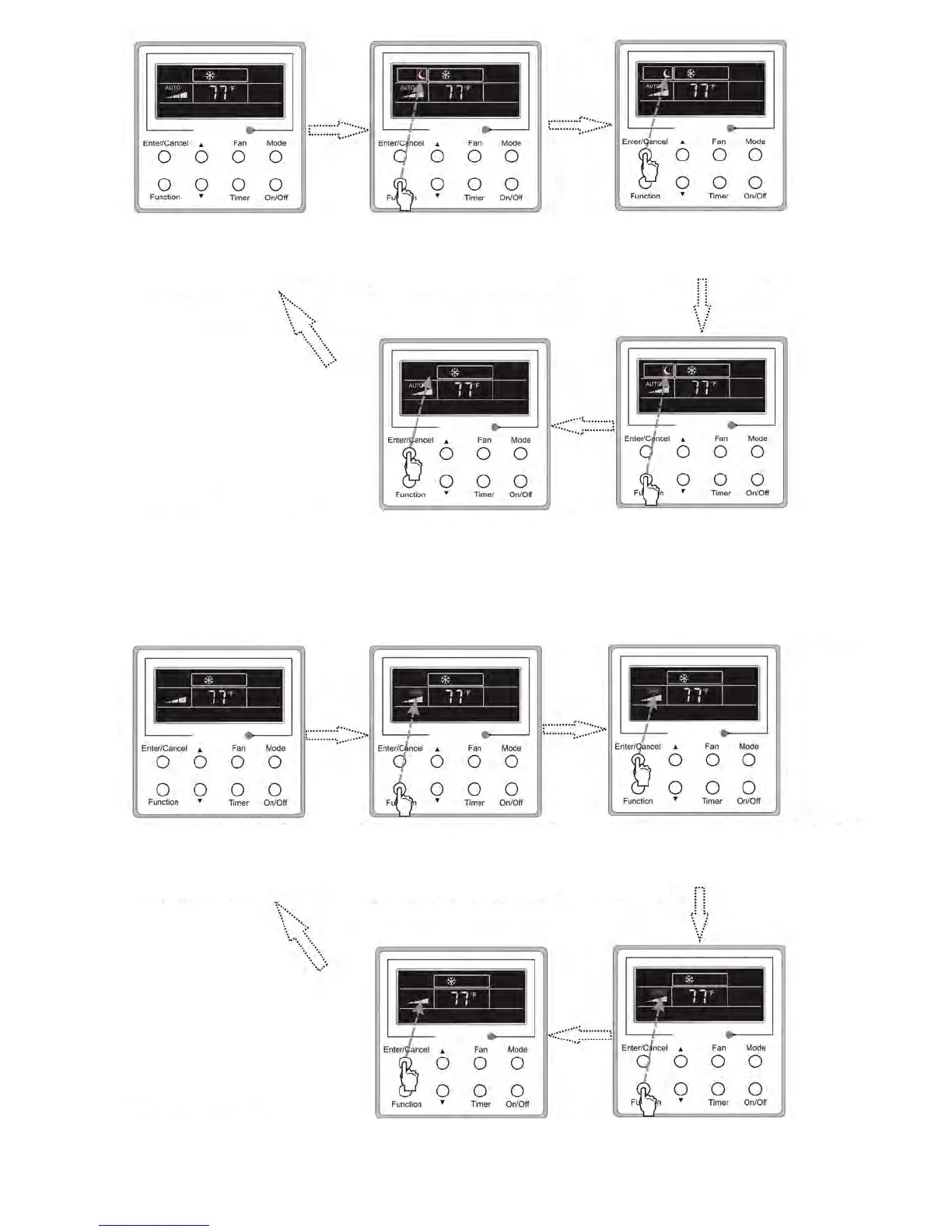
Turn off the unit,without
Sleep function activated
Press Function repeatedly
to get to the Sleep
setting status
Press Enter/Cancel
to activated the Sleep
function
Press Enter/Cancel to
cancel this setting
Press Function repeatedly
to get to the Sleep
function again
3.8 TURBO Setting
Under COOL or HEAT mode, pressing the function button will speed up cooling or heating.
• Press the button again to exit turbo function and the icon will disappear.
• Turbo feature is not available in AUTO, DRY, or FAN mode(s).
• Turbo function is shown below.
Turn off the unit,without
Turbo function activated
Press Enter/Cancel to
cancel this setting
Press Function repeatedly
to get to the Turbo
function again
Press Enter/Cancel to
cancel this setting
Press Function repeatedly
to get to the Turbo
function again




 To Next Page