Setting up - 7
Setting up for the first time
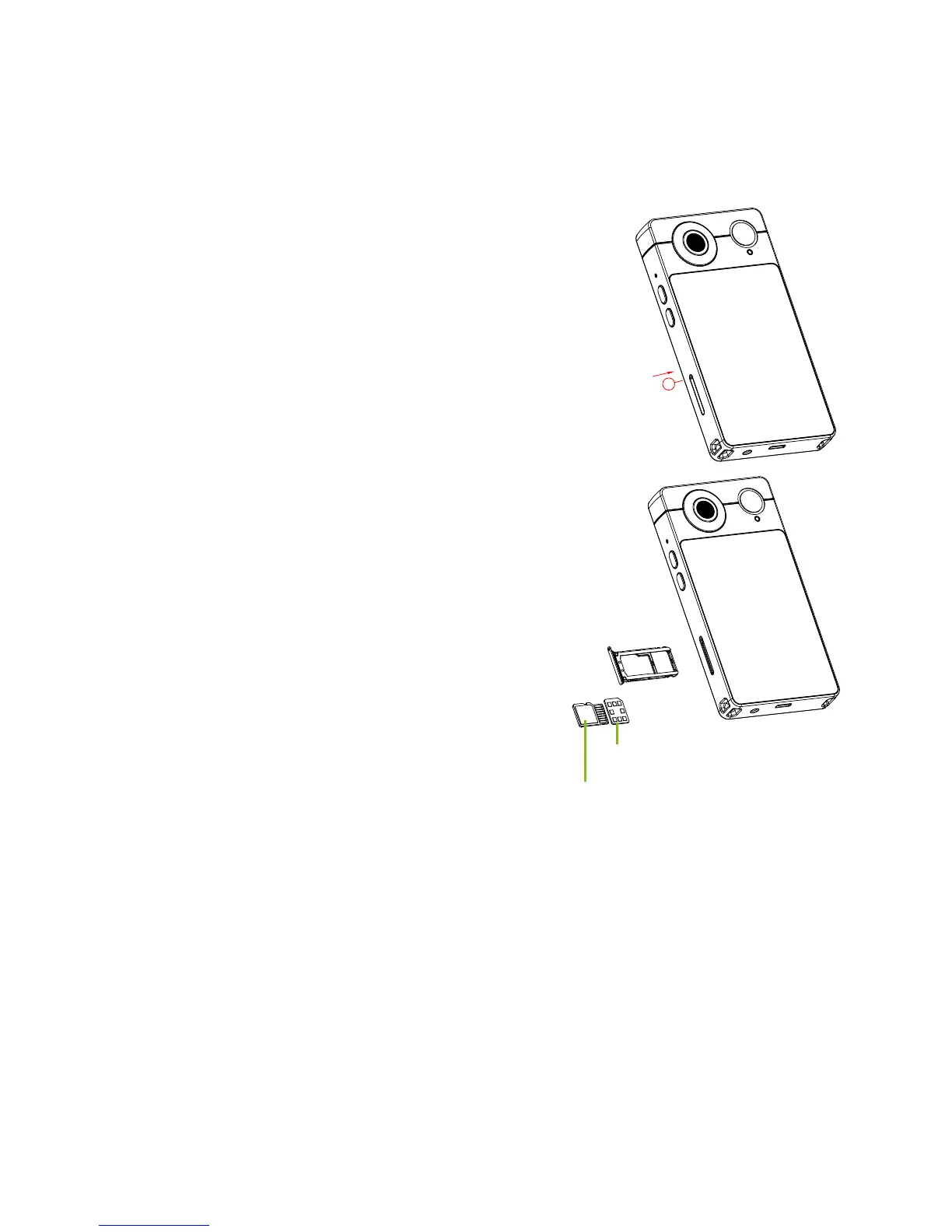
Inserting a microSD card (and optional SIM card)
1. Turn off the camera by pressing and holding
the power button.
2. Using the supplied tool, remove the card tray
by pressing the tip of the tool into the release
hole on the tray.
3. Insert a microSD card (and optional
SIM card).
4. Replace the tray and press it firmly
into place, taking care to ensure that
the cards remain properly seated in
the tray.



 To Next Page