Using the Android OS - 25
Status and notification area
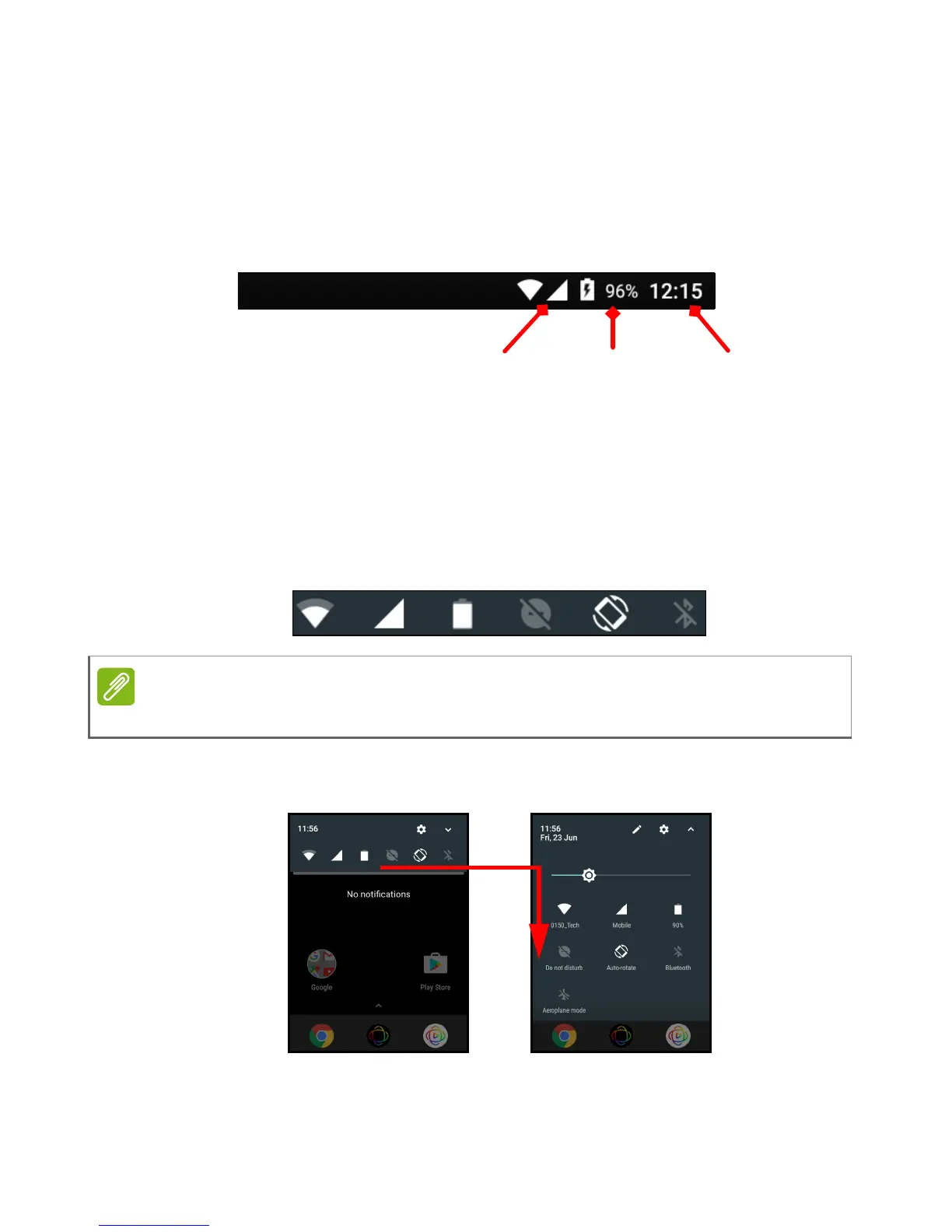
Status and notification icons are shown at the top of the screen. The
top-right corner displays status information such as the time, battery
status, and connectivity. The top-left corner displays event
notifications, such as new message alerts.
Swipe down from the top of the screen to display Quick Settings
shortcuts, and notification details such as current downloads and
media controls when music is playing.
Tap a shortcut to see more information, or toggle the feature if more
information is not available. Tap and hold a shortcut to open
appropriate Settings.
Swipe down again to display the full list of Quick Settings tiles. To see
the Quick Settings tiles with one swipe, swipe down with two fingers.



 To Next Page