4.4 Network setup
4.4.1.Network setup
Step:
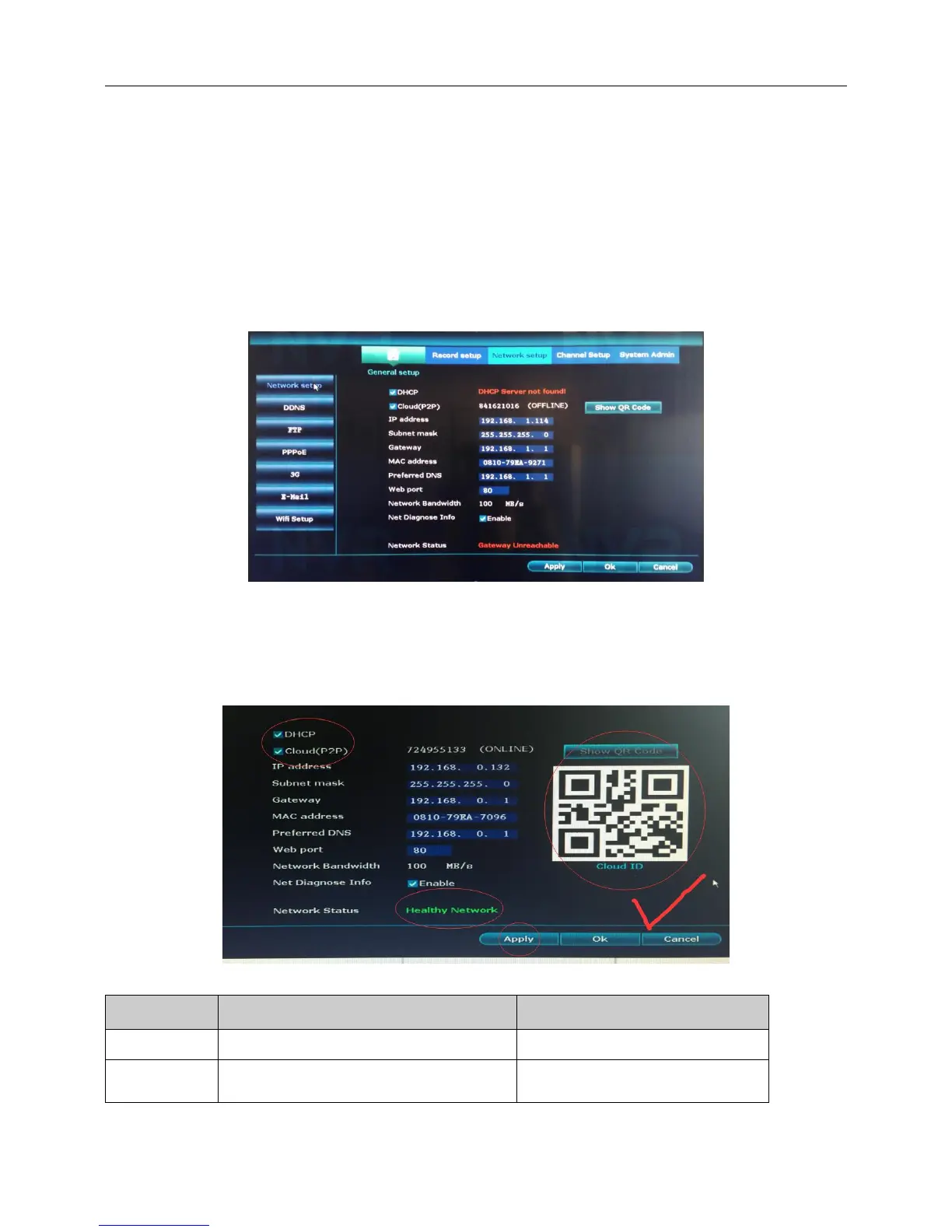
1、Insert the network cable to the recorder WAN port from your router.
2、Right click the blank of main interface -> click “System setup”-> click “Network setup”-> click “Network
setup”
3、Tick DHCP and Cloud (P2P).
4、Click“Apply”and save settings.
5、We recommend that you choose the DHCP as it will obtain IP automatically.
6、When you see the Network Status is “Healthy Network”, that means your network is configured
successful.



 To Next Page