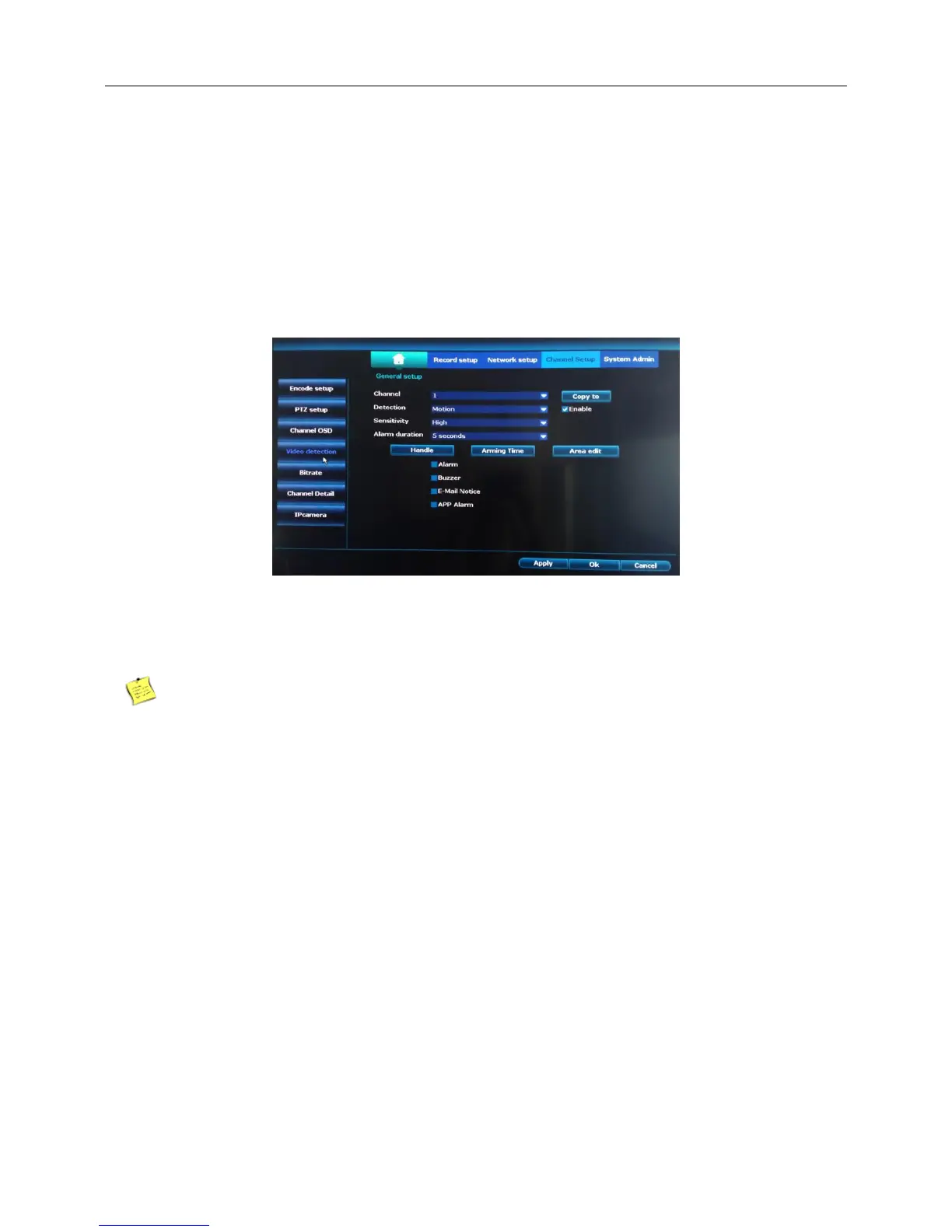
4.9 Video Detect
4.9.1 Motion Detect
Introduction:When system detects the motion signal that reaches the set sensitivity, the motion detect
alarm is on and the linkage function is turned on.
Right click the blank of main interface -> click “System setup”-> click “Record setup”-> click “Record Plan”
1) 【Sensitivity】Choose in the options according to the sensitivity.
2) 【Detection】Choose Motion.
3) Click“Apply”,finish.
The default of sensitivity is high.
【Alarm】Right click the blank of main interface -> click “System setup”-> click “Record setup”-> click
“Alarm setup”,work mode choose disable.
4.9.2 Video loss
Introduction:When the equipment can not obtain the channel video signal, the video loss alarm is turned
on and the linkage function is turned on.
1、Detection choose video loss.



 To Next Page