If the software cannot be loaded, need to enable the plug-in settings on the browser: ->Internet
Tools Options - > Security - > Custom Level ->Actice X controls and plug-ins are selected as
enabled, and finally click "ok"
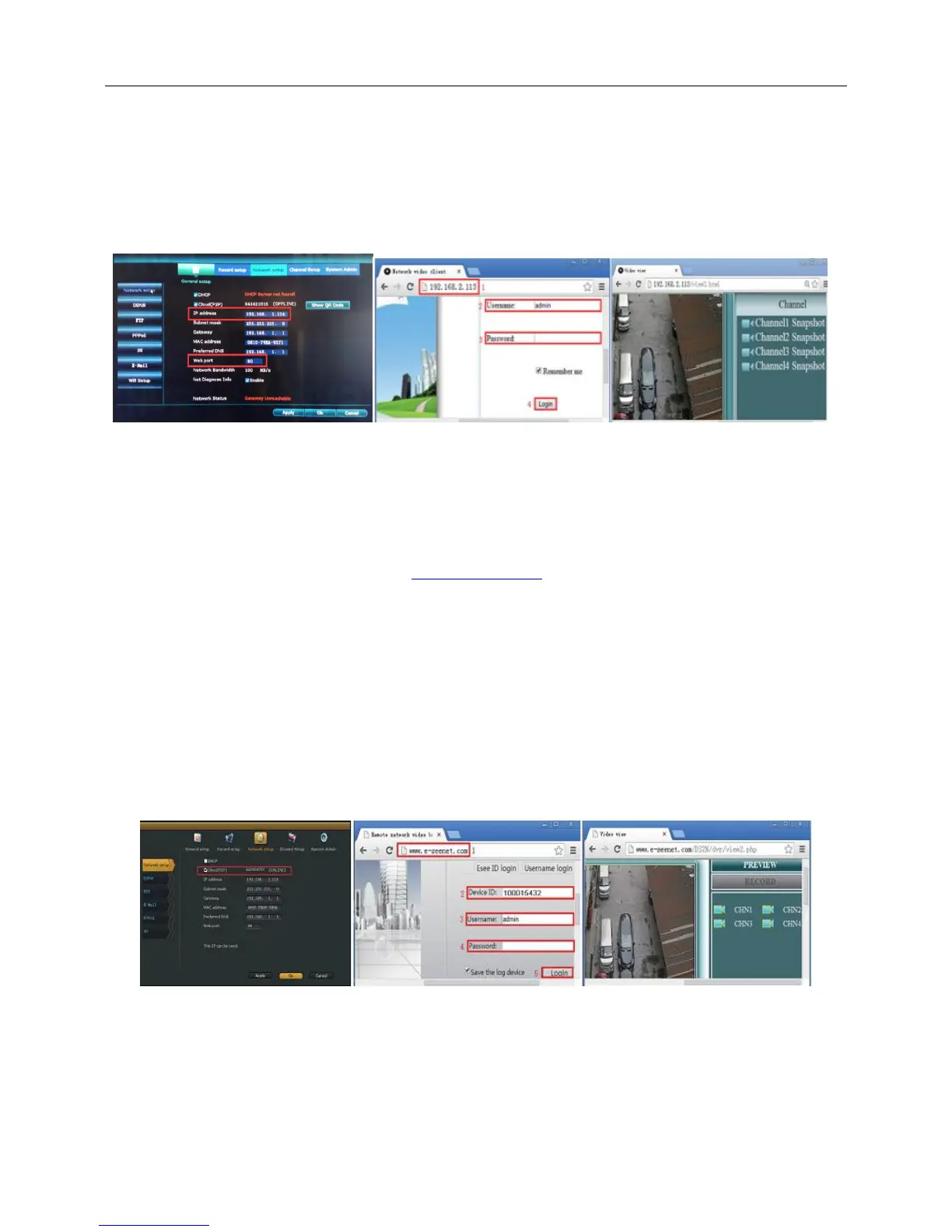
Step 3:Once access successfully,can get video
Tips: Please make sure video recorder and computer in same network segement
5.2 Access in WAN
Step 1: Right click mouse in main menu—System setup—Network setup —check video recorder IP
address
Step 2: Access by computer in WAN,input www.e-seenet.com in IE browser or any other browser.Then it
will access log in webpage ,input ID,user name and password,click log in
You need to download and run the WebClient.exe plug-in for the first time log in webpage.
If the software cannot be loaded, need to enable the plug-in settings on the browser: ->Internet
Tools Options - > Security - > Custom Level ->Actice X controls and plug-ins are selected as
enabled, and finally click "ok"
Step 3: Once access successfully,can get video recorder side upload and computer side download
speed,each channel need above 20KB
6.Mobile Connection
Step :
1.APP Download



 To Next Page