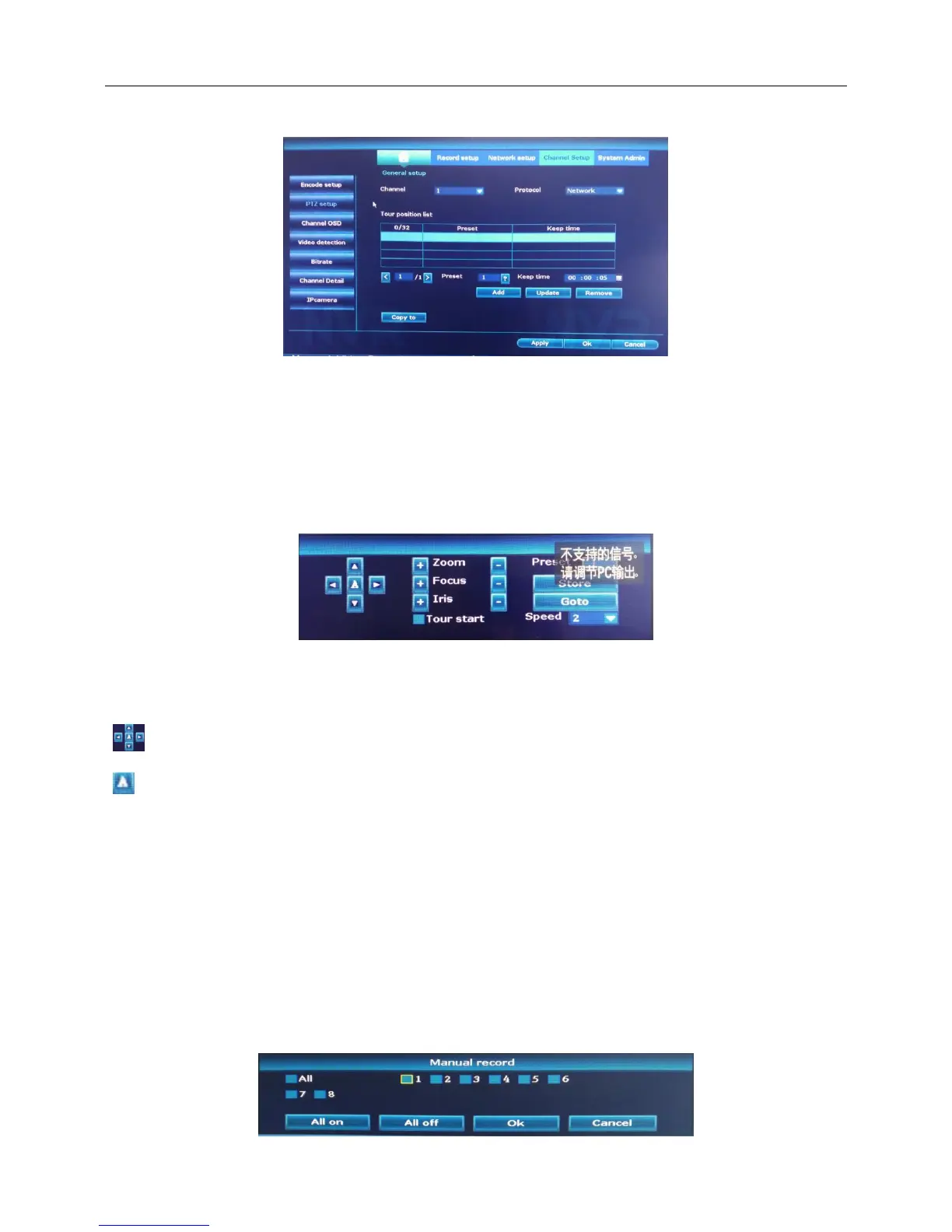
Right click the blank of main interface -> click “System setup”-> click “Channel setup”-> click “PTZ setup”
Note:
1. Decoder A(B)line connects with NVR A(B)line. Make sure the connection is right before use.
2. The PTZ functions are decided by the PTZ protocols.
2.PTZ control
1.Right click the blank of main interface -> click “System setup”-> click “PTZ Control”
2.Enter the PTZ control interface.
:Control PTZ direction。
:PTZ Automatic circular motion
+,- :Click “+,-” button to adjust 【Zoom】【Focus】【Iris】,change the Settings as needed.
4.6 Record
4.6.1 Manual record
Right click the blank of main interface -> click “Manual record”



 To Next Page