between NVR and IPC, the maximum distance is 60 meters.
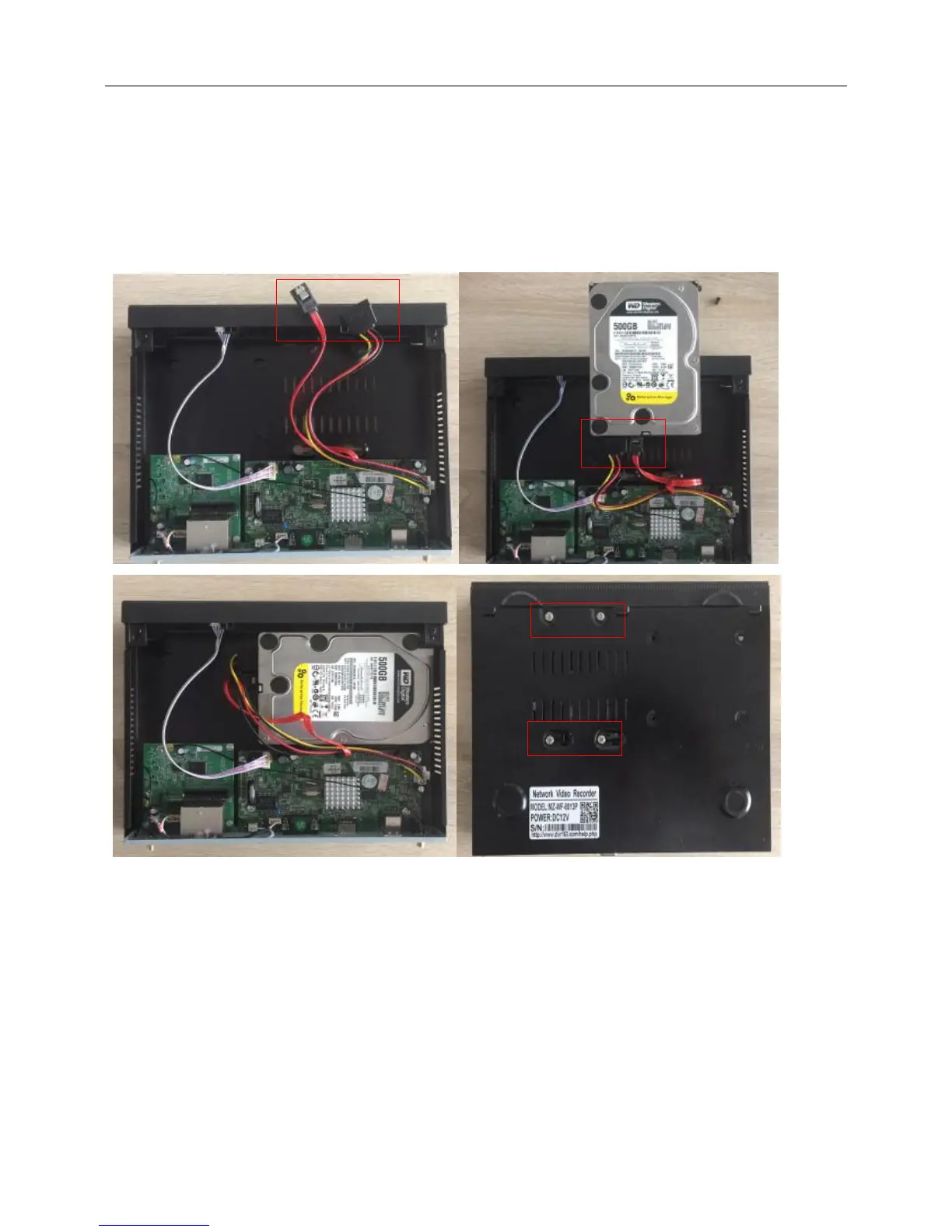
2.Install the HDD.
Please note make sure already cut off the power when install the HDD.
Install Steps:
(1) Remove the screw of the DVR.
(2) Connect the HDD cable and power line.
(3) Assemble the screw, and fix the HDD in the bottom of NVR
(4) Close the cover and fix it
3.Install the antenna for the camera and NVR.
4.Power up the camera and NVR.
5.Match code for camera to NVR.(create the corresponding IP address to NVR)
Normally, we have processed “match code” for the cameras with the recorder into one kit when they leave
the factory. So you should see the picture on the NVR monitor when you power up them. If the camera
don’t display on the NVR monitor, you need to process “match code”.
How to match code:
(1) Connect the power to the camera and NVR.
(2) Take one network cable connect one camera to NVR any Lan port.



 To Next Page