EasyManua.ls Logo

ActronAir CL01-2W - User Manual

ActronAir CL01-2W
30 pages
Print Icon
To Next Page IconTo Next Page
Loading...
1
Control Interface
Model Number
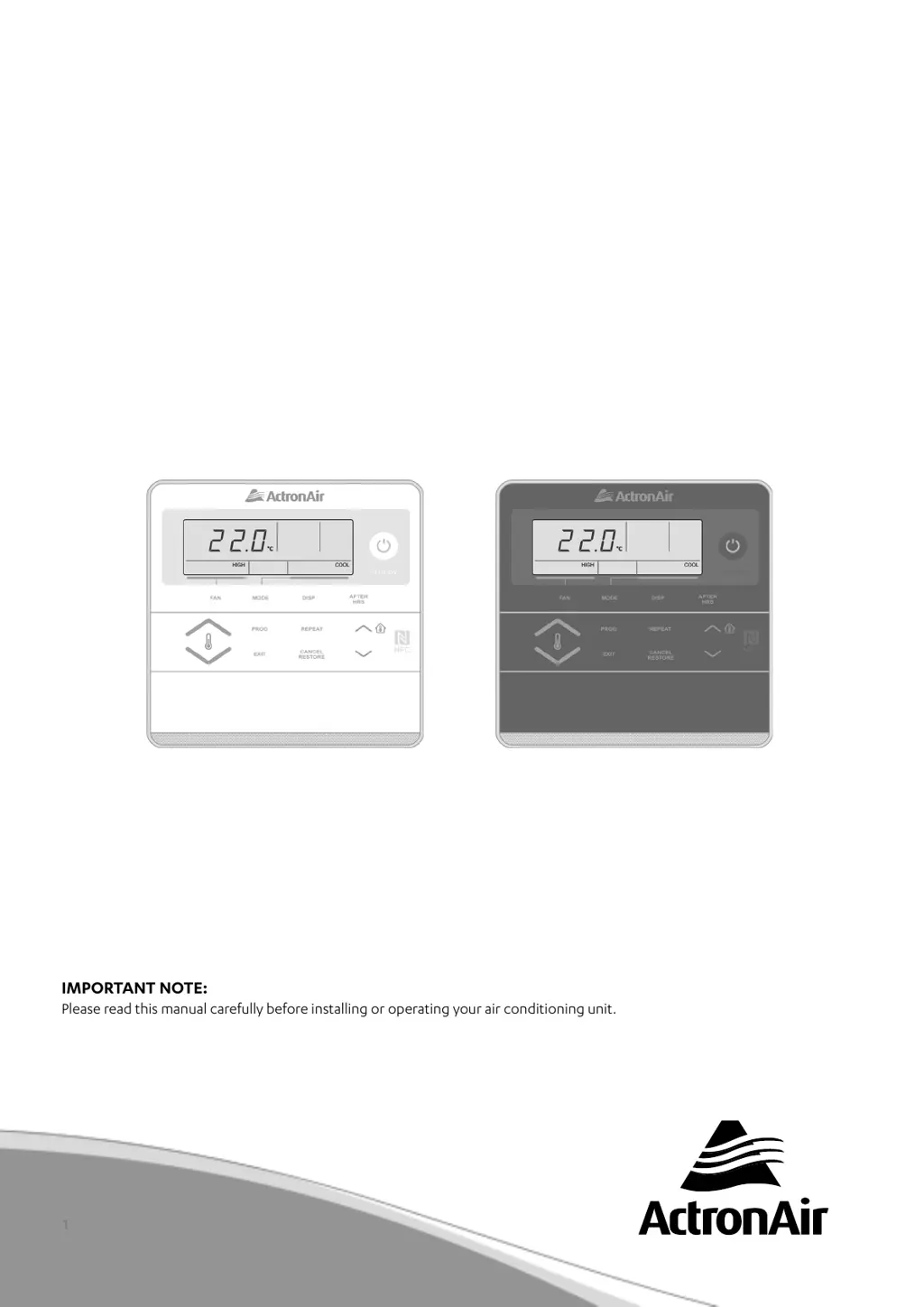
CL01-2W (White)
CL01-2G (Grey)
Thats better. Thats Actron.
COMMERCIAL
AIR CONDITIONING SYSTEM
CONTROL INTERFACE
Operating Instructions
AVAILABLE AS AN OPTIONAL ACCESSORY
FOR TRI-CAPACITY MODELS ONLY
IMPORTANT NOTE:
Please read this manual carefully before installing or operating your air conditioning unit.
That’s better. That’s Actron.

Other manuals for ActronAir CL01-2W

Questions and Answers

  • J
    Jennifer DavisSep 8, 2025
    What to do if ActronAir Control Interface buttons not operating?
    • R
      ricky89Sep 8, 2025
      If the buttons on your ActronAir Control Interface aren't working, it could be due to the interface not responding or a data cable failure. First, try resetting the power to the Control Interface by turning it off and then on again. If that doesn't work, the data cable may need to be replaced.
  • S
    Sarah MosleySep 10, 2025
    Why ActronAir cooling or heating is not sufficient?
    • S
      sabrinakempSep 10, 2025
      Insufficient cooling or heating in your ActronAir system can occur if the indoor return air filter is clogged with dust and dirt. Ensure the air inlet and outlet on the outdoor unit are not blocked. Also, performance can be affected if the outside temperature is above or below the design conditions.
  • D
    Donna TorresSep 12, 2025
    What to do if ActronAir Control Interface does not power up?
    • M
      Michael CarrollSep 12, 2025
      If your ActronAir Control Interface isn't powering up, it could be due to a wiring fault or a data cable fault. Check the wiring according to the wiring diagram. If the wiring is correct, the data cable may need to be replaced.
  • E
    Eric WilliamsSep 13, 2025
    How to fix ActronAir economiser that will not operate?
    • E
      Elizabeth MaciasSep 13, 2025
      If the economiser, outside air, or spill air in your ActronAir system isn't operating, first check if Economy Mode is enabled. Ensure the economiser connector is plugged into the unit wiring harness. Also, the damper motor wiring may need to be checked and replaced if the economiser, outside air, or spill air motor has failed. Wiring or terminals should also be checked and replaced if faulty.
  • T
    Tyler GrahamSep 15, 2025
    Why ActronAir 7-Day Time Clock is not turning the air conditioner On and Off?
    • D
      Damon MarshallSep 15, 2025
      If the 7-Day Time Clock isn't turning your ActronAir air conditioner on and off, ensure that the time clock events are set correctly. Also, verify that the current day and time are correctly set for the air conditioner to operate as scheduled.
  • D
    David RamosSep 18, 2025
    What to do if ActronAir evaporator coil freezes up?
    • K
      Kathryn WhiteSep 18, 2025
      If the evaporator coil in your ActronAir system freezes up during low ambient operation, several factors could be responsible. Check for dirty filters. The system may be low on refrigerant, in which case you should check the pressures and temperatures for suction and discharge. Also, the system may have low airflow, so check the ID fan speed through the Control Interface. Lastly, an outdoor air sensor failure could be the cause; check the Alarm on the Control Interface.

Summary

General Information

Specifications

Technical specifications of the control interface and operating conditions.

Disposal Guidelines

Maintenance and Cleaning

Safety Precautions

Operational Precautions

System Information Recording

Controller Features

Basic Operation

Control Interface Functions

Explanation of the buttons and their functions on the control interface.

Turning Air Conditioner On;Off

Powering the System

Steps to power the air conditioner system on and off.

Setting Room Temperature

How to adjust the desired temperature for the room.

Viewing Temperatures

LCD Backlight Adjustment

Cooling and Heating Modes

Cooling Operation

Steps to set and operate the system in cooling mode.

Heating Operation

Steps to set and operate the system in heating mode.

Automatic and Fan-Only Modes

Auto Operation

How to set the system to automatically switch between heating and cooling.

Fan Only Operation

Instructions for operating the fan independently.

Setting the Clock

Temperature Limit Settings

Setting Lower Temperature Limit

How to define the minimum allowable temperature setpoint.

Setting Upper Temperature Limit

How to define the maximum allowable temperature setpoint.

Temperature Setback Function

7-Day Programmable Function

Time Clock Operation Overview

Overview of the 7-day programmable time clock feature.

Programming the Time Clock

Step-by-step guide to programming daily ON/OFF events.

Repeating Daily Events

Feature to copy programmed events from one day to another.

Programming Past Midnight

Notes on setting events that extend beyond midnight.

Event Management

Cancelling an Individual Event

How to cancel a programmed time clock event.

Re-activating an Event

How to reinstate a previously cancelled time clock event.

7-Day Time Clock Control

De-activating the 7-Day Time Clock

Steps to disable the 7-day programmable timer function.

Re-activating the 7-Day Time Clock

Steps to re-enable the 7-day programmable timer function.

After Hours Operation

Filter Timer and Notification

Dual Control Operation

Mimic Control Setup

How to operate the system from multiple control interfaces.

Alarm Matrix

NFC Manual Access

iOS User Guide

Instructions for iOS users to access manuals via NFC.

Android User Guide

Instructions for Android users to access manuals via NFC.

Troubleshooting Guide

ActronAir CL01-2W Specifications

General IconGeneral
BrandActronAir
ModelCL01-2W
CategoryControl Panel
LanguageEnglish