separated values file).
Web Browser or Smartphone: Monitor sensor data remotely using AcuRite’s free AcuRite online software, or
from a mobile device using the free AcuRite app, available from the iOS App Store or Google Play Store.
Weather Underground: This weather station is compatible with streaming data to the Weather Underground
Personal Weather Station Network. Navigate to http://www.acurite.com/kbase/downloads/AcuRite-
Connect.html for more information.
USB Mode
To set up AcuRite Connect, you must first select mode 3 on your display to gain access to all functionality. Modes
1, 2 and 4 are not used for the AcuRite
Connect software.
1. Press the “▲“ or “▼“ buttons until “SET USB MODE?” is displayed on the Selectable Category part of the
display.
2. Press the “ ” button to set the mode preference.
3. Press the “▲“ or “▼“ buttons to select USB mode #3.
4. Press the “ ” button to confirm your selection. AcuRite Connect USB Mode is now set.
Download the Software
The AcuRite Connect software is available online as a free download. A manual (PDF) is included with the
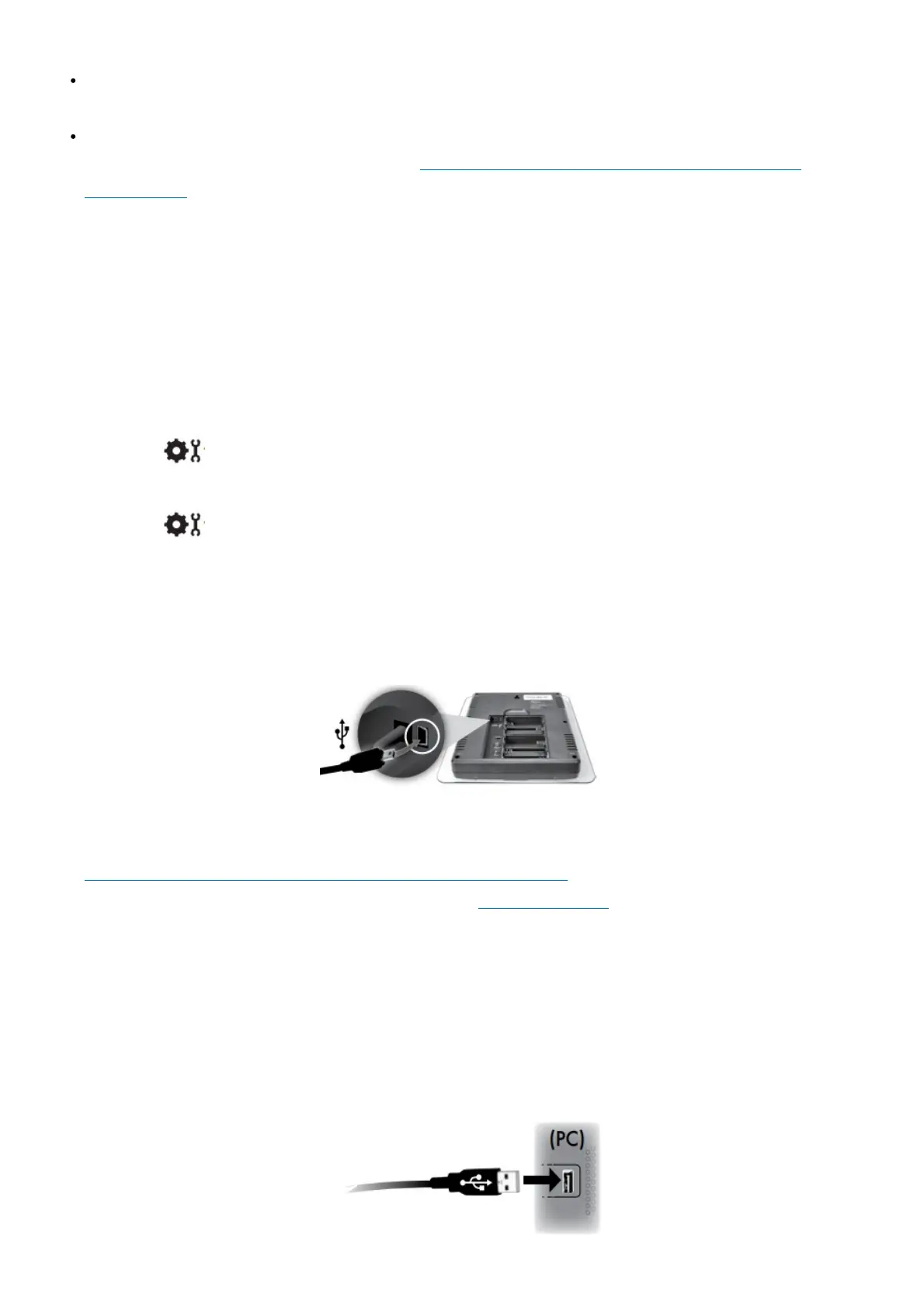
software download. Before setting up the AcuRite Connect software, verify that the display is ON with the power
adapter plugged in. Next, connect the mini-USB (small end of the cable) into the USB port on the display, located
inside the battery compartment.
1. Download AcuRite Connect software to your computer by visiting:
http://www.acurite.com/kbase/downloads/AcuRite-Connect.html
Or, navigate to the link above using the following path: www.acurite.com > Support > Downloads > AcuRite
Connect
2. Click the .exe file that was downloaded in step 1, and follow the on-screen instructions to install the software.
3. After AcuRite Connect is installed on the computer, the initial configuration will begin automatically. When
selecting where to save weather data downloaded from the display, a folder named “AcuRite Weather Station”
will be created on the computer.
4. (PC) When prompted by the software to plug in the display, connect the USB (larger end of the cable) into a
USB port on the computer.



 To Next Page