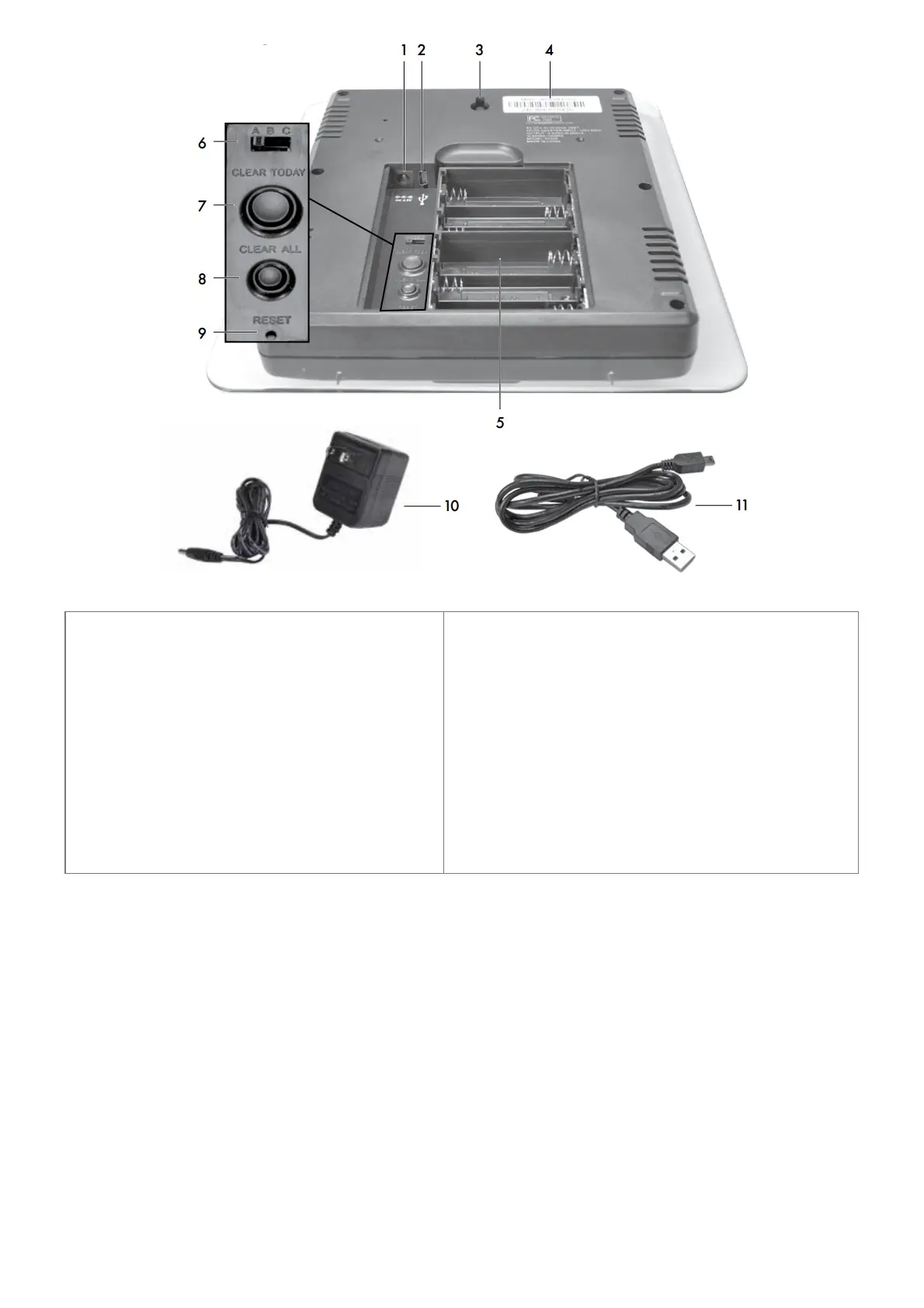
1. Plug-in for Power Adapter
2. Plug-in for USB Cable
3. Integrated Hang Hole
For easy wall mounting.
4. MAC ADDRESS
12 digit unique ID required for online connectivity fu
nctions.
5. Backup Battery Compartment
6. A-B-C Switch
ID code that must match 5-in-1sensor’s A-B-C switc
h to ensure units synchronize.
7. Clear Today
Clears data recorded since 12:00 am.
8. Clear All
Clears all recorded data without having to reset time and
date.
Note: USB mode will be reset to Mode 2 (Default).
9. Reset
Full reset to factory defaults.
10. Power Adapter
11. USB Cable for PC Connection
12. Battery Compartment Cover
(not shown)
SETUP
5-in-1 Sensor Setup
1. Set the A-B-C Switch
Locate the A-B-C switch inside the battery compartment. Set the A-B-C switch to A, B or C. You must select
the same letter choices for both the sensor and the display in order for the units to synchronize.
2. Install or Replace Batteries
Batteries MUST be installed for this product to operate. AcuRite recommends high quality alkaline or lithium
batteries for the best product performance. Heavy duty or rechargeable batteries are not recommended. The
5-in-1 sensor requires lithium batteries in low-temperature conditions. Cold temperatures can cause alkaline
batteries to function improperly. Use lithium batteries in the 5-in-1 sensor for temperatures below -4ºF / -20ºC.
1. Slide off the battery compartment cover.



 To Next Page