PLEASE DISPOSE OF OLD OR DEFECTIVE BATTERIES IN AN ENVIRONMENTALLY SAFE
WAY AND IN ACCORDANCE WITH YOUR LOCAL LAWS AND REGULATIONS.
BATTERY SAFETY: Clean the battery contacts and also those of the device prior to battery
installation. Remove batteries from equipment that is not to be used for an extended period of time.
Follow the polarity (+/-) diagram in the battery compartment. Promptly remove dead batteries from
the device. Dispose of used batteries properly. Only batteries of the same or equivalent type as recommended
are to be used. DO NOT incinerate used batteries. DO NOT dispose of batteries in fire, as batteries may explode
or leak. DO NOT mix old and new batteries or types of batteries (alkaline/standard). DO NOT use rechargeable
batteries. DO NOT recharge non-rechargeable batteries. DO NOT short-circuit the supply terminals.
Set the Time & Date
The clock and calendar are utilized to time stamp history records and other data, so it is important to set the time
and date soon after you power on the display.
Set the Time
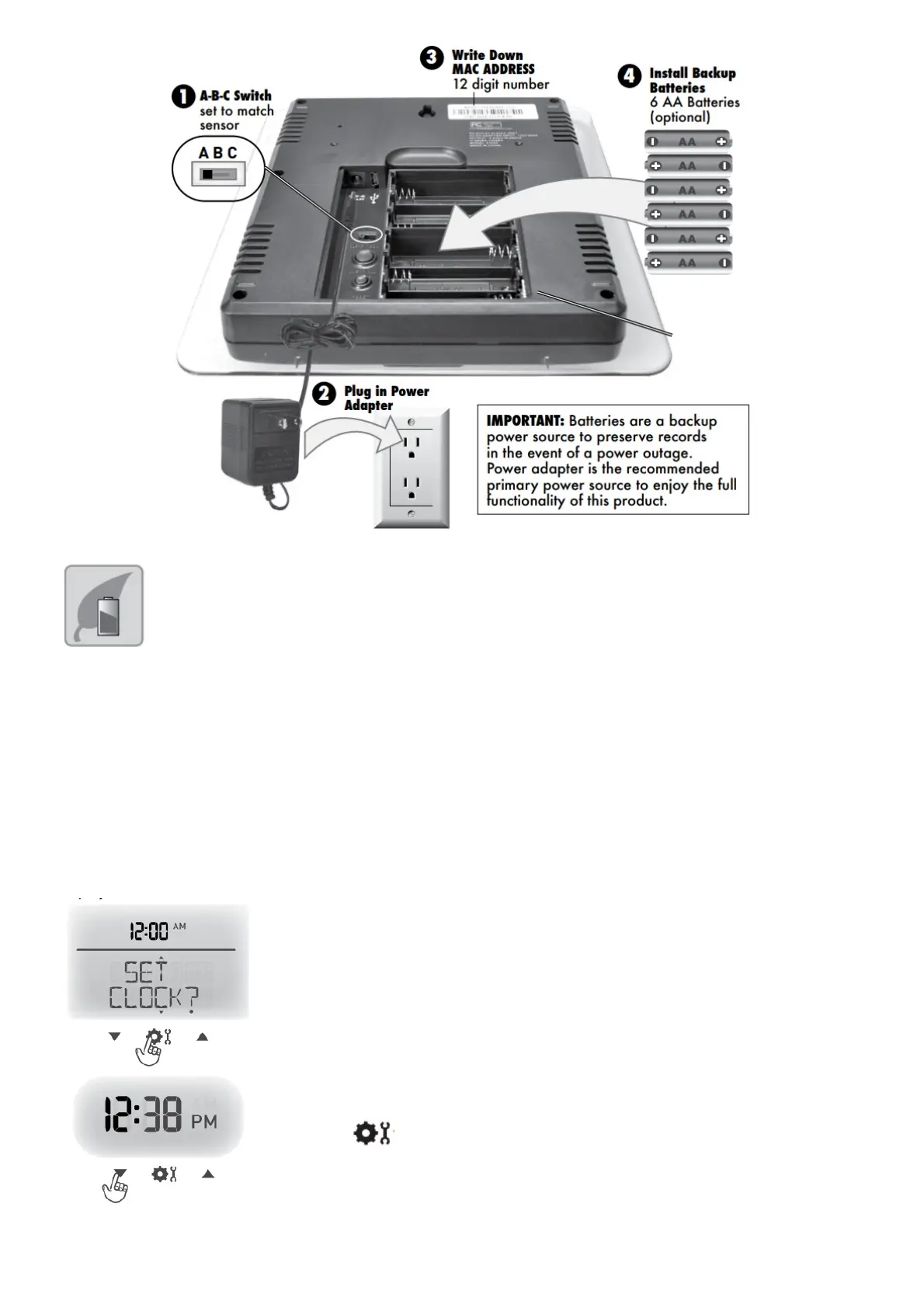
1. Press the “▲“ or “▼“ buttons until “SET CLOCK?” is displayed on the Selectable
Category part of the display.
2. Press the “ ” button to set the clock.
3. Press the “▲“ or “▼“ buttons to adjust the hour. Note the “AM” and “PM” indicators.
4. Press the “ ” button to confirm hour selection.
5. Press the “▲“ or “▼“ buttons to adjust minutes.
6. Press the “ ” button to confirm the minute selection.
The clock is now set.



 To Next Page