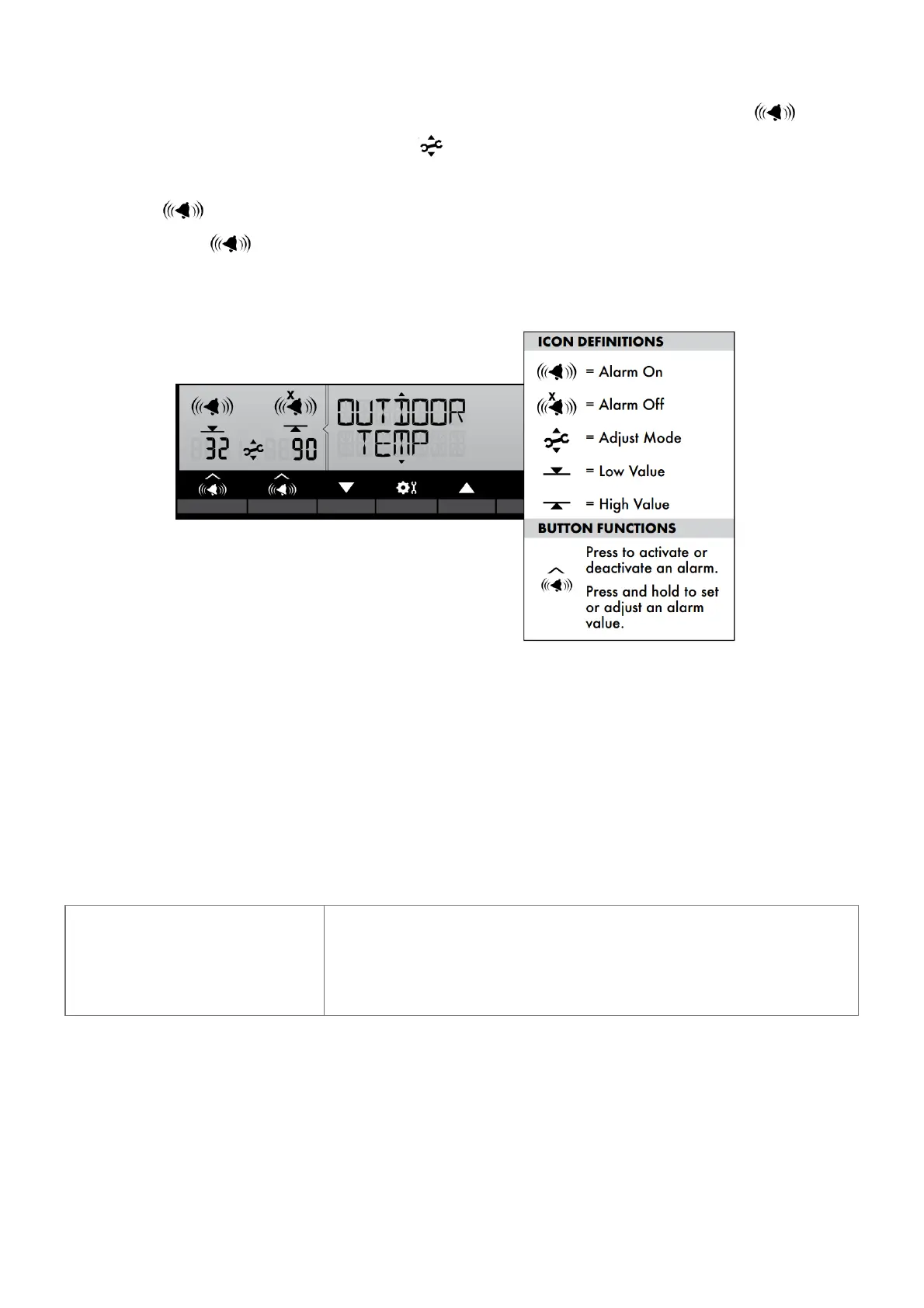
1. Choose the weather category for which you wish to set an alarm by pressing the “▲“ or “▼“ buttons until the
category is displayed on the Selectable Category part of the display.
2. To program a value (only applies to alarms that require a value), press AND HOLD the “ ” button
underneath the alarm you wish to set until the “ ” indicator appears and the alarm setting flashes.
3. Adjust the alarm value by pressing the “▲“ or “▼“ buttons.
4. Press the “ ” button to confirm a value.
5. Next, press the “ ” button to activate the alarm (the X indicator disappears when alarm is activated).
Alarm is now programmed and turned on.
Silence a Sounding Alarm
The alarm sounds initially for a few minutes, then silences itself. The alarm then sounds every few minutes
afterwards until one of the following happens:
1. “SNOOZE” – Press any button. Alarm silences, but sounds again if the alarm condition reoccurs.
2. Turn alarm “OFF” – Deactivates alarm.
Troubleshooting
Problem Possible Solution



 To Next Page