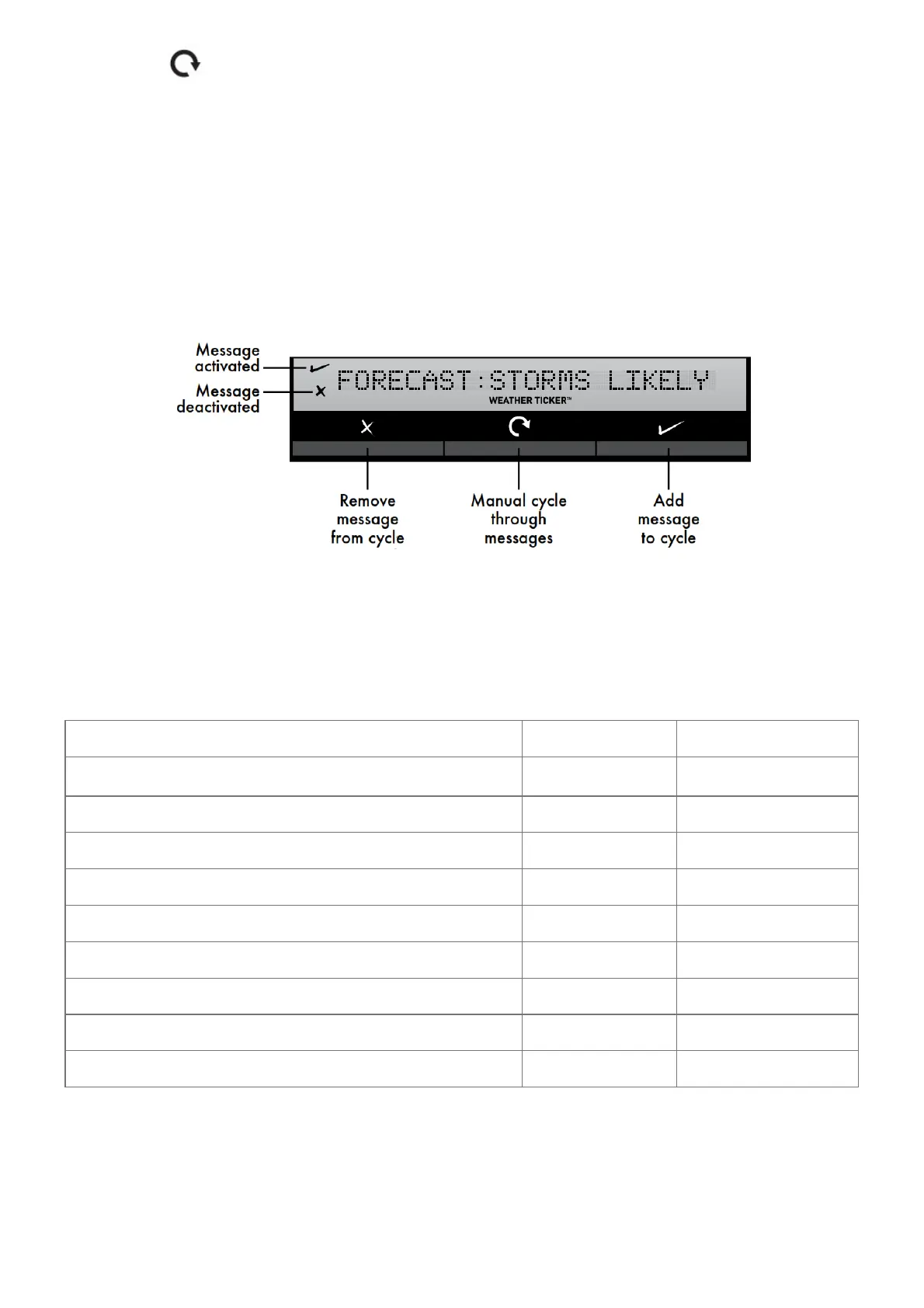
1. Press the “ ” button to manually cycle through each message available.
2. During the MANUAL REVIEW: PRESS the “ √” button to activate the current scrolling message. The
corresponding “ √” appears on screen to the left of the message to indicate the message is now active in the
ticker cycle. PRESS the “× ” button to deactivate the current scrolling message.
The corresponding “× ” appears on screen to the left of the message to indicate the message is now
deactivated from the ticker cycle.
Please note: Messages can only be added and removed to the ticker cycle during manual review. The “ √” and “
×” buttons do not add or remove messages during the automatic cycle.
Programmable Weather Alarms
Each Selectable Weather Category features an alarm option. When an alarm sounds, the display emits audible
beeping and flashes the affected category, its alarm settings, and any other relevant data.
Some alarms can be customized to alert you when your programmed value is reached. Alarms include:
OUTDOOR HUMIDITY LOW HIGH
OUTDOOR TEMP
LOW HIGH
STORM ALARM HIGH
INDOOR HUMIDITY LOW HIGH
INDOOR TEMP LOW HIGH
WIND CHILL LOW
DEW POINT LOW HIGH
HEAT INDEX HIGH
RAIN HIGH
WIND SPEED HIGH
The rain alarm does not require a preset numerical value, but instead sounds as soon as rain is recorded.
Similarly, the storm alarm sounds when a large atmospheric pressure drop occurs, which usually indicates an
oncoming storm.
Note: The storm alarm is NOT intended to be a safety device or warning system.
Set a Weather Alarm



 To Next Page