59
2WIN Anterior Segment Hint requires an activation code. Please contact your local
distributor to get the activation code.
To work properly, Anterior Segment Hint needs the 2WIN to be connected to a WiFi
network having internet access.
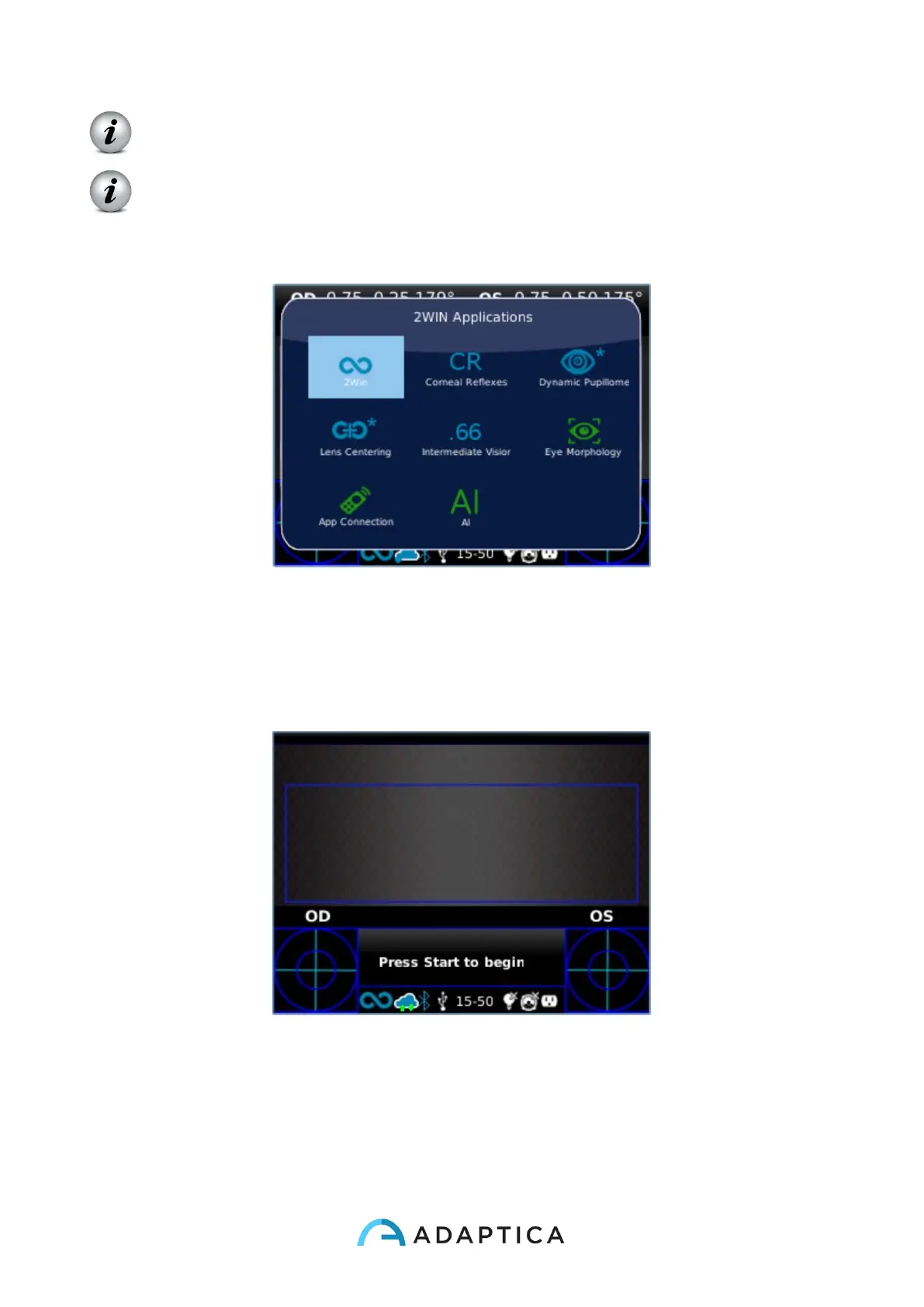
You can check if Anterior Segment Hint is active by entering 2WIN Applications selection
window:
If the AI plugin logo is not followed by an asterisk, as in the picture above, it means that
Anterior Segment Hint is active.
When 2WIN is connecting to Adaptica Cloud the WiFi icon on 2WIN display turns into a
cloud icon with two green arrows, as shown in the figure below:
When 2WIN is correctly connected to Adaptica Cloud the cloud icon becomes steady blue,
and a notification is displayed in Notification Center (see Paragraph 10.21):



 To Next Page