67
You can print the same exam as many times as needed.
When printing to IrDA printer, the data transmission can be interrupted and aborted by
keeping the BUTTON B pressed for 1 second.
Please refer to Appendix B for the infrared printers configuration instructions.
10.17 Mail Printing
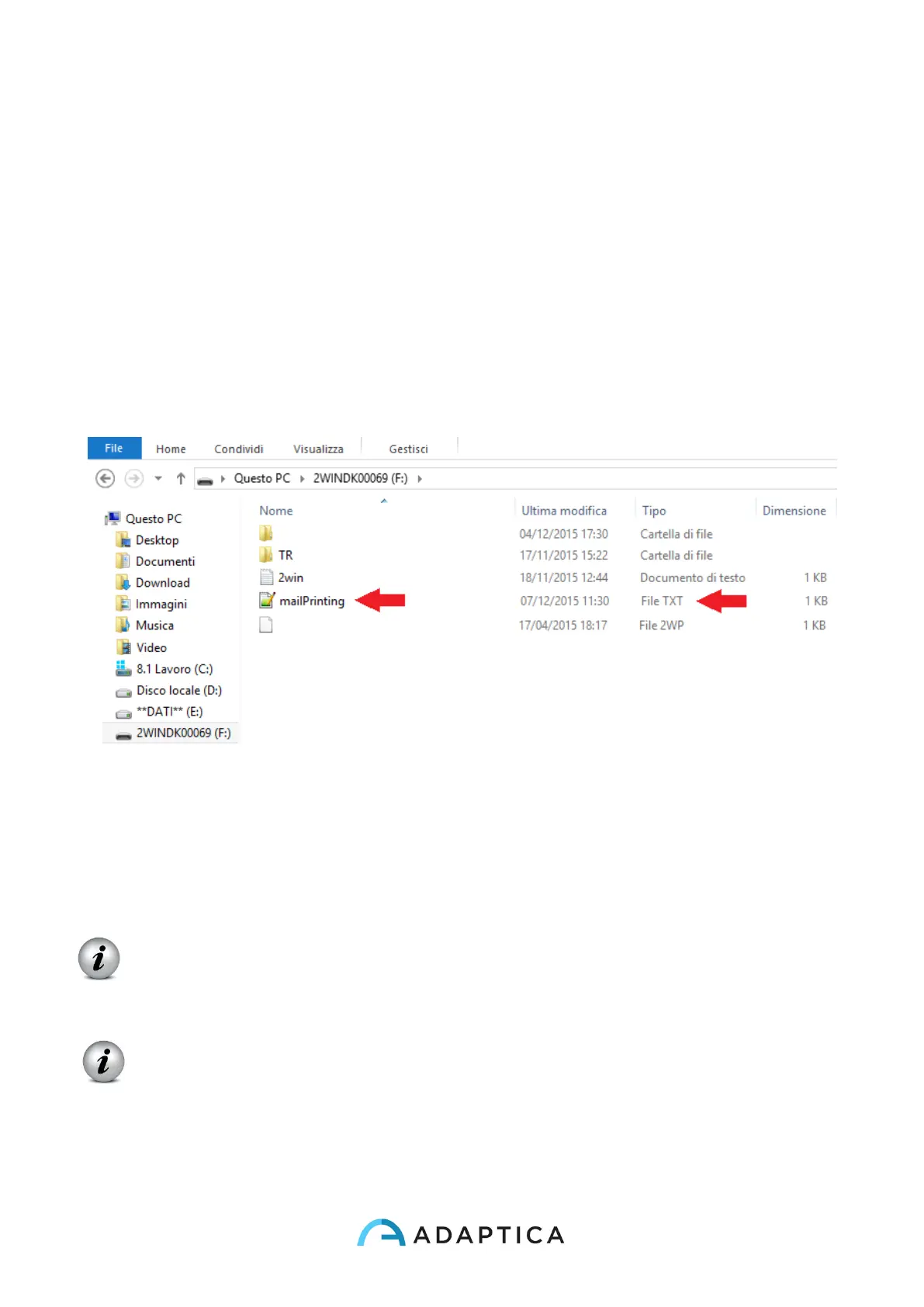
It is possible to send a mail with 2WIN pdf attachment in order to allow mail printing from
2WIN or to receive via email the measurement. In order to activate this service, place a file
(*.txt file) named mailPrinting in the SD root containing the email you want the files to
be sent to (ex. abc@de.com).
Reboot the machine and a new menu item will appear under Menu>Print>Device>Mail
Printing. If checked, after the pression of Button B, an email will be sent automatically to
the specified address with attachments. The email can be a personal email or a printer email.
The email service used for email sending is Gmail.
NOTE: Remember to activate WiFi and to be connected to a WiFi network to use Mail
Printing service. If not activated, mail will not be delivered.
NOTE: If you modify the email address remember to reboot the device to apply the
modification.



 To Next Page