107
8. Press button number 2 on KALEIDOS control panel until the LED becomes blue.
Then release the button.
9. If the pairing succeeds LED number 2 on KALEIDOS control panel becomes green
and 2WIN icon on the tablet Application becomes green as well.
NOTE: to use the remote Application to control 2WIN follow the pairing instructions
from step 1 to step 6.
When paired for the first time, the application will show the S/N of the 2WIN. From this mo-
ment it is possible to use the KALEIDOS controlling it with the remote 2WIN App. During
next measurement sessions it is not necessary to pair again the 2WIN and the remote ap-
plication.
If you want to remove the pairing, in order to connect another 2WIN or another KALEIDOS
to the remote application, simply tap again on the 2WIN App settings > 2WIN Connection
and follow the instructions in the application.
13.2 How to use the 2WIN App
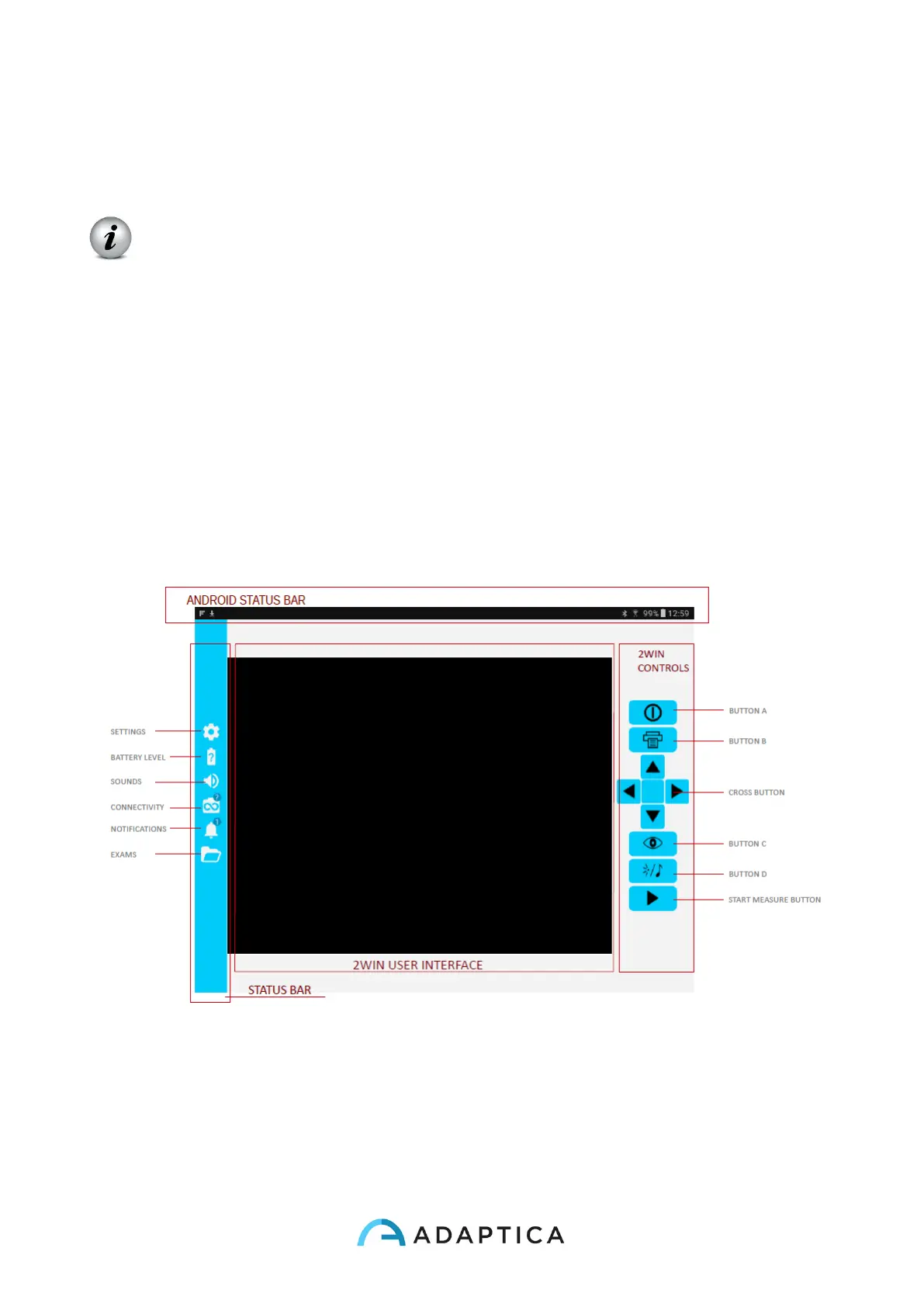
The right-side buttons of the 2WIN App are the replica of the 2WIN buttons, so all the func-
tions of 2WIN’s physical buttons are controlled by the App.



 To Next Page