74
Hirschberg Test
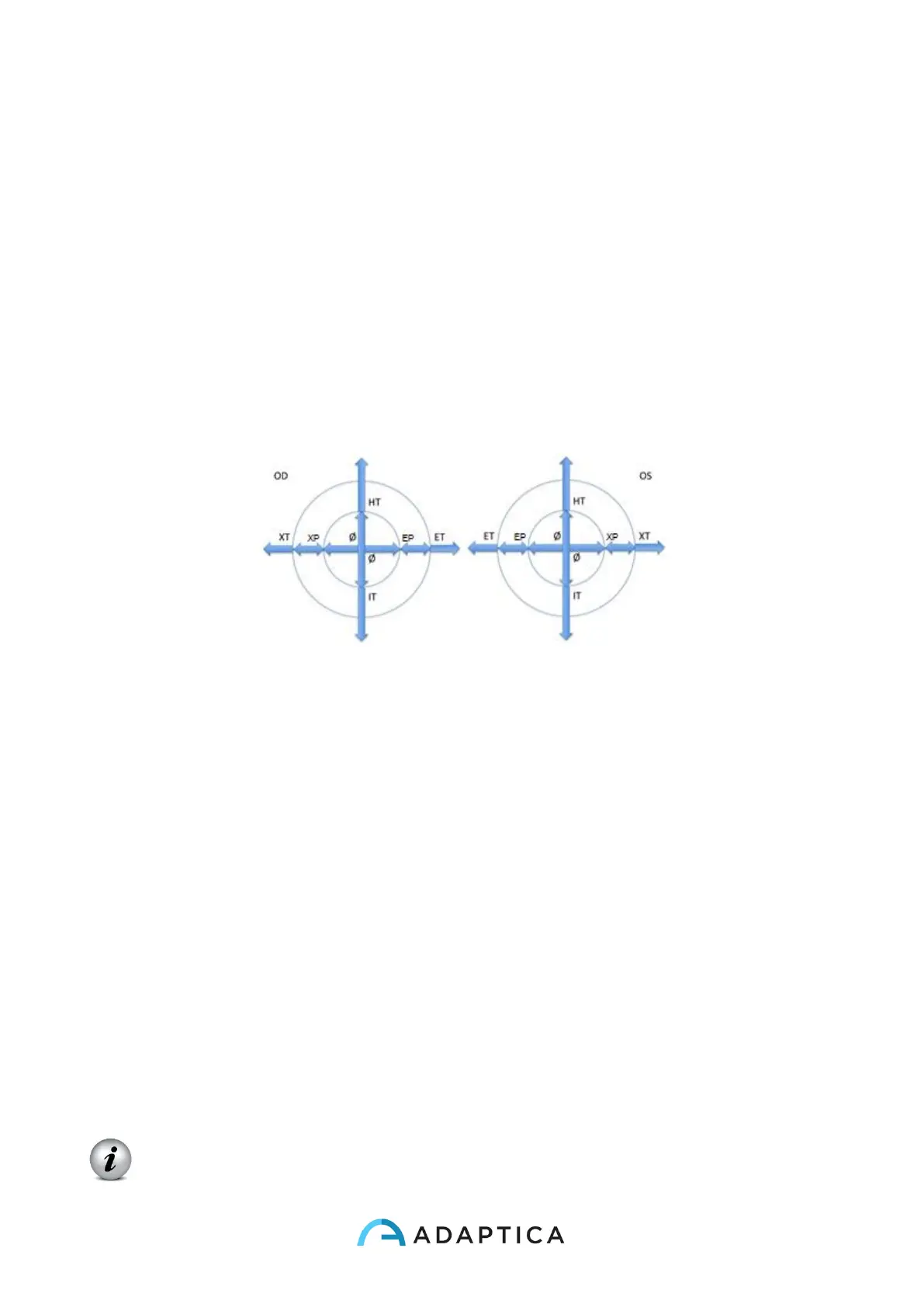
If “Hirschberg test” is selected for the representation of the gaze, either in the MENU or by
toggling the visualization type via cross button (DOWN arrow), the results for patient's
fixation will be expressed by the Hirschberg test coding:
ET = esotropia
EP = esophoria
HT = ipertropia
IT = ipotropia
XP = exophoria
XT = exotropia
O = ortotropia
The following picture gives a graphical representation of the codes.
10.20 Customization
Some features of the device can be customized by the user. To do this the user shall take
the SD card out of the device, write it by means of a personal computer, then reinsert it in
the device.
Please notice that in order to extract and insert the SD card, the device shall be OFF.
Custom printouts
By creating in the root folder of the SD card a file named
printoutPersonalData.txt
printouts (both to portable printer and to file) will be customized by adding the first three lines
contained in such file.
Sample:
Winning Eye Clinic
5, Trafalgar Sq. London
www.winningeye.com
NOTE: The text file must be saved in UTF-8 codification from your text editor.



 To Next Page