Need help?
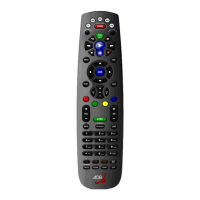
Do you have a question about the ADB PHOENIX and is the answer not in the manual?
Power supply cables and connectors are crucial for safety. Always use original adapters and check cables regularly.
Describes the hardware components and installation types for the HF remote control system.
Explains the simple point-to-point setup for a single sender and receiver, connecting the RS232 cable and power supply.
Details extending the range with multiple receivers, requiring a PC, converter, and SCC software for communication.
Explains the software requirements and configuration settings for the HF remote control system.
Procedure for powering on the hand-held remote control, including password entry and initial display.
Details how to configure the SCC software settings to match the computer's hardware profile and communication needs.
Configuration of serial communication parameters (COM port, baud rate) between the SCC software and the lighting desk.
 General
| Brand | ADB |
|---|---|
| Model | PHOENIX |
| Category | Remote Control |
| Language | English |


 To Next Page