10
INSTALLATIONCONFIGURATIONOPERATION
FURTHER
INFORMATION
INDEX
MOUNTING
Please see Appendix H for details about mounting options for the ALIF units.
Installation
CONNECTIONS
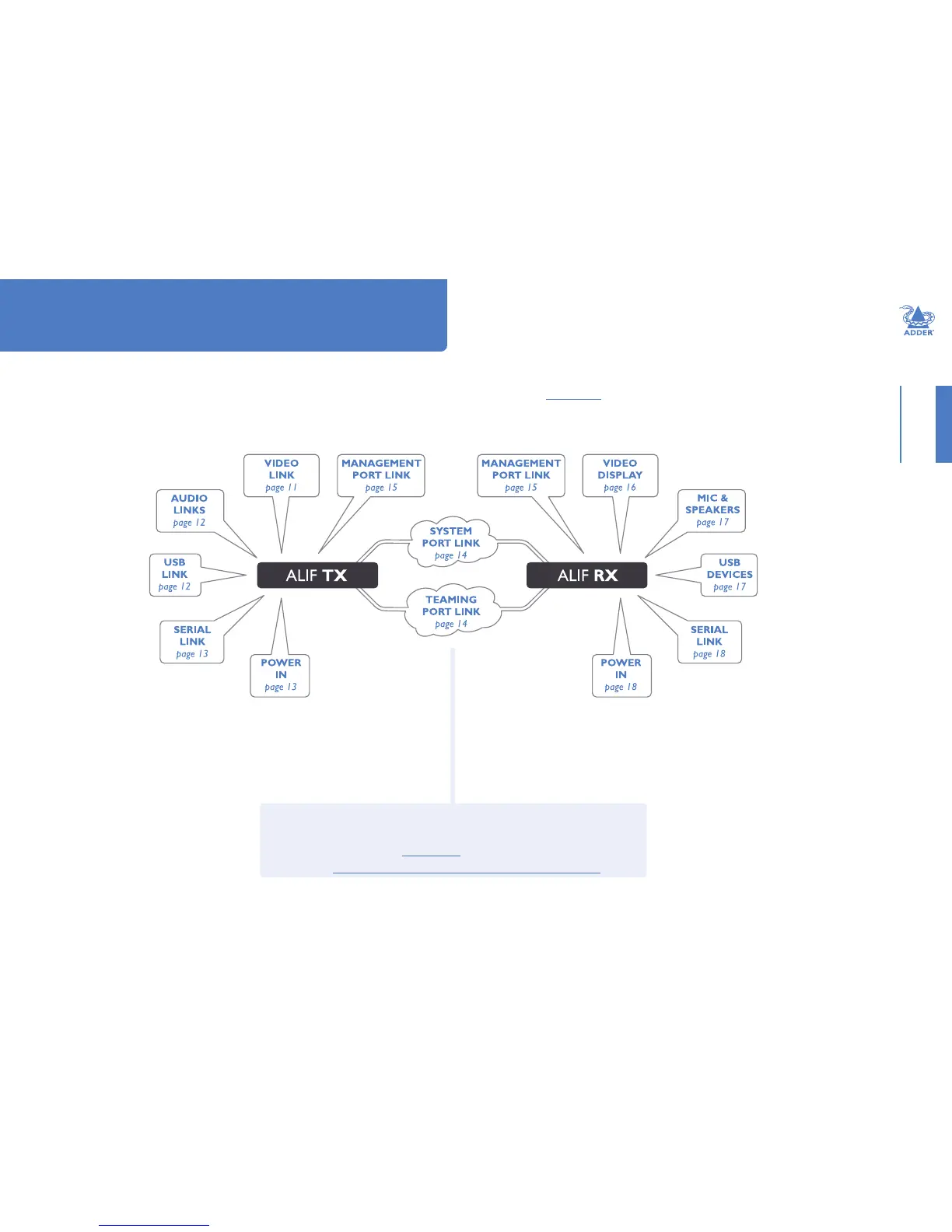
Installation involves linking the ALIF TX unit to various ports on the host computer, while
the ALIF RX unit is attached to your peripherals:
Click a connection to see details
IMPORTANT: When using an AdderLink Innity Management box to congure
ALIF units, it is vital that all ALIF units that you wish to locate and control are set
to their factory default settings. Otherwise they will not be located by the A.I.M.
server. If necessary, perform a factory reset on each ALIF unit.
Please also see Appendix C - Tips for success when networking ALIF units


 To Next Page