15
INSTALLATIONCONFIGURATIONOPERATION
FURTHER
INFORMATION
INDEX
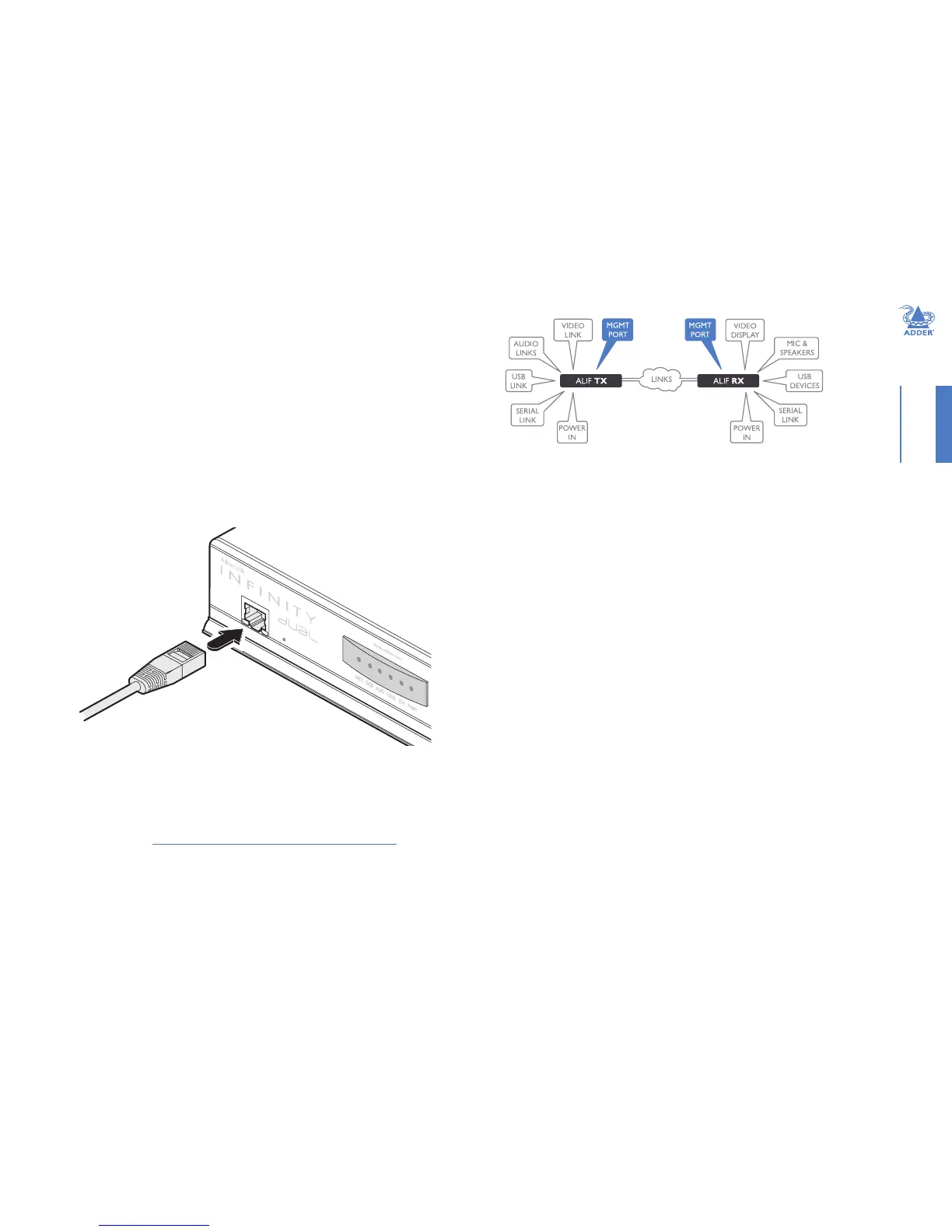
TX/RX Management port
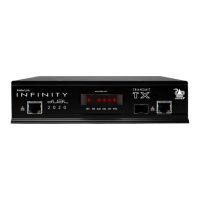
The Management port on each ALIF dual unit provides a consistent method to gain
access to the internal conguration utility of each ALIF dual. Although the conguration
utility is accessible via the System (Gigabit Ethernet) port and also the Teaming port;
if the ALIF dual units are being used in a point-to-point arrangement, then it would
be necessary to temporarily reconnect each unit to a network in order to make
conguration changes. The Management port allows the admin user to simply connect
a computer directly to each ALIF dual unit and access the conguration utility using a
consistent IP address - thus negating the need to know the main port addresses of each
ALIF dual unit in advance.
To connect a computer to access the conguration utility
1 Connect a CAT 5, 5e, 6, or 7 link cable to the Management port socket located on the
far left side of the ALIF dual front panel. The port automatically congures itself, so no
cross-over cable is required (but is supported if you do use one).
2 Connect the other end of the link cable directly to the network port of your
computer.
3 Use a web browser to gain access to the internal conguration utility. The standard IP
address of the Management port is 192.168.1.42
Note: This standard IP address can be changed within the conguration utility.
Please see the section AdderLink Innity browser-based conguration utility for
further details.
(ALIF dual units only)


 To Next Page