49
2. New task
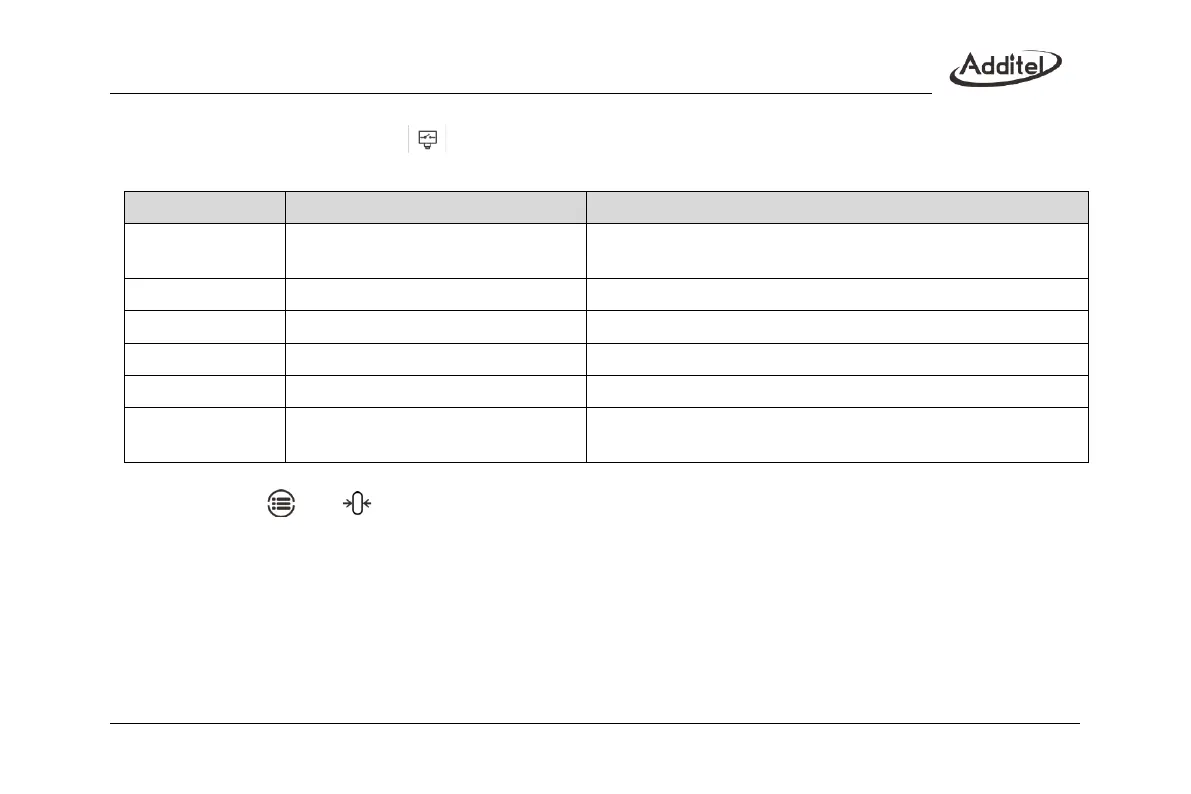
Select “Pressure switch” icon in the calibration list, input pressure switch information in order:
Table 23 Information for pressure switch in Task mode
Gauge pressure, absolute pressure
The type of calibrated switch, view support information according to
calibrator’s model
The switch’s pressure scale
Depends on the switch’s scale
Action point of the switch
Action type of the switch
Mechanical, NPN, PNP switches
Category of the calibrated switch
0.5%, 1%, 1.5%, 2%, 2.5%, 4%,
custom
Switch’s accuracy. The value entered in the custom option is the
accuracy level of the pressure switch
3. Start the task
(1) Click on and to zero the module;
(2) The bottom of the screen shows reading value of the current controlled pressure, and the top is the switch
status;
(3) Switch action status and action value will be recorded and displayed in the table;
(4) Click on the Stop icon to close the running task and view the result;
4. Finish task
Refer to the content in Para.4.1.



 To Next Page