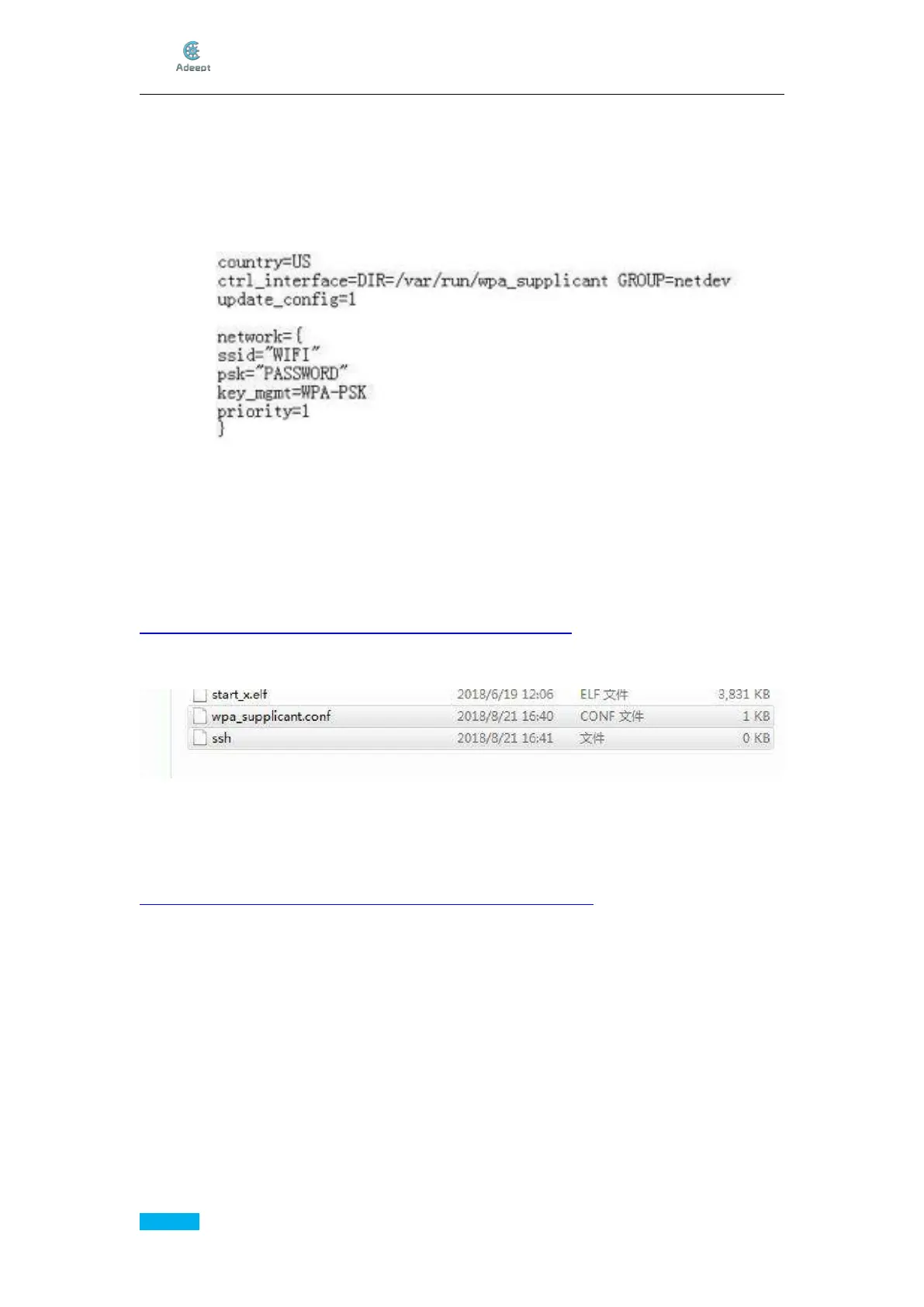
network={
ssid="WIFI"
psk="PASSWORD"
key_mgmt=WPA-PSK
priority=1
}
In the code above, replace WIFI with your own WiFi SSID name and PASSWORD with
your password for the WiFi network. Save the file and change thenameofthefile
wpa_supplicant.txt into wpa_supplicant.conf.
* Make sure MAC filtering has been turned off for the router.
*TheWPA-PSK behind key_mgmt= is the common encryption method for most routers. If
the network connection fails, you may log in and check on the router management page.
* For more about the network connection for Raspberry Pi, please visit the related page
via this link:
https://www.raspberrypi.org/forums/viewtopic.php?t=203716
The two files newly created are as shown below:
Download and Install PuTTy
PuTTy is a software that connects with the Raspberry Pi via ssh. With the tool, you may
control the Raspberry Pi by the computer.
Download:
https://www.chiark.greenend.org.uk/~sgtatham/putty/latest.html



 To Next Page