Using Help | Contents | Index Back 340
Adobe Illustrator Help Printing
Using Help | Contents | Index Back 340
Using the Compatible Gradient and Gradient Mesh Printing
option
Some printers have difficulty printing gradients and gradient mesh objects. For example,
gradients may print with a banding effect on older PostScript Level 2 devices. In addition,
gradient mesh objects may print incorrectly to some PostScript 3 devices. The Compatible
Gradient and Gradient Mesh Printing option enables such printers to print your files by
converting the objects to JPEG format.
Important: Use this option only with files that contain gradients and gradient mesh
objects that will be printed on devices that have difficulty printing such files. This option
can slow printing on printers that don’t have problems with gradients.
To improve gradient printing:
1 Choose File > Document Setup. Then choose Printing & Export from the pop-up menu
at the top left of the Document Setup dialog box.
2 Select the Compatible Gradient and Gradient Mesh Printing option. Click OK.
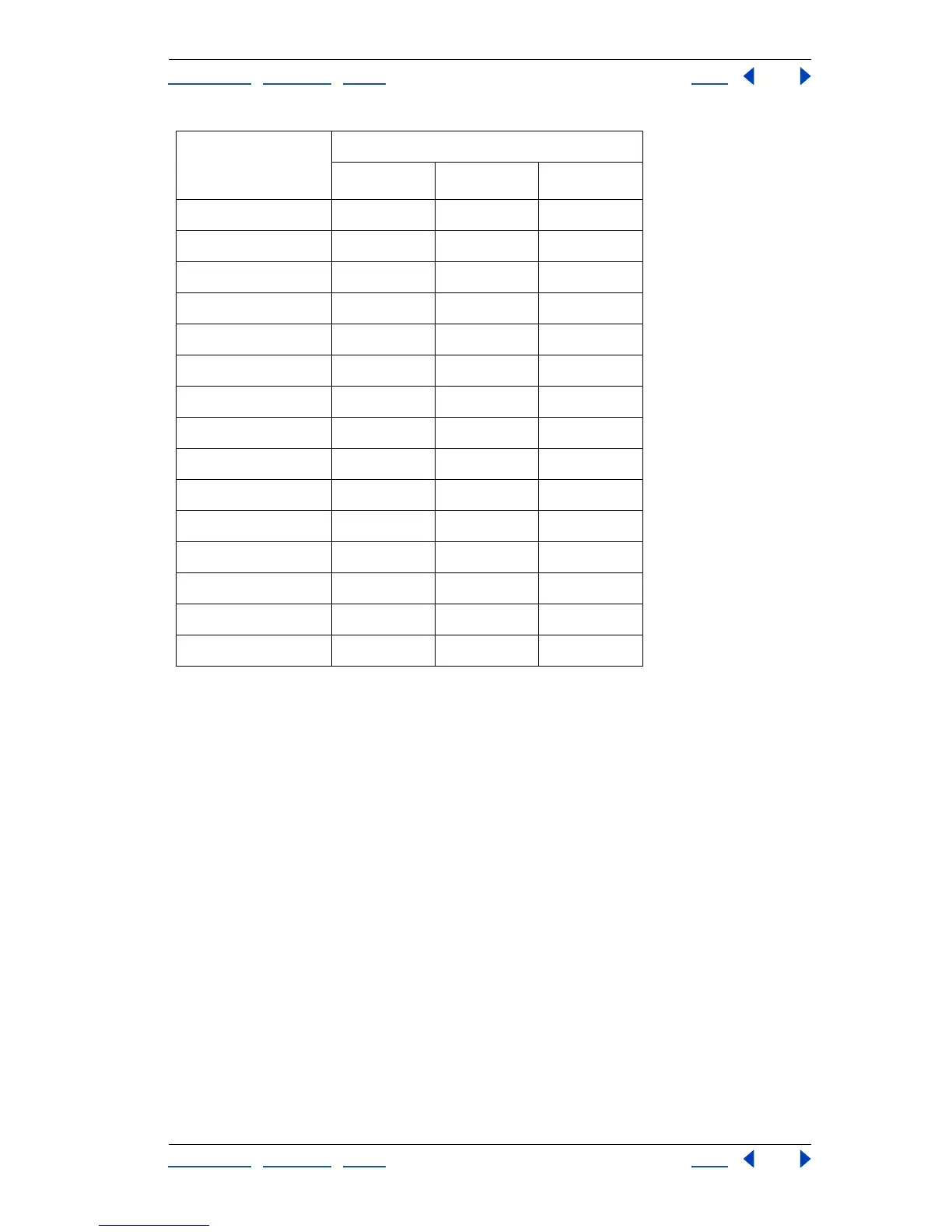
120 259.2 3.6 9.144
130 280.8 3.9 9.906
140 302.4 4.2 10.668
150 324.0 4.5 11.430
160 345.6 4.8 12.192
170 367.2 5.1 12.954
180 388.8 5.4 13.716
190 410.4 5.7 14.478
200 432.0 6.0 15.240
210 453.6 6.3 16.002
220 475.2 6.6 16.764
230 496.8 6.9 17.526
240 518.4 7.2 18.288
250 540.0 7.5 19.050
256 553.0 7.7 19.507
Number of Steps
Adobe Illustrator
Recommends
Maximum Blend Length
Points Inches Cms



 To Next Page