EasyManua.ls Logo

Advanced Control C220 Series - Page 97

Default Icon
225 pages
Print Icon
To Next Page IconTo Next Page
To Previous Page IconTo Previous Page
Loading...
Parameter Description
C220/C420G General Flux Vector Control Inverter User Manual
96
REV terminals.
FWD
REV
COM/+24V
K1
K2
K1
K2
Running Commanc
0 0
1 0
0
1
1
1
Stop
Forward Rotation
Reverse Rotation
Stop
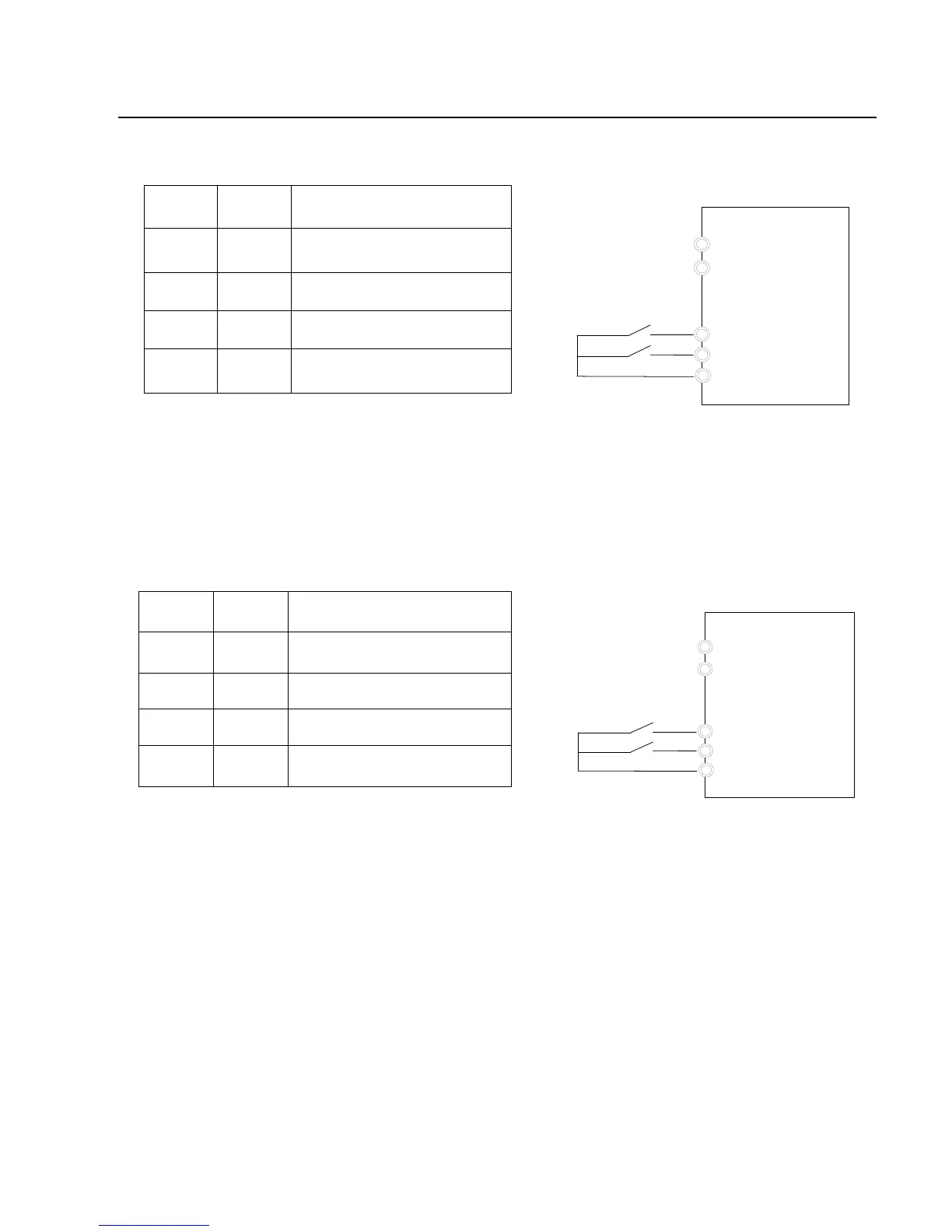
Fig.5-7 Two-line Running Mode 1
1: Two-line running mode 2: When this mode is adopted, REV is enabled terminal.
The direction is determined by the status of FWD.
FWD
REV
COM/+24V
K1
K2
K1
K2
0 0
1 0
0
1
1
1
Stop
Forward Rotation
Reverse Rotation
Stop
Running Commanc
Fig.5-8 Three-line Running Mode 2
2: Three-line running mode 1: In this mode, Dln is enabled terminal, and the
direction is controlled by FWD and REV respectively. However, the pulse is enabled
through disconnecting
The signal of Din terminal when the inverter stops

Table of Contents